
Practice Free AZ-400 Exam Online Questions
You have a project in Azure DevOps.
You need to push notifications about pull requests to a Microsoft Teams channel. The solution must minimize development effort.
What should you do?
- A . Install the Azure Pipelines app for Teams and configure a subscription to receive notifications in the channel.
- B . Use Azure Automation to connect to the Azure DevOps REST API and send messages to Teams.
- C . Install the Azure Repos app for Teams and configure a subscription to receive notifications in the channel.
- D . Use an Azure function to connect to the Azure DevOps REST API and send messages to Teams.
You have a GitHub repository.
You create a new repository in Azure DevOps.
You need to recommend a procedure to clone the repository from GitHub to Azure DevOps.
What should you recommend?
- A . Create a webhook.
- B . Create a service connection for GitHub.
- C . From Import a Git repository, click Import
- D . Create a pull request.
- E . Create a personal access token in Azure DevOps.
DRAG DROP
You have an Azure Repos repository named repo1.
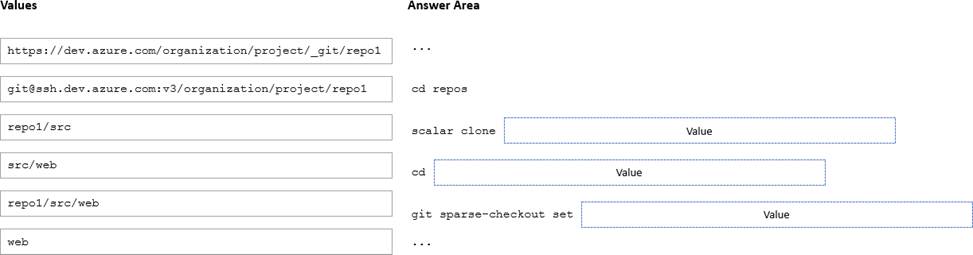
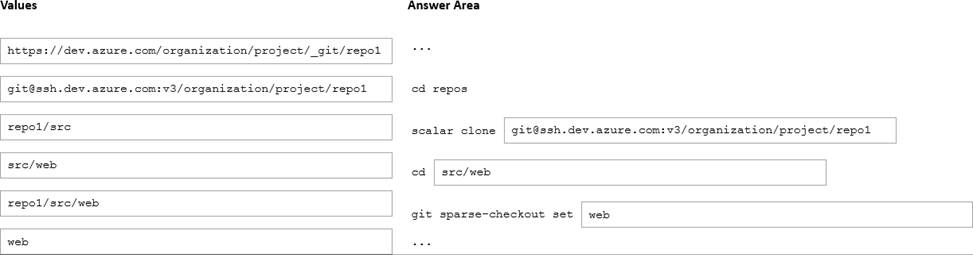
You need to clone repo1. The solution must clone only a directory named src/web.
How should you complete the script? To answer, drag the appropriate values to the correct targets, Each value may be used once, more than once, or not at all. You may need to drag the spirt bar between panes or scroll to view content. NOTE: Each correct selection is worth one point
Explanation:
[email protected]:v3/organization/project/repo1
src/web
web
Your company is building a mobile app that targets Android devices and OS devices. Your team uses Azure DevOps to manage all work items and release cycles.
You need to recommend a solution to perform the following tasks:
• Collect crash reports for issue analysis
• Distribute beta releases to your testers.
• Get user feedback on the functionality of new apps.
What should you include in the recommendation?
- A . Jenkins integration
- B . Azure Application Insights widgets
- C . the Microsoft Test & Feedback extension
- D . Microsoft Visual Studio App Center integration
D
Explanation:
The "Exploratory Testing" extension is now "Test & Feedback" and is now Generally Available.
Anyone can now test web apps and give feedback, all directly from the browser on any platform: Windows, Mac, or Linux. Available for Google Chrome and Mozilla Firefox (required version 50.0 or above) currently. Support for Microsoft Edge is in the pipeline and will be enabled once Edge moves to a Chromium-compatible web platform.
Reference: https://marketplace.visualstudio.com/items?itemName=ms.vss-exploratorytesting-web
Your company develops an application named App1 that is deployed in production.
As part of an application update, a new service is being added to App1. The new service requires access to an application named App2 that is currently in development.
You need to ensure that you can deploy the update to App1 before App2 becomes available. You must be able to enable the service in App1 once App2 is deployed.
What should you do?
- A . Create a branch in the build.
- B . Implement a branch policy.
- C . Create a fork in the build.
- D . Implement a feature flag.
D
Explanation:
Reference: https://docs.microsoft.com/en-us/azure/devops/migrate/phase-features-with-feature-flags
Your company develops an application named App1 that is deployed in production.
As part of an application update, a new service is being added to App1. The new service requires access to an application named App2 that is currently in development.
You need to ensure that you can deploy the update to App1 before App2 becomes available. You must be able to enable the service in App1 once App2 is deployed.
What should you do?
- A . Create a branch in the build.
- B . Implement a branch policy.
- C . Create a fork in the build.
- D . Implement a feature flag.
D
Explanation:
Reference: https://docs.microsoft.com/en-us/azure/devops/migrate/phase-features-with-feature-flags
HOTSPOT
You need to deploy Azure Kubernetes Service (AKS) to host an application.
The solution must meet the following requirements:
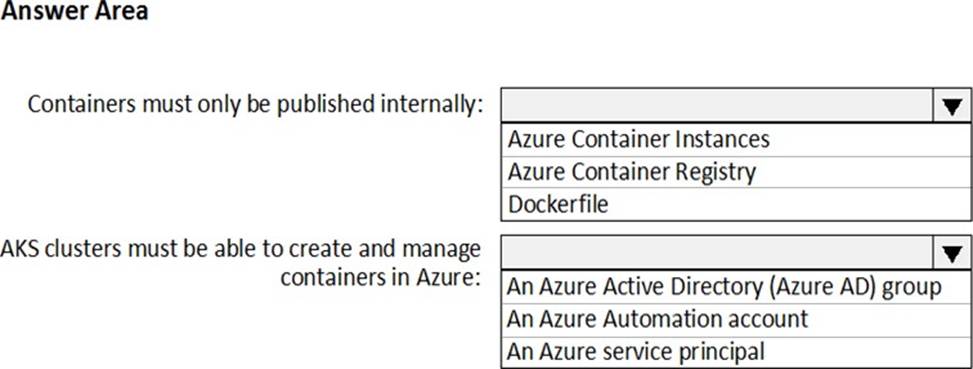
✑ Containers must only be published internally.
✑ AKS clusters must be able to create and manage containers in Azure.
What should you use for each requirement? To answer, select the appropriate options in the answer area. NOTE: Each correct selection is worth one point.
Explanation:
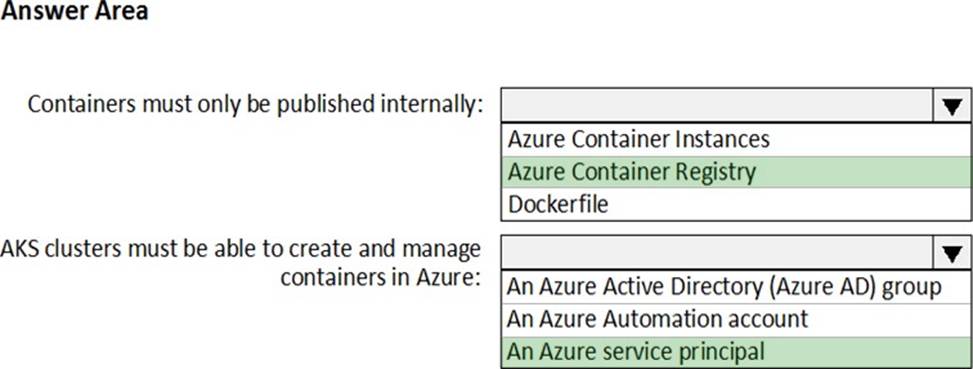
Box 1: Azure Container Registry
Azure services like Azure Container Registry(ACR) and Azure Container Instances (ACI) can be used and connected from independent container orchestrators like kubernetes (k8s). You can set up a custom ACR and connect it to an existing k8s cluster to ensure images will be pulled from the private container registry instead of the public docker hub.
Box 2: An Azure service principal
When you’re using Azure Container Registry (ACR) with Azure Kubernetes Service (AKS), an authentication mechanism needs to be established. You can set up AKS and ACR integration during the initial creation of your AKS cluster. To allow an AKS cluster to interact with ACR, an Azure Active Directory service principal is used.
Reference: https://thorsten-hans.com/how-to-use-private-azure-container-registry-with-kubernetes
https://docs.microsoft.com/en-us/azure/aks/cluster-container-registry-integration
DRAG DROP
Your company plans to deploy an application to the following endpoints:
• Ten virtual machines hosted in Azure.
• Ten virtual machines hosted in an on-premises data center environment
All the virtual machines have the- Azure Pipelines agent.
You need to implement a release strategy for deploying the application to the endpoints.
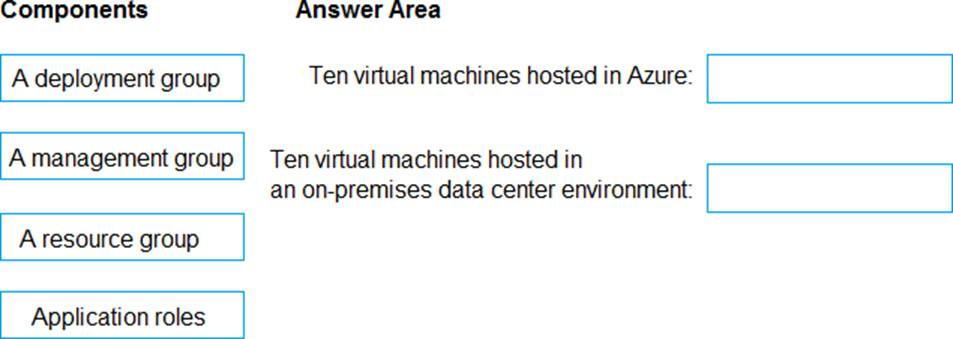
What should you recommend using to deploy the application to the endpoints? To answer, drag the appropriate components to the correct endpoint. Each component may be used once, more than once, or not at all. You may need to drag the split bar between panes or soon to view content. NOTE: Each correct selection n worth one point.
Explanation:
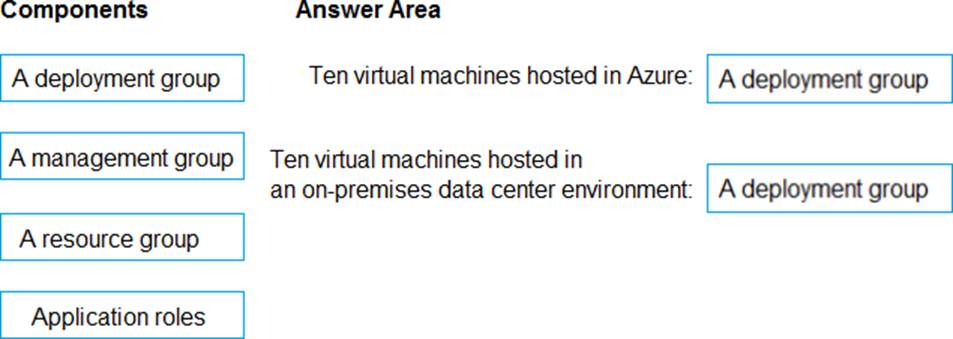
Box 1: A deployment group
When authoring an Azure Pipelines or TFS Release pipeline, you can specify the deployment targets for a job using a deployment group.
If the target machines are Azure VMs, you can quickly and easily prepare them by installing the Azure Pipelines Agent Azure VM extension on each of the VMs, or by using the Azure Resource Group Deployment task in your release pipeline to create a deployment group dynamically.
Box 2: A deployment group
Reference: https://docs.microsoft.com/en-us/azure/devops/pipelines/release/deployment-groups
DRAG DROP
You have an Azure subscription that contains a resources group named RG1.
RG1 contains the following resources:
• Four Azure virtual machines that run Windows Server and have Internet Information Services (IIS) installed
• SQL Server on an Azure virtual machine
• An Azure Load Balancer
You need to deploy an application to the virtual machines in RG1 by using Azure Pipelines.
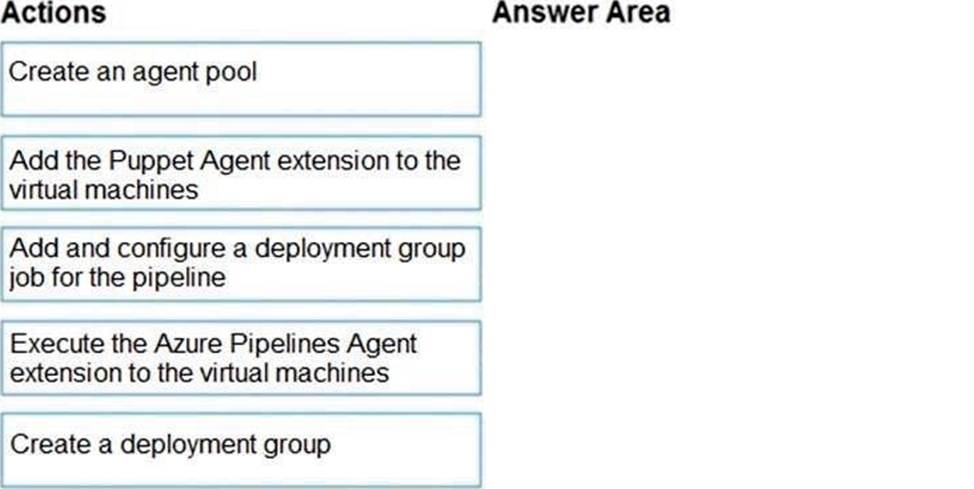
Which four actions should you perform in sequence? To answer, move the appropriate actions from the List of actions to the answer area and arrange them in the correct order.
Explanation:
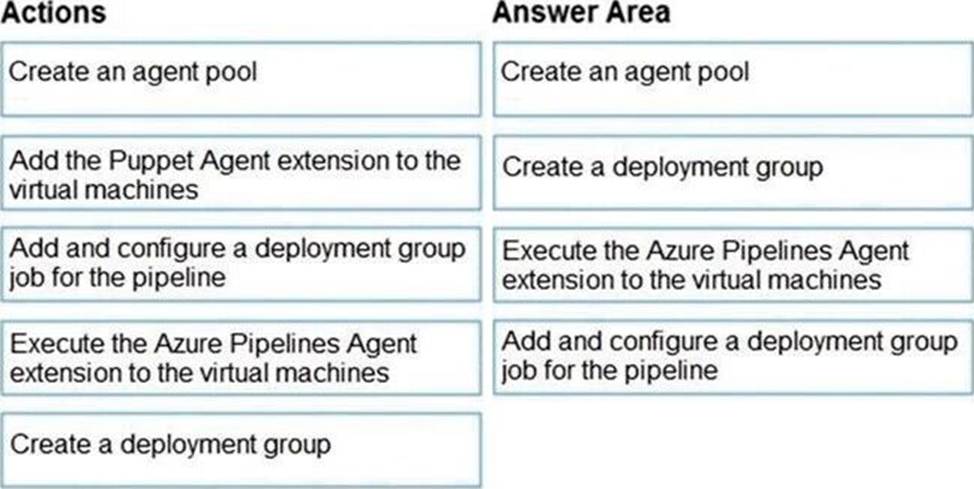
Step 1: Create an agent pool
AzurePipelines provides a pre-defined agent pool named Azure Pipelines with Microsoft-hosted agents.
Step 2: Create a deployment group
Deployment groups make it easy to define logical groups of target machines for deployment, and install the required agent oneach machine.
Step 3: Execute the Azure Pipelines Agent extension to the virtual machines Install the Azure Pipelines Agent Azure VM extension
Step 4: Add and configure a deployment group job for the pipeline
Tasks that you define in a deployment group job run on some or all of the target servers, depending on the arguments you specify for the tasks and the job itself.
Reference: https://docs.microsoft.com/en-us/azure/devops/pipelines/release/deployment-groups/howto-
provision-deployment-group-agents
You have a project in Azure DevOps named Project1.
You need to ensure that all new pipelines in Project1 execute three specific tasks during pipeline execution.
What should you create?
- A . a task group
- B . a JSON template
- C . a YAML template
- D . a PowerShell task
C
Explanation:
A task group in Azure DevOps is a collection of tasks that can be reused across multiple pipelines. You can create a task group that contains the three specific tasks that you need to execute during pipeline execution, and then reference that task group in all new pipelines in Project1. This way, you can ensure that the three specific tasks are executed in all new pipelines without having to manually add them to each pipeline.