
Practice Free AZ-400 Exam Online Questions
You have an Azure DevOps organization named Contoso and art Azure subscription The subscription contains an Azure virtual machine scale set named VMSS1 that is configured for autoscaling.
You use Azure DevOps to build a web app named Appl and deploy Appl to VMSS1. Appl is used heavily and has usage patterns that vary on a weekly basis.
You need to recommend a solution to detect an abnormal rise in the rate of failed requests to Appl.
The solution must minimize administrative effort.
What should you include in the recommendation?
- A . an Azure Service Health alert
- B . the Failures feature in Azure Application Insights
- C . the Smart Detection feature m Azure Application Insights
- D . an Azure Monitor alert that uses an Azure Log Analytics query
C
Explanation:
After setting up Application Insights for your project, and if your app generates a certain minimum amount of data, Smart Detection of failure anomalies takes 24 hours to learn the normal behavior of your app, before it is switched on and can send alerts.
Reference: https://docs.microsoft.com/en-us/azure/azure-monitor/app/proactive-failure-diagnostics
You have a project in Azure DevOps named Project1 that references an Azure Artifacts feed named Feed1.
You have a package named Package1 that has the versions shown in the following table.
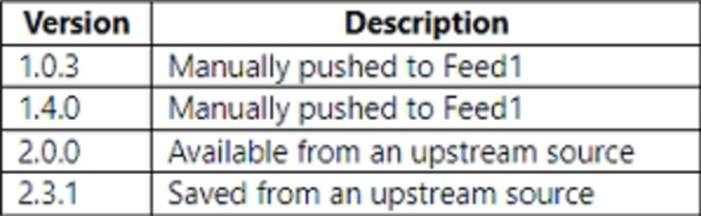
You need to perform a build of Project1.
Which version of Package1 will be used?
- A . 1.0.3
- B . 1.4.0
- C . 2.0.0
- D . 2.3.1
You have a project in Azure DevOps named Project1 that references an Azure Artifacts feed named Feed1.
You have a package named Package1 that has the versions shown in the following table.
You need to perform a build of Project1.
Which version of Package1 will be used?
- A . 1.0.3
- B . 1.4.0
- C . 2.0.0
- D . 2.3.1
You have an Azure DevOps organization named Contoso.
You need to receive Microsoft Teams notifications when work items are updated.
What should you do?
- A . From Azure DevOps. configure a service hook subscription.
- B . From Microsoft Teams, configure a connector.
- C . From Microsoft Teams, add a channel.
- D . From Azure DevOps. install an extension.
- E . From the Microsoft Teams admin center configure external access.
A
Explanation:
https://azuredevopslabs.com/labs/vstsextend/teams/
DRAG DROP
You have a GitHub repository named Repo1.
You plan to implement continuous integration and continuous delivery (CI/CD) by using GitHub Actions.
You need to create a workflow.
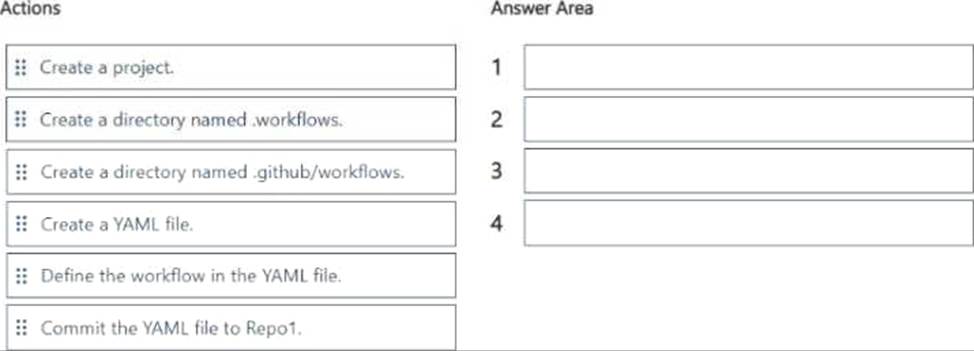
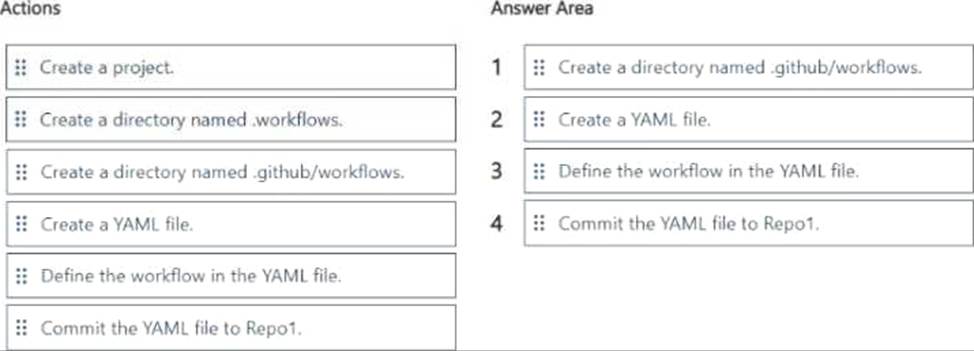
Which four actions should you perform in sequence? To answer, move the appropriate actions from the list of actions to the answer area and arrange them in the correct order.
DRAG DROP
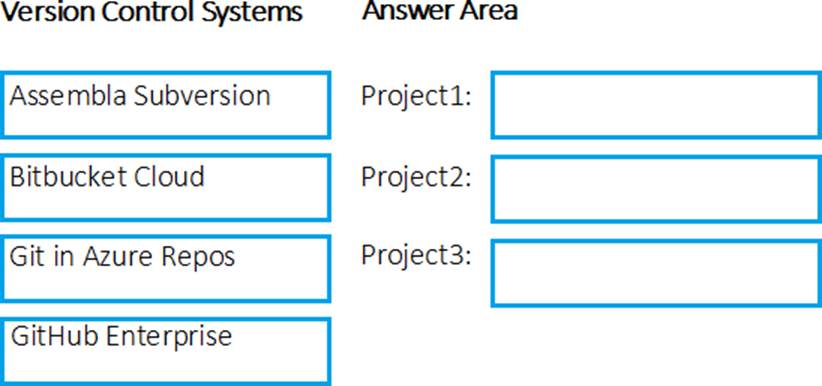
You are configuring Azure Pipelines for three projects in Azure DevOps as shown in the following table.
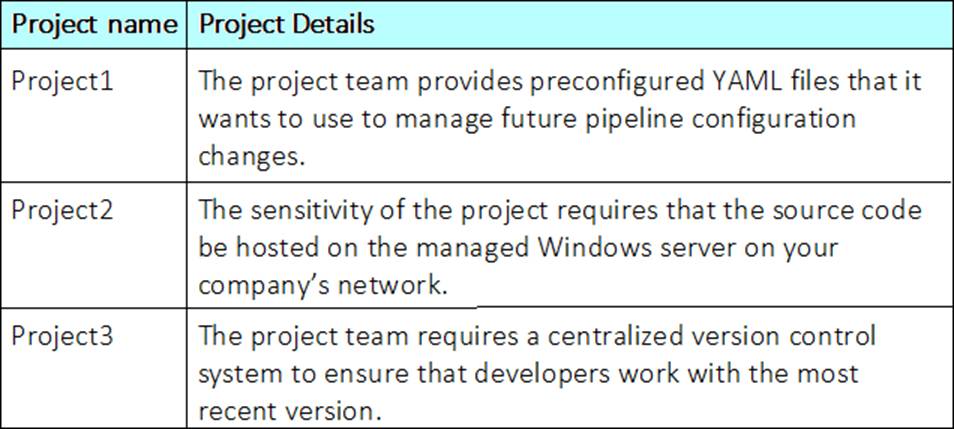
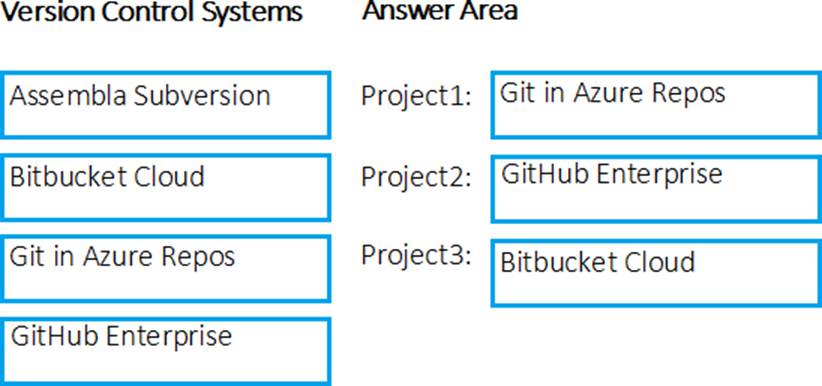
Which version control system should you recommend for each project? To answer, drag the appropriate version control systems to the correct projects. Each version control system may be used once, more than once, or not at all. You may need to drag the split bar between panes or scroll to view content. NOTE: Each correct selection is worth one point.
Explanation:
Project1: Git in Azure Repos
Project2: Github Enterprise
GitHub Enterprise is the on-premises version of GitHub.com. GitHub Enterprise includes the same great set of features as GitHub.com but packaged for running on your organization’s local network. All repository data is stored on machines that you control, and access is integrated with your organization’s authentication system (LDAP, SAML, or CAS).
Project3: Bitbucket cloud
One downside, however, is that Bitubucket does not include support for SVN but this can be easily amended migrating the SVN repos to Git with tools such as SVN Mirror for Bitbucket.
Note: SVN is a centralized version control system.
Reference: https://www.azuredevopslabs.com/labs/azuredevops/yaml/
https://enterprise.github.com/faq
You have an Azure DevOps pipeline named Pipeline1.
You need to track the stability of code changes in Pipeline1.
Which metric should you use?
- A . test pass rate
- B . deployment frequency (DT)
- C . lead time for changes (LT)
- D . time to detect (TTD)
DRAG DROP
You have an Azure subscription that contains 50 virtual machines.
You manage the configuration of the virtual machines by using Azure Automation State Configuration.
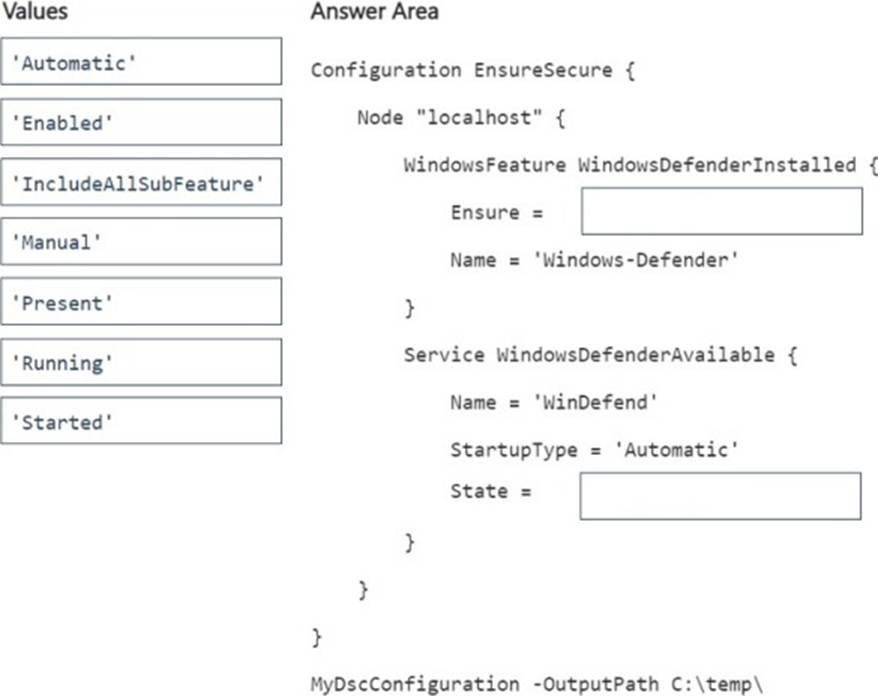
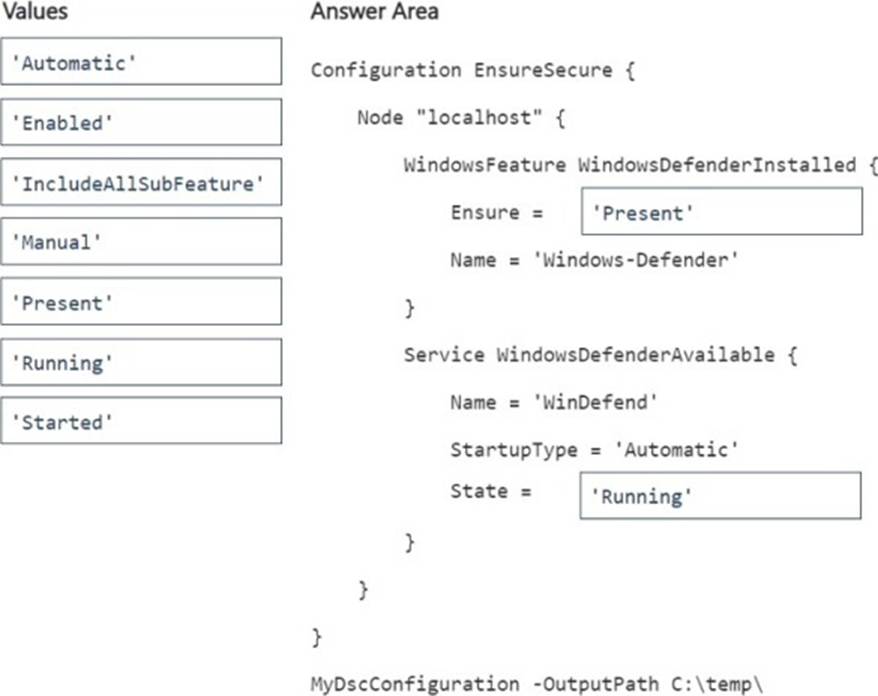
You need to ensure that Windows Defender is installed on each virtual machine and the Windows Defender service is running.
How should you complete the Desired State Configuration (DSC) code? To answer, drag the appropriate values to the correct targets. Each value may be used once, more than once, or not at all. You may need to drag the split bar between panes or scroll to view content. NOTE: Each correct selection is worth one point.
Note: This question is part of a series of questions that present the same scenario. Each question in the series contains a unique solution that might meet the stated goals. Some question sets might have more than one correct solution, while others might not have a correct solution.
After you answer a question in this section, you will NOT be able to return to it. As a result, these questions will not appear in the review screen.
You have an Azure DevOps project.
Your build process creates several artifacts.
You need to deploy the artifacts to on-premises servers.
Solution: You deploy an Octopus Deploy server. You deploy a polled Tentacle agent to an on-premises server. You add an Octopus task to the deployment pipeline.
Does this meet the goal?
- A . Yes
- B . No
B
Explanation:
Instead you should deploy an Azure self-hosted agent to an on-premises server.
Note: To build your code or deploy your software using Azure Pipelines, you need at least one agent.
If your on-premises environments do not have connectivity to a Microsoft-hosted agent pool (which is typically the case due to intermediate firewalls), you’ll need to manually configure a self-hosted agent on on-premises computer(s).
Reference: https://docs.microsoft.com/en-us/azure/devops/pipelines/agents/agents?view=azure-devops
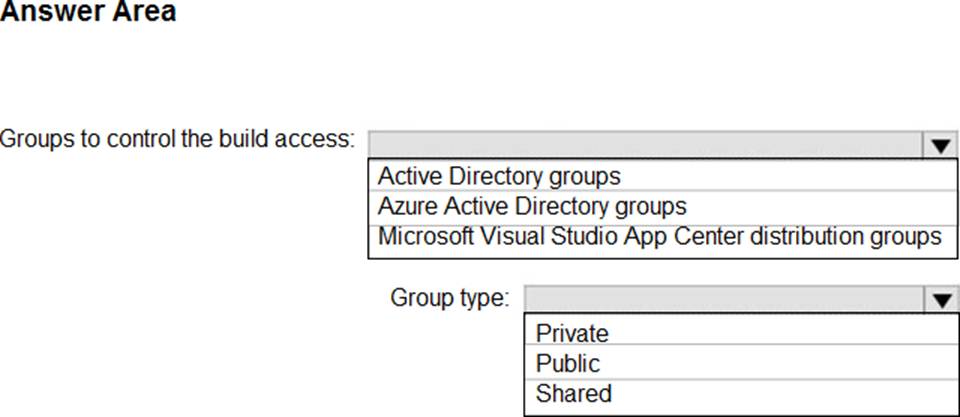
HOTSPOT
Your company is creating a suite of three mobile applications.
You need to control access to the application builds. The solution must be managed at the organization level
What should you use? To answer, select the appropriate options m the answer area. NOTE: Each correct selection is worth one point.
Explanation:
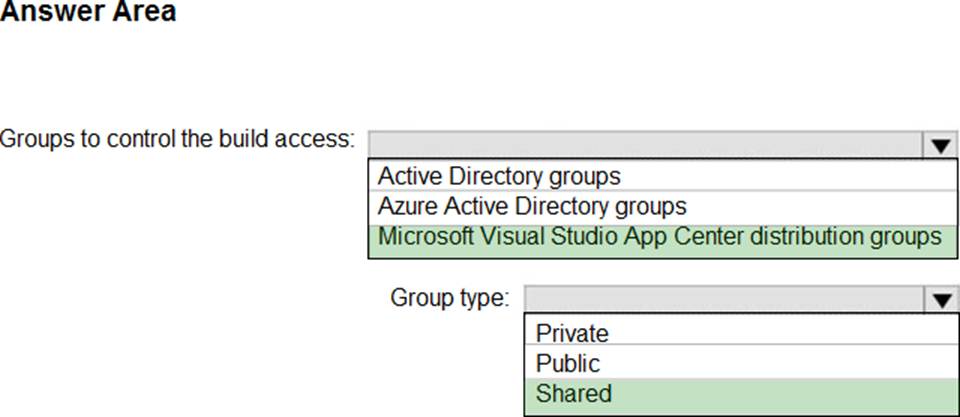
Box 1: Microsoft Visual Studio App Center distribution Groups
Distribution Groups are used to control access to releases. A Distribution Group represents a set of users that can be managed jointly and can have common access to releases. Example of Distribution Groups can be teams of users, like the QA Team or External Beta Testers or can represent stages or rings of releases, such as Staging.
Box 2: Shared
Shared distribution groups are private or public distribution groups that are shared across multiple apps in a single organization. Shared distribution groups eliminate the need to replicate distribution groups across multiple apps.
Note: With the Deploy with App Center Task in Visual Studio Team Services, you can deploy your apps from Azure DevOps (formerly known as VSTS) to App Center. By deploying to App Center, you will be able to distribute your builds to your users.
Reference: https://docs.microsoft.com/en-us/appcenter/distribution/groups