
Practice Free AZ-400 Exam Online Questions
You have a GitHub repository that contains multiple versions of an Azure Pipelines template. You plan to deploy multiple pipelines that will use a template stored in the repository. You need to ensure that you use a fixed version of the template.
What should you use to reference which version of the template repository to use?
- A . the runner
- B . the branch
- C . the SHA-based hashes
- D . the serial
DRAG DROP
You mc configuring Azure DevOps build pipelines.
You plan to use hosted build agents.
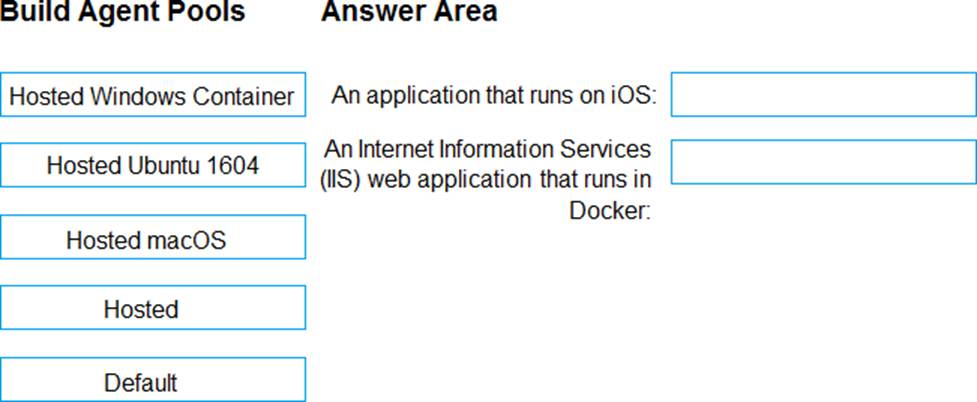
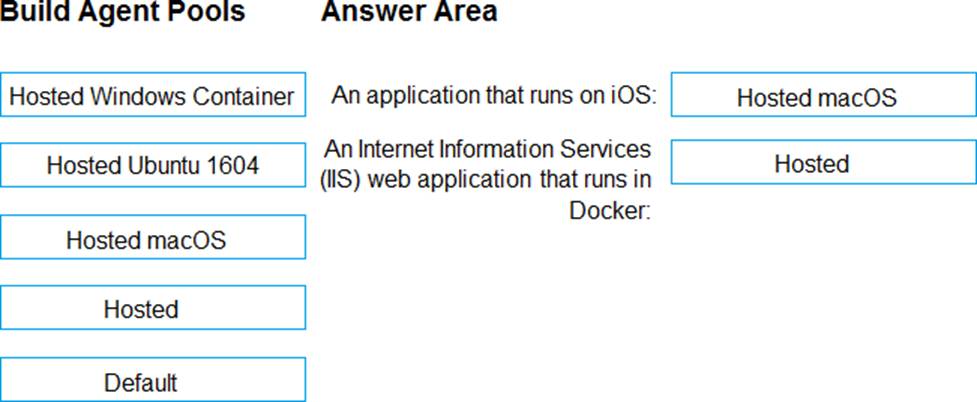
Which build agent pool should you use to compile each application type? To answer, drag the appropriate built agent pools to the correct application types. Each butt agent pool may be used once, more than once, or not at all. You may need to drag the split bar between panes or scroll to view content. NOTE: Each correct selection is worth one point.
Explanation:
Box 1: Hosted macOS
Hosted macOS pool (Azure Pipelines only): Enables you to build and release on macOS without having to configure a self-hosted macOS agent. This option affects where your data is stored.
Box 2: Hosted
Hosted pool (Azure Pipelines only): The Hosted pool is the built-in pool that is a collection of Microsoft-hosted agents.
Reference: https://docs.microsoft.com/en-us/azure/devops/pipelines/agents/v2-osx
You plan to share packages that you wrote, tested, validated, and deployed by using Azure Artifacts.
You need to release multiple builds of each package by using a single feed. The solution must limit
the release of packages that are in development.
What should you use?
- A . global symbols
- B . local symbols
- C . upstream sources
- D . views
C
Explanation:
Views enable you to share subsets of the NuGet, npm, Maven, Python and Universal Packages
package-versions in your feed with consumers. A common use for views is to share package versions
that have been tested, validated, or deployed but hold back packages still under development and
packages that didn’t meet aquality bar.
https://docs.microsoft.com/en-us/azure/devops/artifacts/concepts/views?view=azure-devops
You are monitoring the health and performance of an Azure web app by using Azure Application Insights.
You need to ensure that an alert is sent when the web app has a sudden rise in performance issues and failures.
What should you use?
- A . custom events
- B . Application Insights Profiler
- C . usage analysis
- D . Smart Detection
- E . Continuous export
D
Explanation:
Smart Detection automatically warns you of potential performance problems and failure anomalies in your web application. It performs proactive analysis of the telemetry that your app sends to Application Insights. If there is a sudden rise in failure rates, or abnormal patterns in client or server performance, you get an alert.
Reference: https://docs.microsoft.com/en-us/azure/azure-monitor/app/proactive-diagnostics
You are monitoring the health and performance of an Azure web app by using Azure Application Insights.
You need to ensure that an alert is sent when the web app has a sudden rise in performance issues and failures.
What should you use?
- A . custom events
- B . Application Insights Profiler
- C . usage analysis
- D . Smart Detection
- E . Continuous export
D
Explanation:
Smart Detection automatically warns you of potential performance problems and failure anomalies in your web application. It performs proactive analysis of the telemetry that your app sends to Application Insights. If there is a sudden rise in failure rates, or abnormal patterns in client or server performance, you get an alert.
Reference: https://docs.microsoft.com/en-us/azure/azure-monitor/app/proactive-diagnostics
You have a private GitHub repository.
You need to display the commit status of the repository on Azure Boards.
What should you do first?
- A . Create a GitHub action in GitHub.
- B . Add the Azure Pipelines app to the GitHub repository.
- C . Configure multi-factor authentication (MFA) for your GitHub account.
- D . Add the Azure Boards app to the repository.
D
Explanation:
To connect Azure Boards to GitHub.com, connect and configure from Azure Boards. Or, alternatively, install and configure the Azure Boards app from GitHub. Both methods have been streamlined and support authenticating and operating via the app rather than an individual.
Note (see step 4 below):
Add a GitHub connection:
Sign into Azure Boards.
Choose (1) Project Settings, choose (2) GitHub connections and then (3) Connect your GitHub account.
If this is your first time connecting to GitHub from Azure Boards, you will be asked to sign in using your GitHub credentials. Choose an account for which you are an administrator for the repositories you want to connect to.
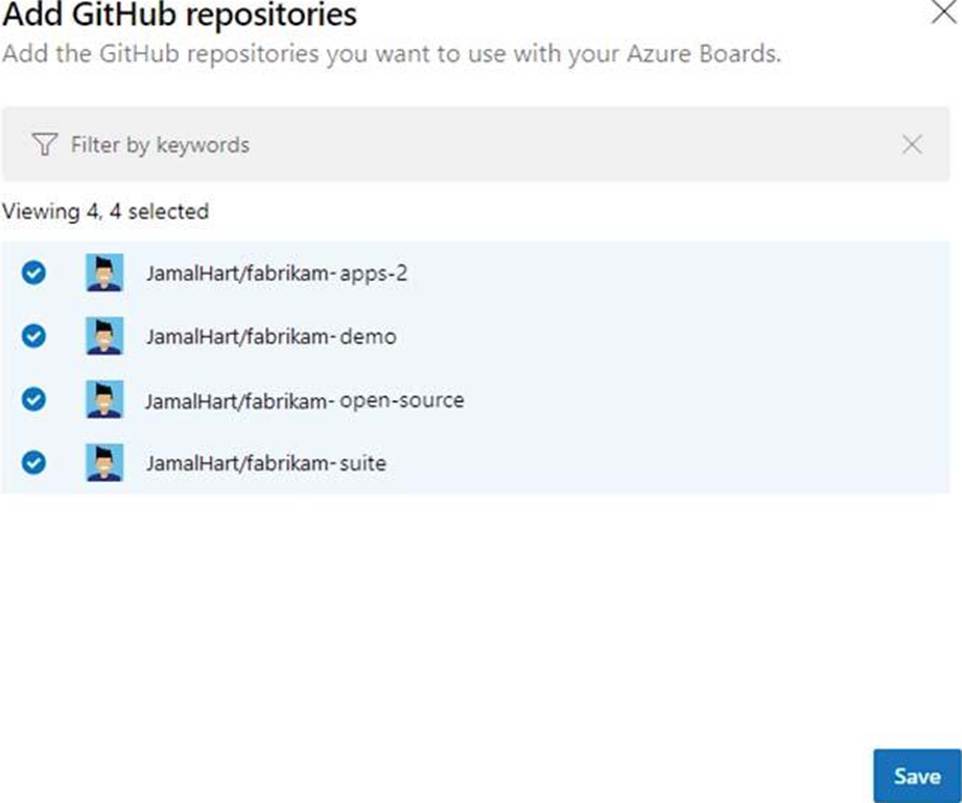
The Add GitHub Repositories dialog automatically displays and selects all GitHub.com repositories for which you are an administrator. Unselect any repositories that you don’t want to participate in the integration.
Reference: https://docs.microsoft.com/en-us/azure/devops/boards/github/connect-to-github
You have a private GitHub repository.
You need to display the commit status of the repository on Azure Boards.
What should you do first?
- A . Create a GitHub action in GitHub.
- B . Add the Azure Pipelines app to the GitHub repository.
- C . Configure multi-factor authentication (MFA) for your GitHub account.
- D . Add the Azure Boards app to the repository.
D
Explanation:
To connect Azure Boards to GitHub.com, connect and configure from Azure Boards. Or, alternatively, install and configure the Azure Boards app from GitHub. Both methods have been streamlined and support authenticating and operating via the app rather than an individual.
Note (see step 4 below):
Add a GitHub connection:
Sign into Azure Boards.
Choose (1) Project Settings, choose (2) GitHub connections and then (3) Connect your GitHub account.
If this is your first time connecting to GitHub from Azure Boards, you will be asked to sign in using your GitHub credentials. Choose an account for which you are an administrator for the repositories you want to connect to.
The Add GitHub Repositories dialog automatically displays and selects all GitHub.com repositories for which you are an administrator. Unselect any repositories that you don’t want to participate in the integration.
Reference: https://docs.microsoft.com/en-us/azure/devops/boards/github/connect-to-github