
Practice Free MD-102 Exam Online Questions
HOTSPOT
You have an Azure AD tenant named contoso.com that contains the users shown in the following table.

You have a computer named Computer1 that runs Windows 10.
Computer1 is in a workgroup and has the local users shown in the following table.

UserA joins Computer1 to Azure AD by using [email protected].
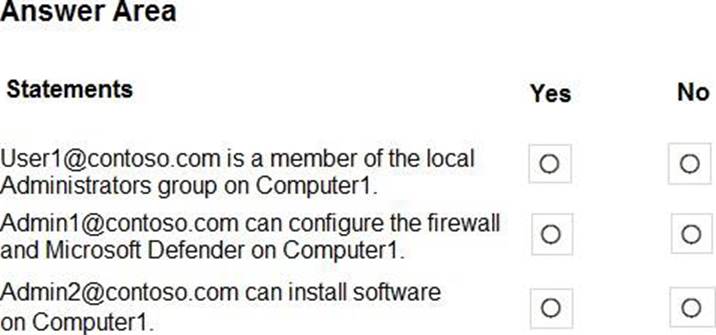
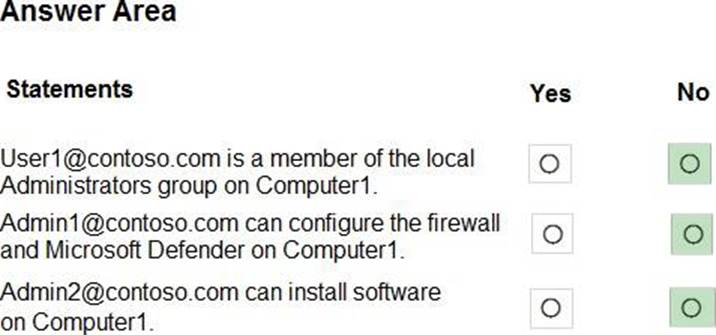
For each of the following statements, select Yes if the statement is true. Otherwise, select No. NOTE: Each correct selection is worth one point.
You have a Microsoft 365 E5 subscription. All Windows devices are enrolled in Microsoft Intune. You need to create an app protection policy named Policy1 and apply Policy1 to the devices.
What can you protect by using Policy1?
- A . Microsoft Outlook
- B . Microsoft OneDrive
- C . Microsoft Teams
- D . Microsoft Edge
HOTSPOT
You have a Microsoft 365 E5 subscription.
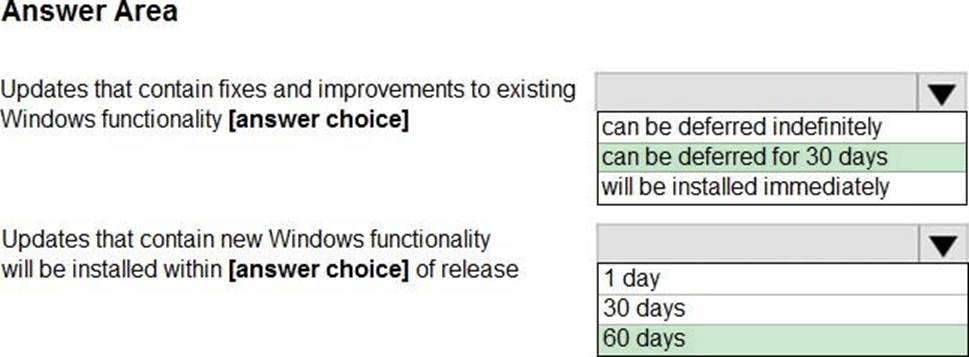
You create a new update rings policy named Policy1 as shown in the following exhibit.
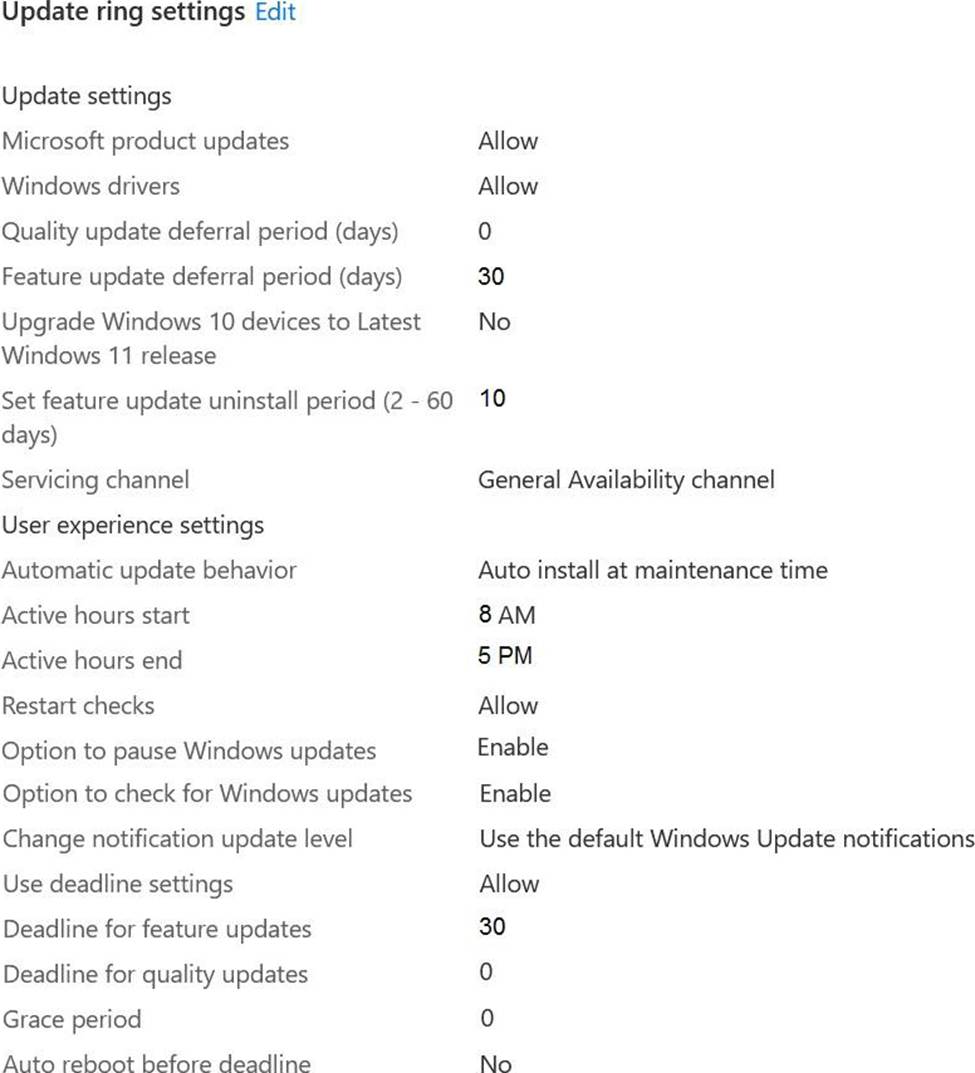
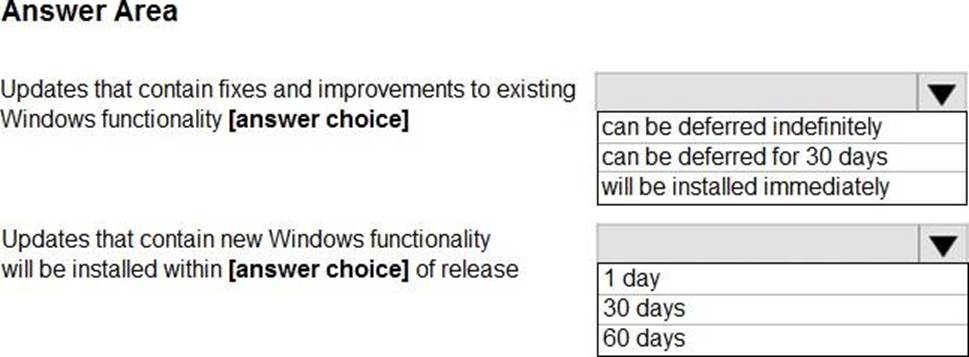
Use the drop-down menus to select the answer choice that completes each statement based on the information presented in the graphic. NOTE: Each correct selection is worth one point,
Explanation:
* Updates that contain fixes and improvements to existing Windows functionality can be deferred for 30 days.
This is because the update rings policy named Policy1 has the “Quality updates deferral period (days)” setting set to 30. This means that quality updates, which include fixes and improvements to existing Windows functionality, can be deferred for up to 30 days from the date they are released by Microsoft. After 30 days, the devices will automatically install the quality updates.
Reference: https://docs.microsoft.com/en-us/mem/intune/protect/windows-update-for-business-configure * Updates that contain new Windows functionality will be installed within 60 days of release.
This is because the update rings policy named Policy1 has the “Feature updates deferral period (days)” setting set to 60. This means that feature updates, which include new Windows functionality, can be deferred for up to 60 days from the date they are released by Microsoft. After 60 days, the devices will automatically install the feature updates.
Reference: https://docs.microsoft.com/en-us/mem/intune/protect/windows-update-for-business-configure
What should you configure to meet the technical requirements for the Azure AD-joined computers?
- A . Windows Hello for Business from the Microsoft Intune blade in the Azure portal.
- B . The Accounts options in an endpoint protection profile.
- C . The Password Policy settings in a Group Policy object (GPO).
- D . A password policy from the Microsoft Office 365 portal.
A
Explanation:
Reference: https://docs.microsoft.com/en-us/windows/security/identity-protection/hello-for-business/hello-manage-inorganization
HOTSPOT
You have a Microsoft 365 subscription.
Users have iOS devices that are not enrolled in Microsoft 365 Device Management.
You create an app protection policy for the Microsoft Outlook app as shown in the exhibit. (Click the Exhibit tab.)
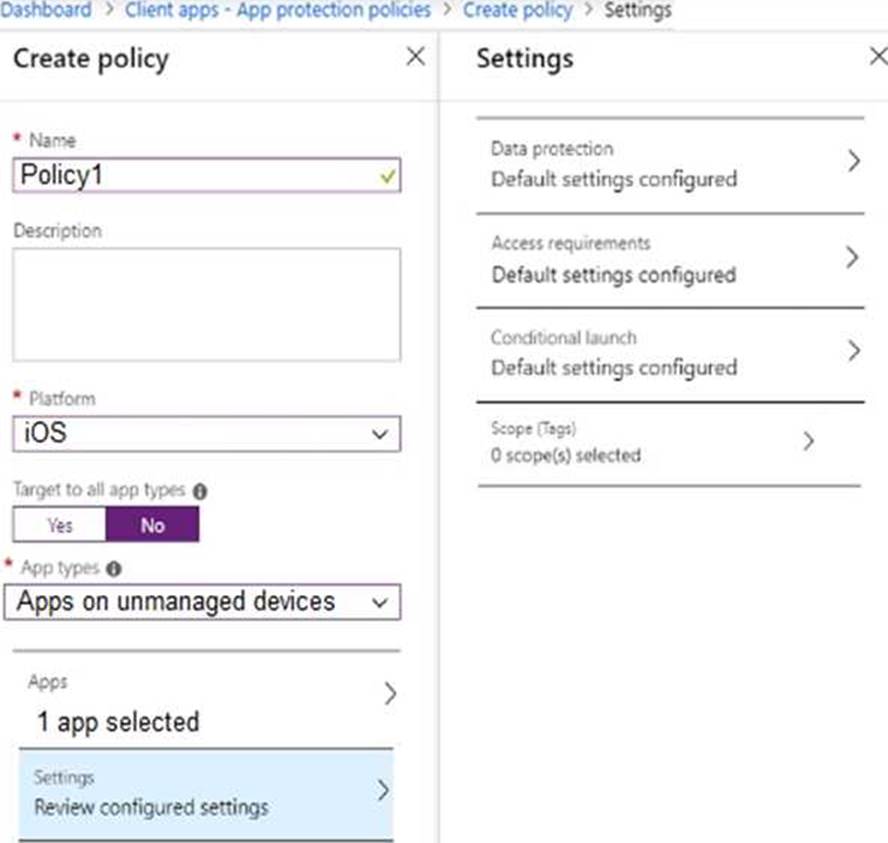
You need to configure the policy to meet the following requirements:
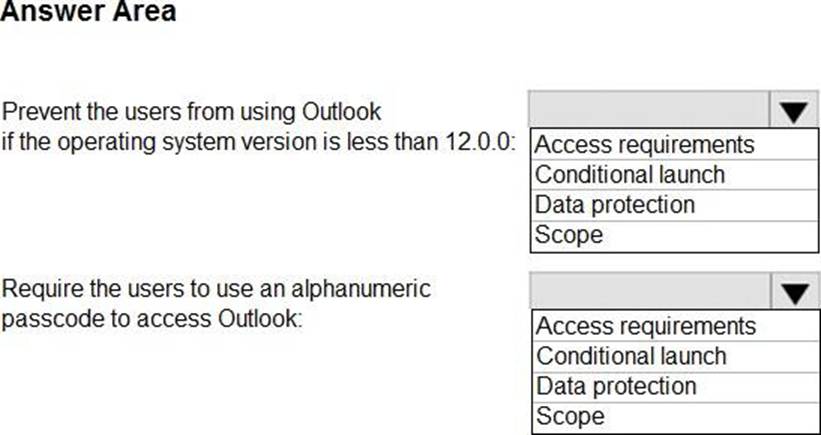
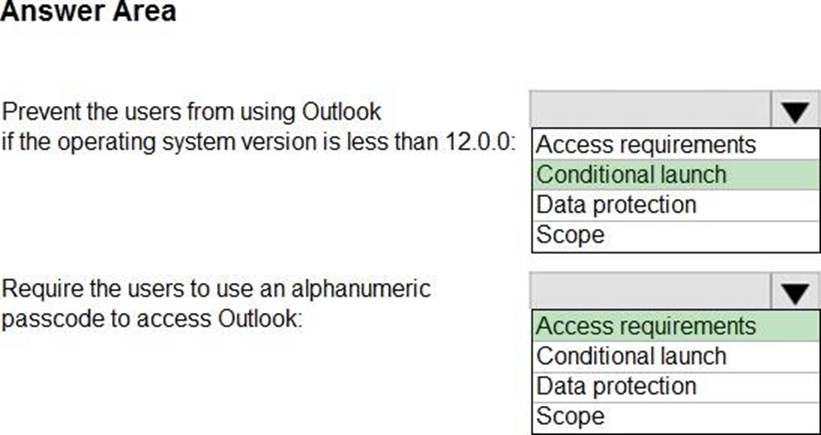
– Prevent the users from using the Outlook app if the operating system version is less than 12.0.0.
– Require the users to use an alphanumeric passcode to access the Outlook app.
What should you configure in an app protection policy for each requirement? To answer, select the appropriate options in the answer area. NOTE: Each correct selection is worth one point.
Explanation:
Reference: https://docs.microsoft.com/en-us/intune/app-protection-policy-settings-ios
HOTSPOT
You have an Azure AD tenant that contains the users shown in the following table.

You have the devices shown in the following table.
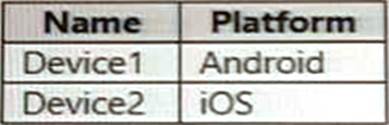
You have a Conditional Access policy named CAPolicy1 that has the following settings:
• Assignments
o Users or workload identities: User 1. User1
o Cloud apps or actions: Office 365 Exchange Online
o Conditions: Device platforms: Windows, iOS
• Access controls
o Grant Require multi-factor authentication
You have a Conditional Access policy named CAPolicy2 that has the following settings: Assignments
o Users or workload identities: Used, User2
o Cloud apps or actions: Office 365 Exch
o Conditions
■ Device platforms: Android, iOS
■ Filter for devices
■ Device matching the rule: Exclude filtered devices from policy
■ Rule syntax: device. display Name- contains "1"
■ Access controls
■ Grant Block access
For each of the following statements, select Yes if the statement is true. Otherwise, select No.


You have a Microsoft 365 subscription that has Windows 365 Enterprise licenses.
You plan to use a custom Windows 11 image as a template for Cloud PCs.
You have a Hyper-V virtual machine that runs Windows 11 and has the following configurations:
• Name: VM1
• Disk size: 64 GB
• Disk format: VHDX
• Disk type: Fixed size
• Generation: Generation 2
You need to ensure that you can use VM1 as a source for the custom image.
What should you do on VM1 first?
- A . Change the disk type to Dynamically expanding
- B . Change the disk format to the VHD
- C . Change the generation to Generation 1.
- D . Increase the disk size.
Your network contains an Active Directory domain named contoso.com. The domain contains two computers named Computer! and Computer2 that run Windows 10. On Computer1, you need to run the Invoke-Command cmdlet to execute several PowerShell commands on Computed.
What should you do first?
- A . On Computed, run the Enable-PSRemoting cmdlet.
- B . On Computed, add Computer! to the Remote Management Users group.
- C . From Active Directory, configure the Trusted for Delegation setting for the computer account of Computed.
- D . On Computer1, run the HcK-PSSession cmdlet.
HOTSPOT
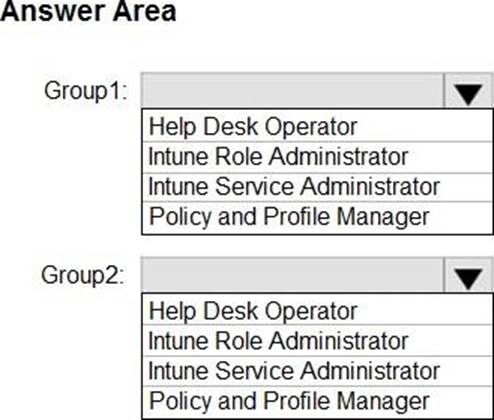
You have a Microsoft 365 subscription that contains two security groups named Group1 and Group2.
Microsoft 365 uses Microsoft Intune Suite.
You use Microsoft Intune to manage devices.
You need to assign roles in Intune to meet the following requirements:
• The members of Group1 must manage Intune roles and assignments.
• The members of Group2 must assign existing apps and policies to users and devices.
The solution must follow the principle of least privilege.
Which role should you assign to each group? To answer, select the appropriate options in the answer area. NOTE: Each correct selection is worth one point.
Explanation:
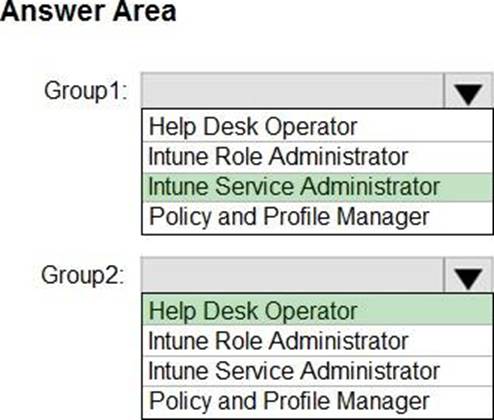
To assign roles in Intune to meet the requirements, you should assign the following roles to each group:
Group1: Intune Role Administrator
Group2: Help Desk Operator
The Intune Role Administrator role is the only Intune role that can manage custom Intune roles and add assignments for built-in Intune roles1. This role meets the requirement for Group1 to manage Intune roles and assignments.
The Help Desk Operator role can perform remote tasks on users and devices, and can assign applications or policies to users or devices1. This role meets the requirement for Group2 to assign existing apps and policies to users and devices.
You have a Microsoft 365 subscription that includes Microsoft Intune.
You need to deploy a custom app to Android devices. The app uses the APK file format.
Which type of app should you select for the deployment?
- A . built-in
- B . Android store
- C . Managed Google Play
- D . line-of-business (LOB)
- E . web link