
Practice Free MD-102 Exam Online Questions
HOTSPOT
Your on-premises network contains an Active Directory domain named contoso.com.
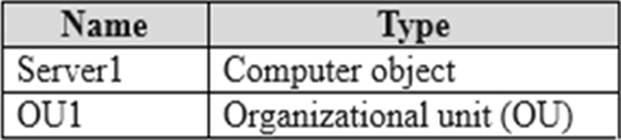
The domain contains a user account named Admin1 and the resources shown in the following table.
You have a Microsoft 365 E5 subscription.
You have a Microsoft Entra tenant that syncs with contoso.com.
Admin! plans to use Windows Autopilot to deploy 10X3 Windows 11 devices.
The deployment must meet the following requirements:
• The devices must be Microsoft Entra hybrid joined during the deployment.
• Computer objects must be created in 0U1.
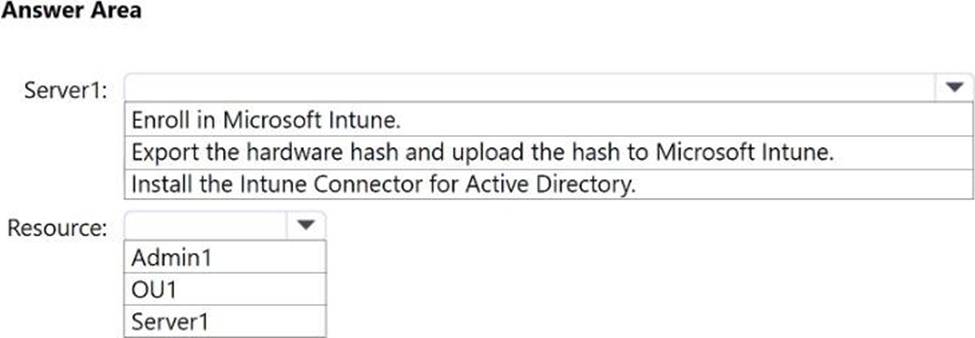
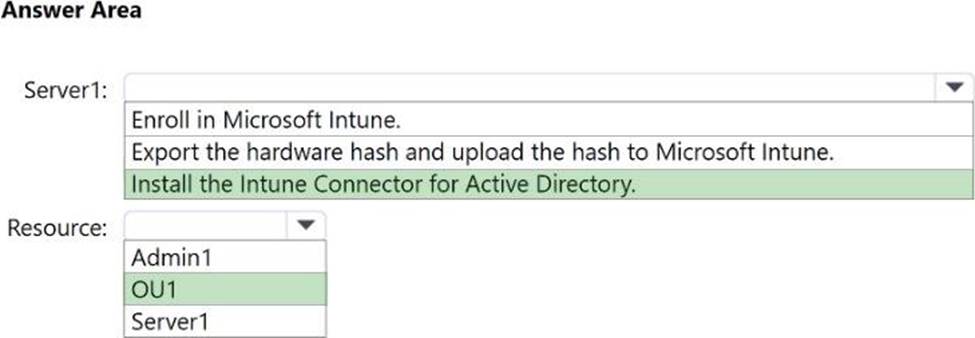
You need to configure Server1 and Active Directory delegation to support the deployment.
How should you configure Server1, and on which resource should you configure delegated permissions? To answer, select the appropriate options in the answer area. NOTE: Each correct selection is worth one point.
You have a Microsoft 365 subscription that includes Microsoft Intune.
You create a new Android app protection policy named Policy1 that prevents screen captures in all Microsoft apps. You discover that an unmanaged email client installed on Android devices can still capture screens You need to ensure that users can only use Microsoft apps to access email.
What should you do?
- A . Create a Conditional Access policy.
- B . Create a compliance policy.
- C . Modify the Data protection settings of Policy1.
- D . Modify the assignments of Policy1.
HOTSPOT
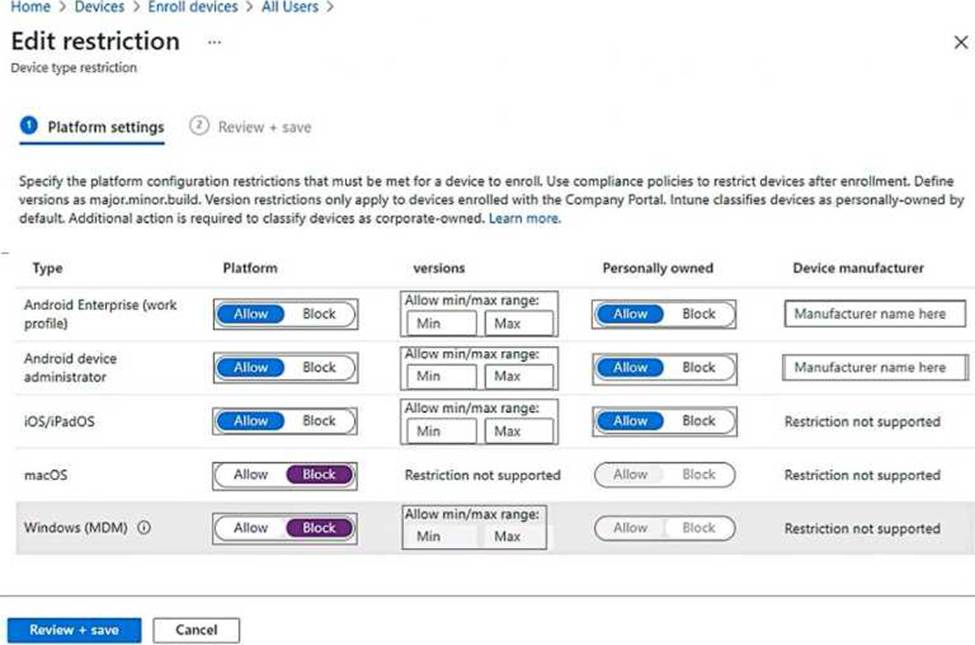
You have a Microsoft 365 E5 subscription that uses Microsoft Intune.
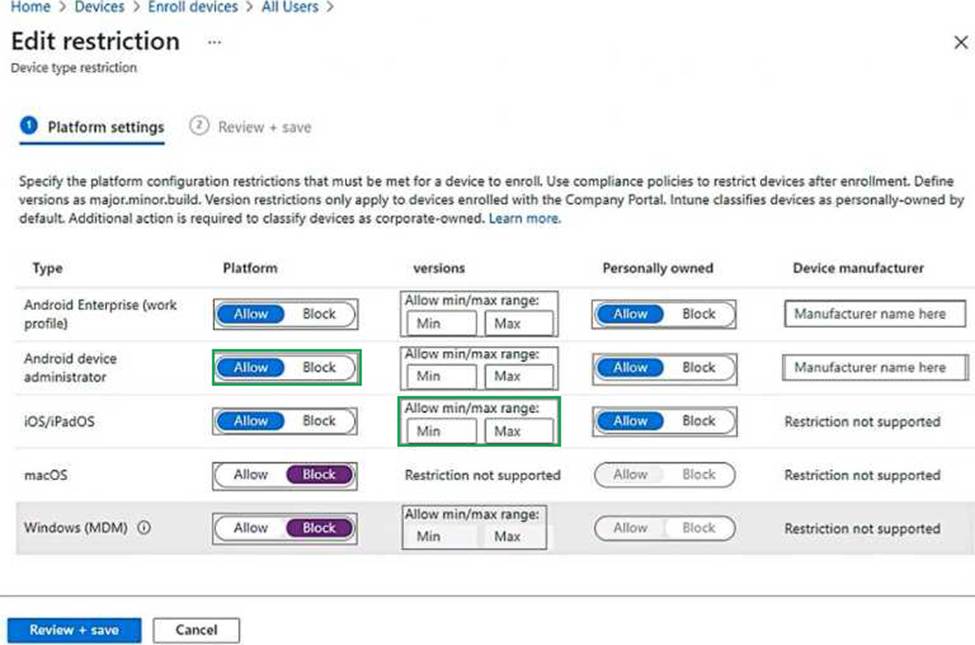
You need to ensure that users can only enroll devices that meet the following requirements:
• Android devices that support the use of work profiles.
• iOS devices that run iOS 16.0 or later.
Which two restrictions should you modify? To answer, select the restrictions in the answer area. NOTE: Each correct selection is worth one point.
You have a Microsoft 365 subscription that uses Microsoft Intune.
You have five new Windows 11 Pro devices.
You need to prepare the devices for corporate use.
The solution must meet the following requirements:
• Install Windows 11 Enterprise on each device.
• Install a Windows Installer (MSI) package named App1 on each device.
• Add a certificate named Certificate1 that is required by App1.
• Join each device to Azure AD.
Which three provisioning options can you use? Each correct answer presents a complete solution. NOTE: Each correct selection is worth one point.
- A . subscription activation
- B . a custom Windows image
- C . an in-place upgrade
- D . Windows Autopilot
- E . provisioning packages
HOTSPOT
You have a Microsoft 365 E5 subscription that includes Microsoft Intune. The subscription contains a
group named Group! Group1 contains devices enrolled in Intune.
You deploy Remote Help in Intune.
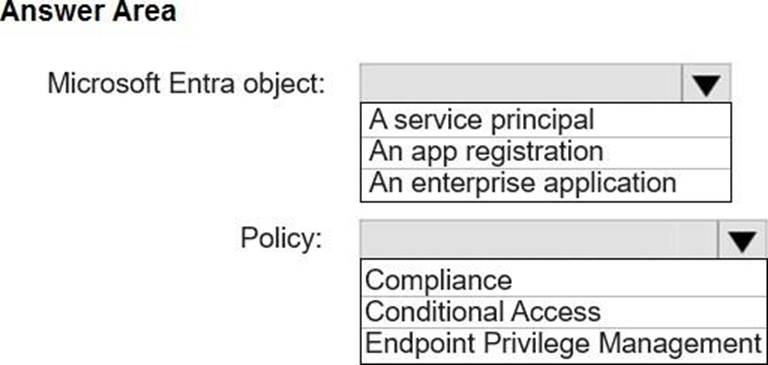
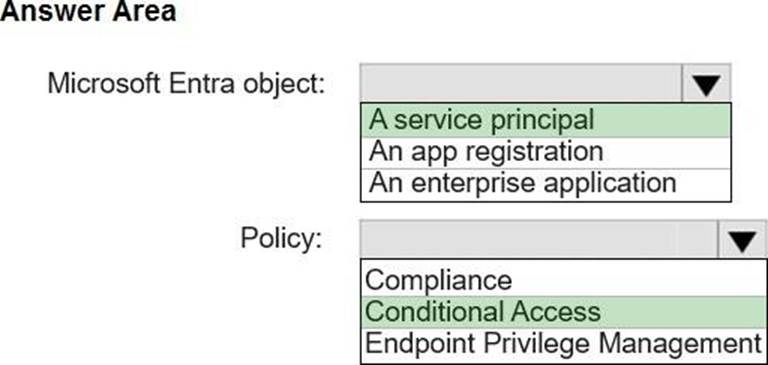
You need to configure Remote Help to only allow support administrators to join Remote Help sessions from the devices in Group1.
Which type of Microsoft Entra object should you create, and which type of policy should you configure? To answer, select the appropriate options in the answer area. NOTE: Each correct selection is worth one point.
DRAG DROP
You have a Microsoft 365 subscription. The subscription contains computers that run Windows 11 and are enrolled in Microsoft Intune.
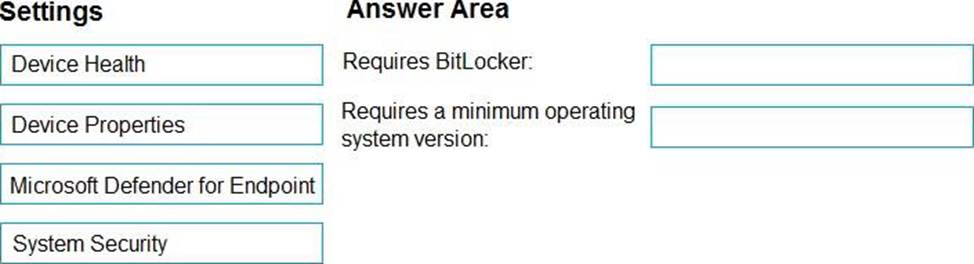
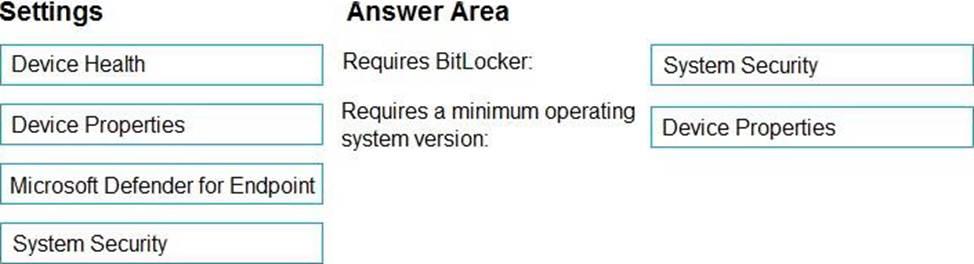
You need to create a compliance policy that meets the following requirements:
• Requires BitLocker Drive Encryption (BitLocker) on each device
• Requires a minimum operating system version
Which setting of the compliance policy should you configure for each requirement? To answer, drag the appropriate settings to the correct requirements. Each setting may be used once, more than once, or not at all. You may need to drag the split bar between panes or scroll to view content. NOTE: Each correct selection is worth one point,
HOTSPOT
You have a Microsoft 365 subscription that uses Microsoft Intune and contains the users shown in the following table.

Group2 has been assigned in the Enrollment Status Page.
You have the devices shown in the following table.
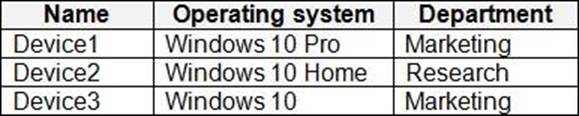
You capture and upload the hardware IDs of the devices in the marketing department.
You configure Windows Autopilot.
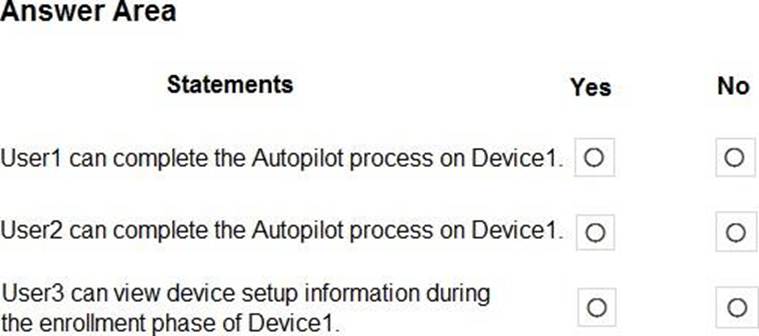
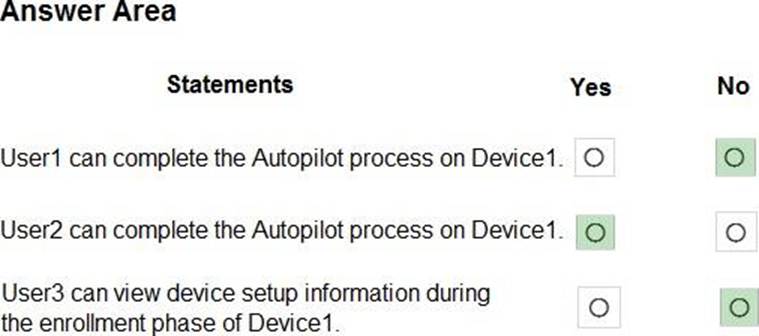
For each of the following statements, select Yes if the statement is true. Otherwise select No. NOTE: Each correct selection is worth one point.
Your company has a Microsoft 365 subscription.
All the users in the finance department own personal devices that run iOS or Android. All the devices are enrolled in Microsoft Intune.
The finance department adds new users each month.
The company develops a mobile application named App1 for the finance department users.
You need to ensure that only the finance department users can download Appl.
What should you do first?
- A . Register App1 in Microsoft Entra.
- B . Add App1 to the vendor stores for iOS and Android applications.
- C . Add App1 to a Microsoft Deployment Toolkit (MDT) deployment share.
- D . Add App1 to Intune.
Your network contains an on-premises Active Directory domain and an Azure AD tenant.
The Default Domain Policy Group Policy Object (GPO) contains the settings shown in the following table.
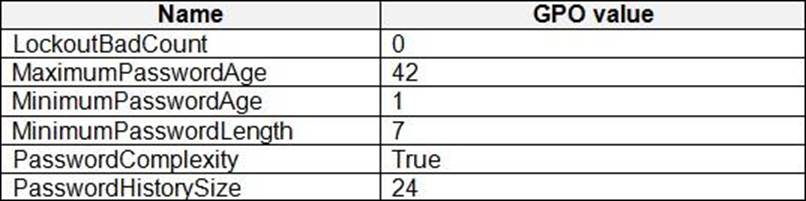
Which device configuration profile type template should you use?
- A . Administrative Templates
- B . Endpoint protection
- C . Device restrictions
- D . Custom
A
Explanation:
To configure the settings shown in the table, you need to use the Administrative Templates device configuration profile type template. This template allows you to configure hundreds of settings that are also available in Group Policy. You can use this template to configure settings such as password policies, account lockout policies, and audit policies.
Reference: https://docs.microsoft.com/en-us/mem/intune/configuration/administrative-templates-windows
You have a Microsoft 365 E5 subscription that contains a group named Group1. You need to ensure that only the members of Group1 can join devices to the Microsoft Entra tenant.
What should you configure in the Microsoft Entra admin center?
- A . Enterprise State Roaming
- B . Mobility
- C . Device settings
- D . User settings