Practice Free AZ-120 Exam Online Questions
You have two Azure virtual machines named VM1 and VM2 that run SUSE Linux Enterprise Server (SLES) and are in the East US Azure region. VM1 and VM2 host a highly available SAP HANA 2.0 SP 05 Pacemaker cluster that has HANA system replication configured.
You deploy a virtual machine named VM3 that runs SLES and is in the West US Azure region.
You need to implement a disaster recovery solution to ensure that during a failover between VM1 and VM2, replication to VM3 continues automatically.
How should you modify the HANA system replication?
- A . Configure multitier replication and modify the Pacemaker configuration on VM1 and VM2.
- B . Configure multitier replication and modify the Global.ini file on VM1 and VM2.
- C . Configure multitarget replication and modify the Global.ini file on VM1 and VM2.
- D . Configure multitarget replication and modify the Pacemaker configuration on VM1 and VM2.
DRAG DROP
3You have an SAP NetWeaver deployment hosted on Azure virtual machines.
You need to implement Azure Monitor for SAP Solutions. The solution must ensure that the source data is available for all NetWeaver metric workbook visualizations.
What should you include in the solution? To answer, drag the appropriate configurations to the correct portals. Each configuration may be used once, more than once, or not at all. You may need to drag the split bar between panes or scroll to view content. NOTE: Each correct selection is worth one point.


You have an SAP Cloud Platform subscription and an Azure Active Directory (Azure AD) tenant.
You need to ensure that Azure AD users can access SAP Cloud App by using their Azure AD credentials.
What should you configure?
- A . Active Directory Domain Services (AD DS)
- B . SAP Cloud Platform Identity Authentication
- C . A conditional access policy
- D . SAP Cloud Connector
A
Explanation:
When you integrate SAP Cloud Platform Identity Authentication with Azure AD, you can:
Control in Azure AD who has access to SAP Cloud Platform Identity Authentication.
Enable your users to be automatically signed-in to SAP Cloud Platform Identity Authentication with their Azure AD accounts.
Manage your accounts in one central location – the Azure portal.
Reference: https://docs.microsoft.com/en-us/azure/active-directory/saas-apps/sap-hana-cloud-platform-identity-authentication-tutorial
DRAG DROP
You have a large and complex SAP environment on Azure.
You are designing a training landscape that will be used 10 times a year.
You need to recommend a solution to create the training landscape.
The solution must meet the following requirements:
Minimize the effort to build the training landscape.
Minimize costs.
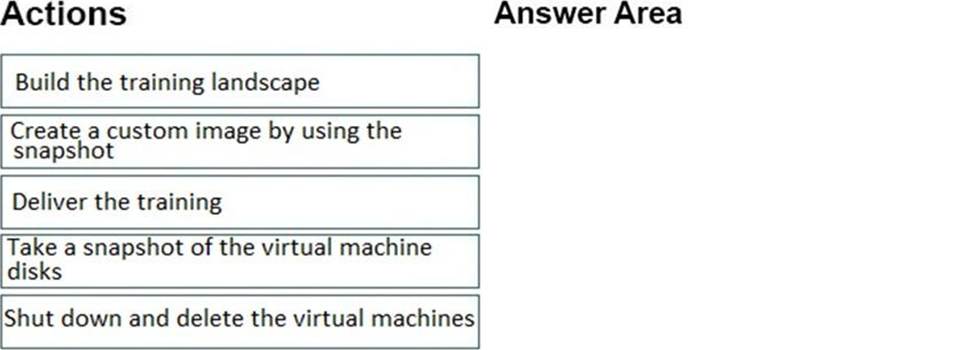
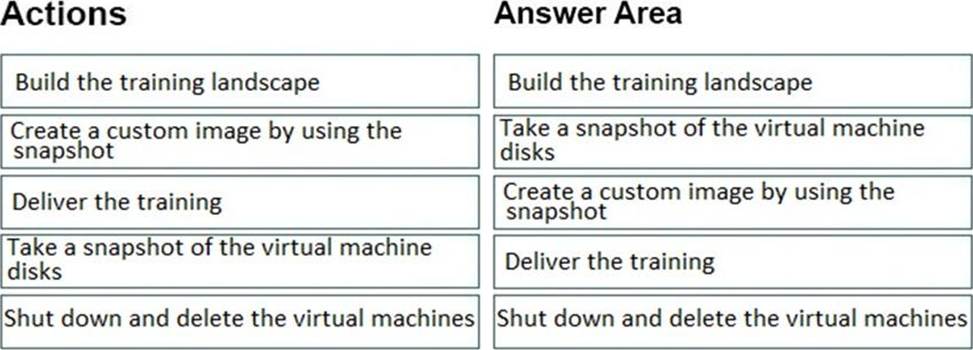
In which order should you recommend the actions be performed for the first training session? To answer, move all actions from the list of actions to the answer area and arrange them in the correct order.
Explanation:
Build
Snapshot
Custom Image
Deliver Training
Shutdown
Reference: https://docs.microsoft.com/en-us/azure/virtual-machines/workloads/sap/planning-guide
You have an SAP production landscape on-premises and an SAP development landscape on Azure. You deploy a network virtual appliance to act as a firewall between the Azure subnet and the on-premises network.
Solution: You configure route filters for Microsoft peering.
Does this meet the goal?
- A . Yes
- B . No
HOTSPOT
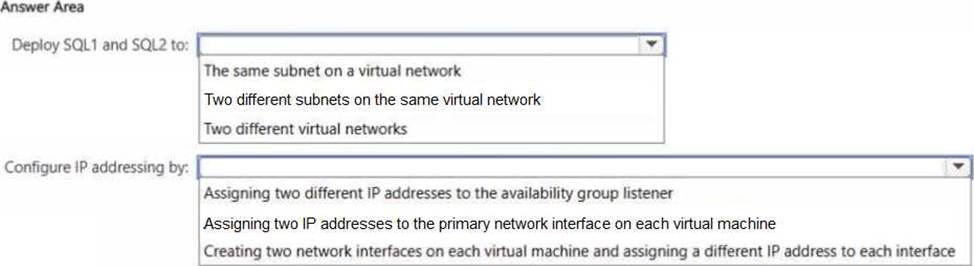
You have an Azure subscription. The subscription contains two virtual machines named SQL1 and SQL2 that host a Microsoft SQL Server 2019 Always On availability group named AOG1.
You plan to deploy an SAP NetWeaver system that will have a database tier hosted on AOG1.
You need to configure networking for SQL1 and SQL2.
The solution must meet the following requirements:
• Eliminate the need to create a distributed network name (DNN).
• Minimize costs.
What should you do? To answer, select the appropriate options in the answer area. NOTE: Each correct selection is worth one point.

You are building an SAP environment by using Azure Resource Manager templates. The SAP environment will use Linux virtual machines.
You need to correlate the LUN of the data disks in the template to the volume of the virtual machines.
Which command should you run/
- A . Is /dev/ disk/azure/root
- B . Is /dev/ disk/azure/scsil
- C . Tree /dev/ disk/azure/root
- D . Tree /dev/disk/azure/resource
DRAG DROP
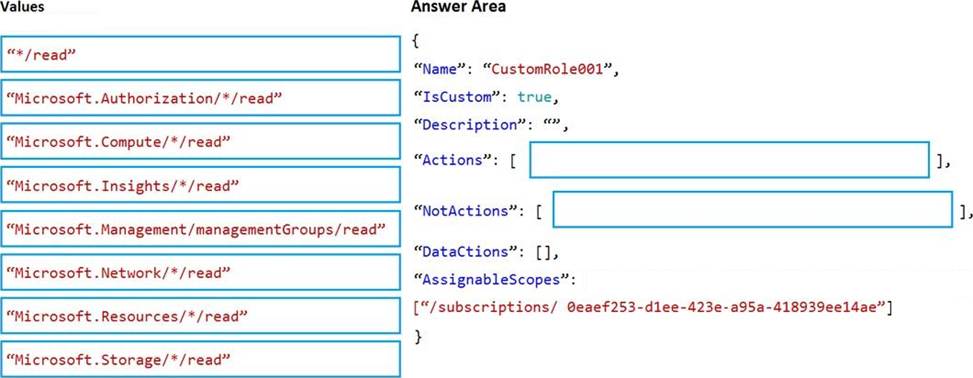
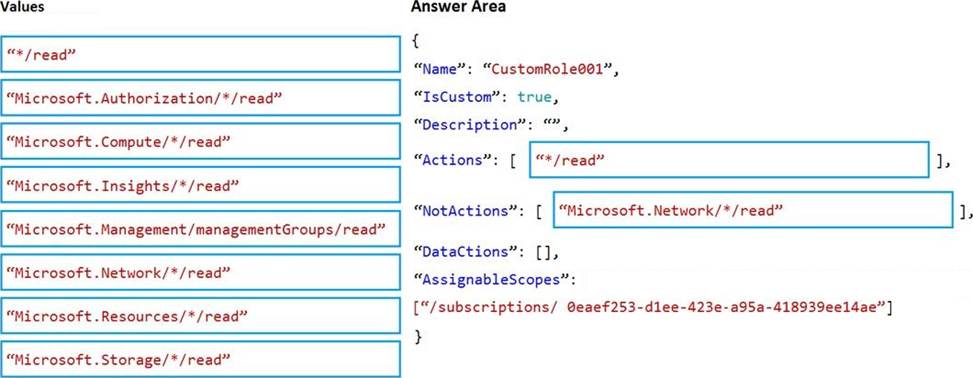
You deploy an SAP environment on Azure.
You need to grant an SAP administrator read-only access to the Azure subscription. The SAP administrator must be prevented from viewing network information.
How should you configure the role-based access control (RBAC) role definition? To answer, drag the appropriate values to the correct targets. Each value may be used once, more than once, or not at all. You may need to drag the split bar between panes or scroll to view content. NOTE: Each correct selection is worth one point.
You have an SAP environment on Azure.
Your on premises network uses a 1 Gbps ExpressRoute circuit to connect to Azure. Private peering is enabled on the circuit. The default route (0.0.0.0/0) from the on-premises network is advertised. Whenever backups are copied to Azure Blob storage, the ExpressRoute circuit is saturated.
You need to resolve the issue without modifying the ExpressRoute circuit. The solution must minimize administrative effort.
What should you do?
- A . Change the backup solution to use a third-party software that can write to the Blob storage.
- B . Create a user-defined route that redirects traffic to the Blob storage.
- C . Create an application security group.
- D . Enable virtual network service endpoints.
DRAG DROP
You plan to deploy SAP on Azure.
The deployment must meet the following requirements:
• Support failover to another Azure region in the event of a regional outage.
• Minimize data loss during a failover.
• Minimize costs.
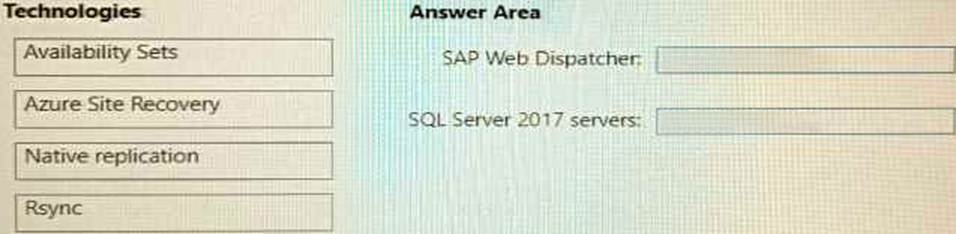
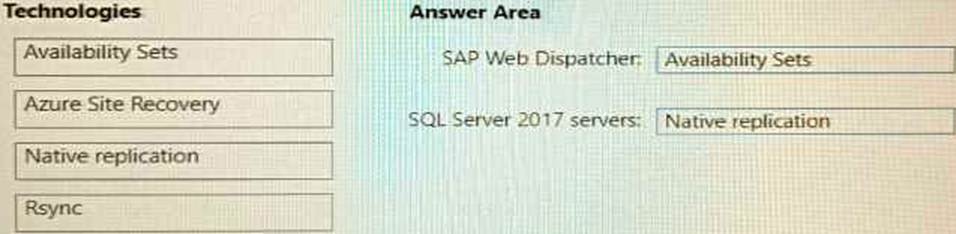
Which fault tolerance technology should you choose for the SAP Web Dispatcher and the Microsoft SQL Server 2017 servers to meet the requirements? To answer, drag the appropriate technologies to the correct targets. Each technology may be used once, more than once, or not at all. You may need to drag the split bar between panes or scroll to view content. NOTE: Each correct selection is worth one point.