
Practice Free NSE6_SDW_AD-7.6 Exam Online Questions
Refer to the exhibit.
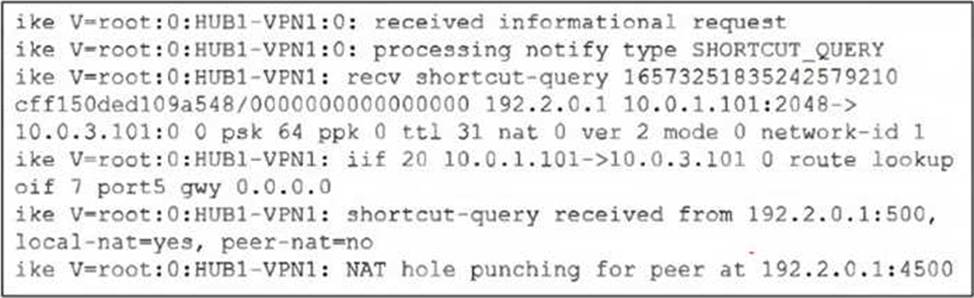
Which statement correctly describes the role of the ADVPN device in handling traffic? Choose one answer.
- A . This device is a spoke that has received a direct shortcut query from a remote spoke.
- B . This device is a hub, and two spokes, 192.2.0.1 and 10.0.3.101, established a shortcut.
- C . This device is a hub that has received a shortcut query from a spoke and has forwarded it to another spoke.
- D . This device is a spoke that has received a shortcut query from a remote hub.
You have a FortiGate configuration with three user-defined SD-WAN zones and two members in each of these zones. One SD-WAN member is no longer in use in health-check and SD-WAN rules. You want to delete it.
What happens if you delete the SD-WAN member from the FortiGate GUI?
- A . FortiGate accepts the deletion and removes routes as required.
- B . FortiGate displays an error message. You must use the CLI to delete an SD-WAN member.
- C . FortiGate displays an error message. SD-WAN zones must contain at least two members
- D . FortiGate accepts the deletion and places the member in the default SD-WAN zone.
Which SD-WAN deployment type is most suitable for FortiManager centralized management?
- A . Internet-only SD-WAN
- B . Hybrid SD-WAN
- C . Cloud SD-WAN
- D . Branch SD-WAN
Refer to the exhibit.
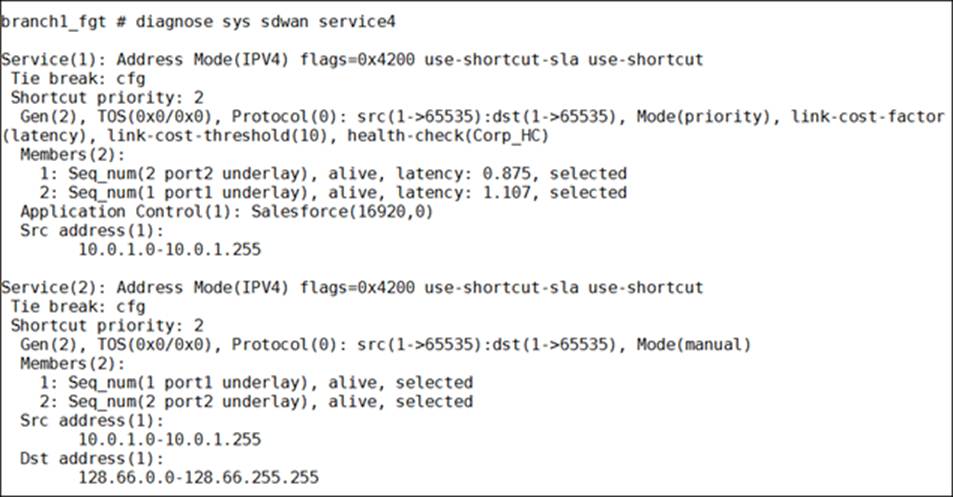
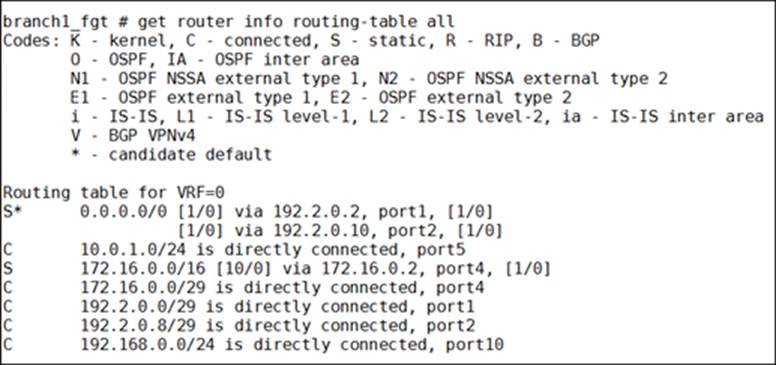
How does FortiGate handle the traffic with the source IP address 10.0.1.27 and the destination IP address 128.66.0.111?
- A . FortiGate steers the traffic through port1.
- B . FortiGate drops the traffic flow.
- C . FortiGate steers the traffic through port2.
- D . FortiGate routes the traffic flow according to the forwarding information base (FIB), to either port1 or port2.
Which statement about using BGP routes in SD-WAN is true?
- A . Adding static routes must be enabled on all ADVPN interfaces.
- B . VPN topologies must be form using only BGP dynamic routing with SD-WAN.
- C . Learned routes can be used as dynamic destinations in SD-WAN rules.
- D . Dynamic routing protocols can be used only with non-encrypted traffic.
Refer to the exhibits.
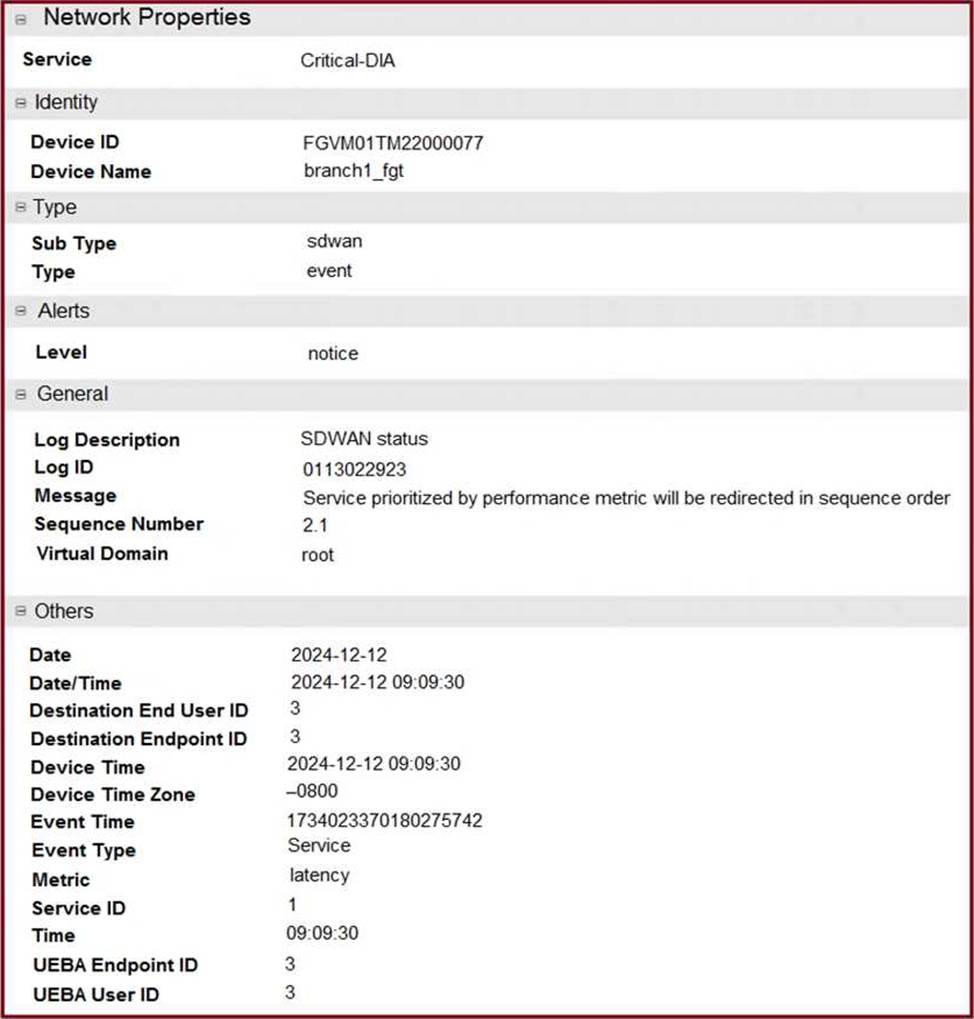

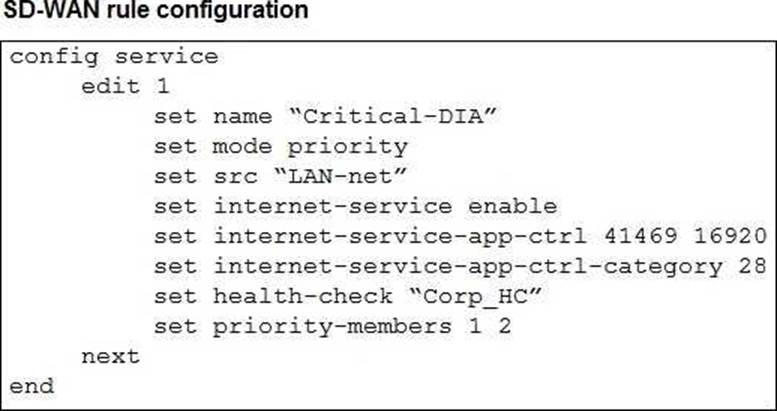
The exhibits show an SD-WAN event log, the member status, and the SD-WAN rule configuration.
Which two conclusions can you draw from the information shown? (Choose two.)
- A . The administrator configured the service ID 1 with the highest priority member for port2.
- B . Port2 has a lower latency than port1.
- C . FortiGate updated the outgoing interface list on the rule so it prefers port2.
- D . The administrator configured the SD-WAN rule ID 1 with the default strategy mode.
Which are three key routing principles in SD-WAN? (Choose three.)
- A . FortiGate performs route lookups for new sessions only.
- B . Regular policy routes have precedence over SD-WAN rules.
- C . SD-WAN rules have precedence over ISDB routes.
- D . By default, SD-WAN members are skipped if they do not have a valid route to the destination.
- E . By default, SD-WAN rules are skipped if the best route to the destination is not an SD-WAN member.
Refer to the exhibits.
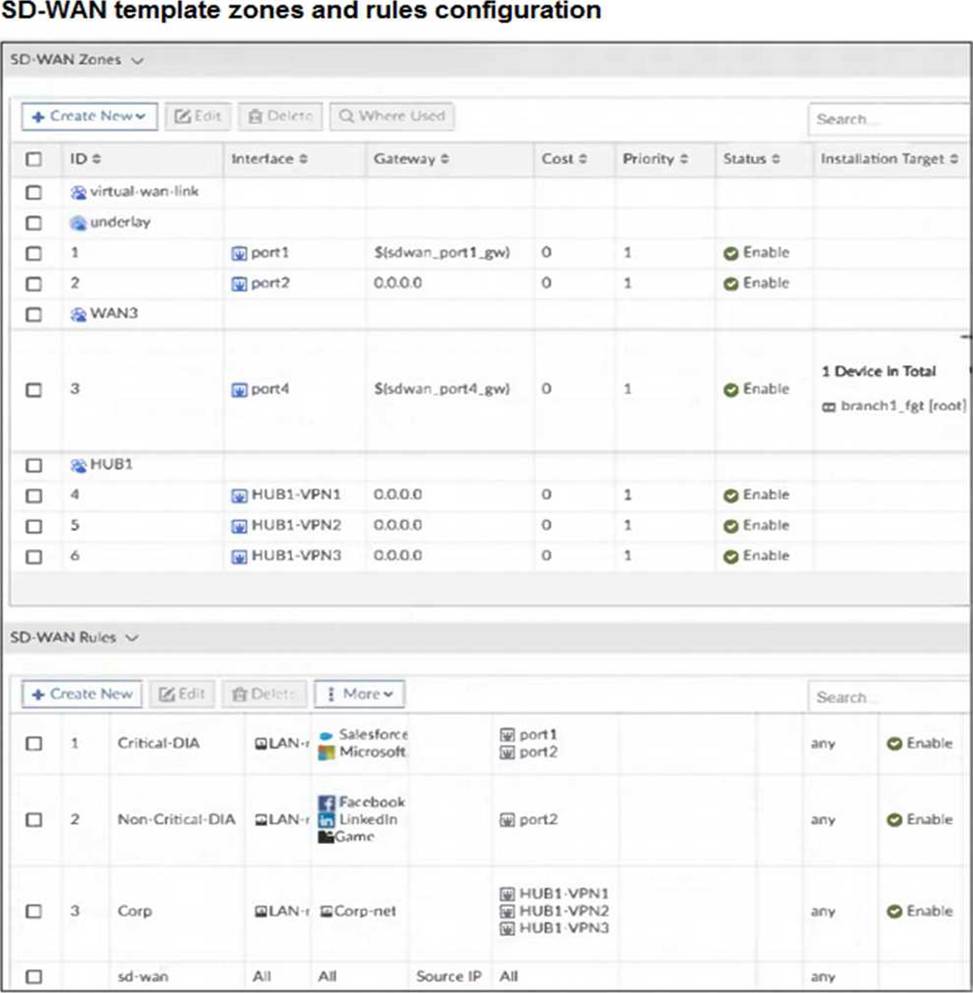
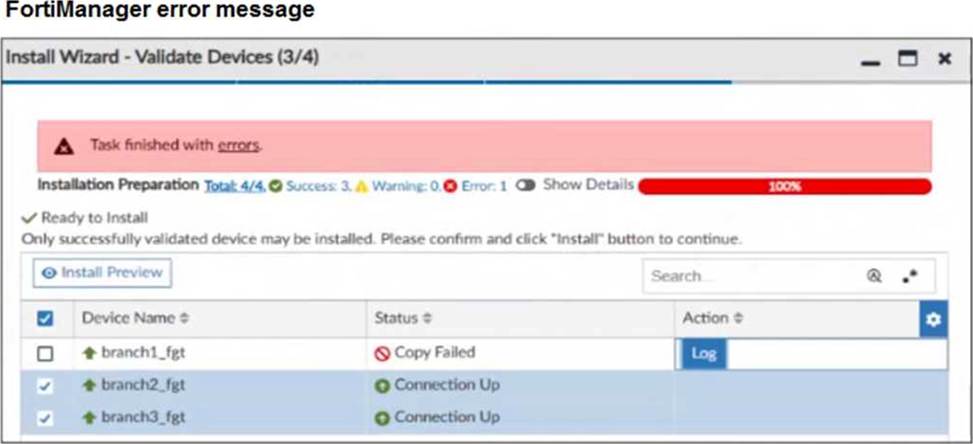
You use FortiManager to configure SD-WAN on three branch devices.
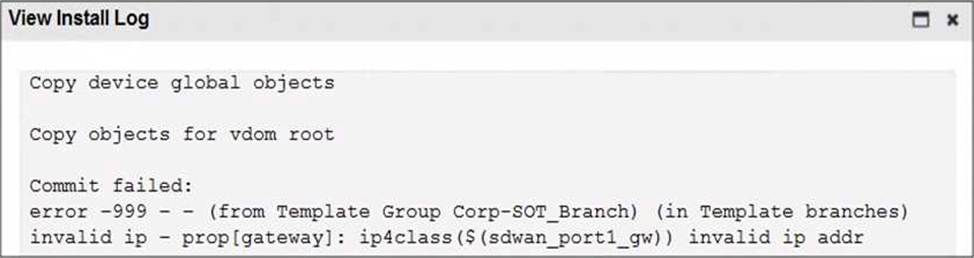
When you install the device settings, FortiManager prompts you with the error “Copy Failed” for the device branch1_fgt. When you click the log button, FortiManager displays the message shown in the exhibit.
There are two different ways to resolve this issue.
Based on the exhibits, which methods could you use? (Choose two.)
- A . Update the management IP address of branch1_fgt.
- B . Specify the gateway of the SD-WAN member port1 with an IP address or use the default value.
- C . Do not define installation targets for SD-WAN members.
- D . Review the per-device mapping configuration for metadata variables
Refer to the exhibit.
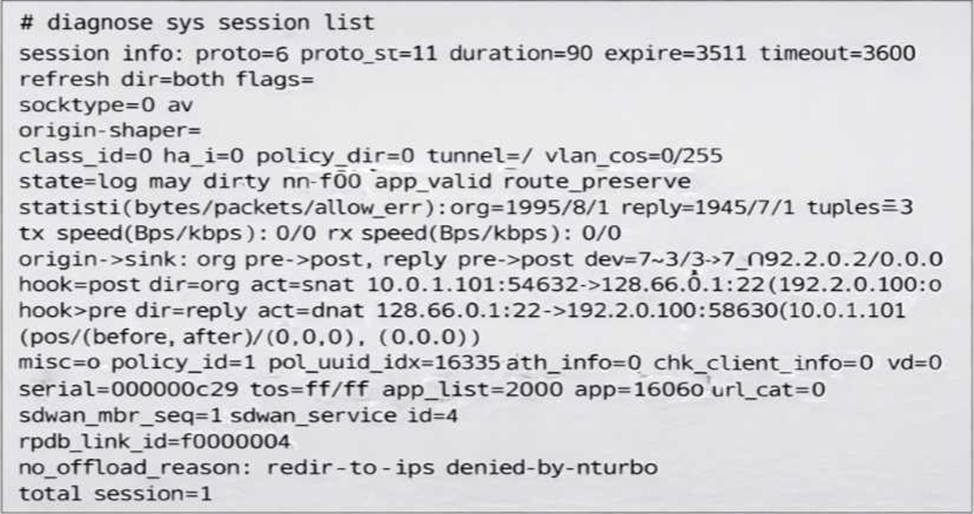
You noticed that one SD-WAN member went down and you immediately collected the session output shown in the exhibit.
What can you conclude from this output? Choose one answer.)
- A . FortiGate didn’t receive any traffic related to this session after the interface went down.
- B . FortiGate flushed the gateway for the session.
- C . FortiGate cannot reevaluate the session.
- D . FortiGate already reevaluated this session.
Which SD-WAN feature allows for the prioritization of critical traffic over less important traffic?
- A . Load balancing
- B . Quality of service (QoS)
- C . Application steering
- D . Link steering