
Practice Free DP-600 Exam Online Questions
You have a Fabric tenant that contains two workspaces named Workspace1 and Workspace2.
Workspace1 is used as the development environment.
Workspace2 is used as the production environment.
Each environment uses a different storage account.
Workspace1 contains a Dataflow Gen2 named Dataflow1. The data source of Dataflow1 is a CSV file in blob storage.
You plan to implement a deployment pipeline to deploy items from Workspace1 to Workspace2.
You need to ensure that the data source references the correct location in the production environment.
What should you do?
- A . Create a data source rule only.
- B . Create a parameter rule only.
- C . Create a data source rule and a parameter rule.
- D . After implementing the deployment pipeline, manually change the data source.
B
Explanation:
Scenario:
Dev = Workspace1 with Dataflow Gen2 (source = blob storage CSV).
Prod = Workspace2, different storage account.
Need: ensure deployed dataflow points to the production storage location.
Analysis:
Data source rules: used to remap data sources between environments (e.g., blob storage dev → blob storage prod).
Parameter rules: used when the data source location is parameterized (for example, a parameter storing the file path or connection string).
Best practice: use parameters in the dataflow for connection strings, then apply parameter rules in deployment pipelines.
In this case, since the requirement is about ensuring the reference updates correctly, only parameter rules are needed (not data source rules).
Correct Answer . B. Create a parameter rule only.
You have a Fabric workspace named Workspace-!. You have a GitHub repository named Repol. You need to connect Workspacel to the main branch of Repol.
Which information should you provide?
- A . an access key and the URL of Repo1
- B . a personal access token (PAT) and the URL of Repo1
- C . an access key and the branch name of Repo1
- D . a shared access signature (SAS) token and the branch name of Repo1
You have a Fabric workspace named Workspace-!. You have a GitHub repository named Repol. You need to connect Workspacel to the main branch of Repol.
Which information should you provide?
- A . an access key and the URL of Repo1
- B . a personal access token (PAT) and the URL of Repo1
- C . an access key and the branch name of Repo1
- D . a shared access signature (SAS) token and the branch name of Repo1
You have a Fabric workspace named Workspace-!. You have a GitHub repository named Repol. You need to connect Workspacel to the main branch of Repol.
Which information should you provide?
- A . an access key and the URL of Repo1
- B . a personal access token (PAT) and the URL of Repo1
- C . an access key and the branch name of Repo1
- D . a shared access signature (SAS) token and the branch name of Repo1
You have a Fabric workspace named Workspace-!. You have a GitHub repository named Repol. You need to connect Workspacel to the main branch of Repol.
Which information should you provide?
- A . an access key and the URL of Repo1
- B . a personal access token (PAT) and the URL of Repo1
- C . an access key and the branch name of Repo1
- D . a shared access signature (SAS) token and the branch name of Repo1
You need to create a Microsoft Power BI file that will be used to create multiple reports.
The solution must meet the following requirements:
– The file must include predefined data source connections.
– The file must include the report structure and formatting.
– The file must NOT contain any data.
Which file format should you use?
- A . PBIT
- B . PBIDS
- C . PBIX
- D . PBIP
B
Explanation:
Use PBIDS files to get data
PBIDS files are Power BI Desktop files that have a specific structure and a .pbids extension to identify them as Power BI data source files.
You can create a PBIDS file to streamline the Get Data experience for new or beginner report creators in your organization. If you create the PBIDS file from existing reports, it’s easier for beginning report authors to build new reports from the same data.
Note: How to create a PBIDS connection file
If you have an existing Power BI Desktop PBIX file already connected to the data you’re interested in, you can export the connection files from within Power BI Desktop. This method is recommended, since the PBIDS file can be autogenerated from Desktop. You can also still edit or manually create the file in a text editor.
You have a Microsoft Power BI semantic model.
You need to identify any surrogate key columns in the model that have the Summarize By property set to a value other than to None. The solution must minimize effort.
What should you use?
- A . DAX Formatter in DAX Studio
- B . Model explorer in Microsoft Power BI Desktop
- C . Model view in Microsoft Power BI Desktop
- D . Best Practice Analyzer in Tabular Editor
D
Explanation:
BPA lets you define rules on the metadata of your model, to encourage certain conventions and best practices while developing in SSAS Tabular.
Clicking one of the rules in the top list, will show you all objects that satisfy the conditions of the given rule in the bottom list:
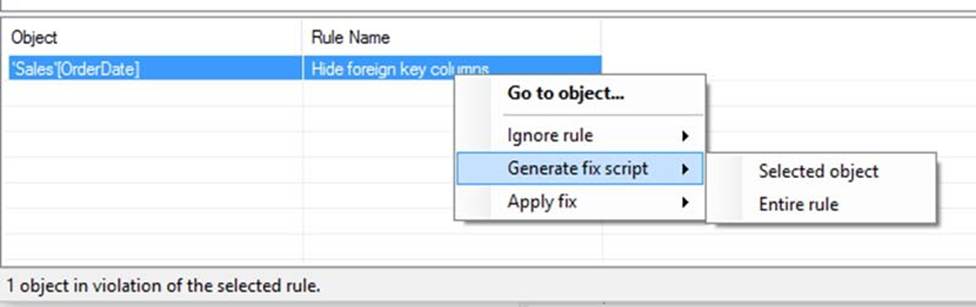
Note: The Best Practice Analyzer (BPA) lets you define rules on the metadata of your model, to encourage certain conventions and best practices while developing your Power BI or Analysis Services Model.
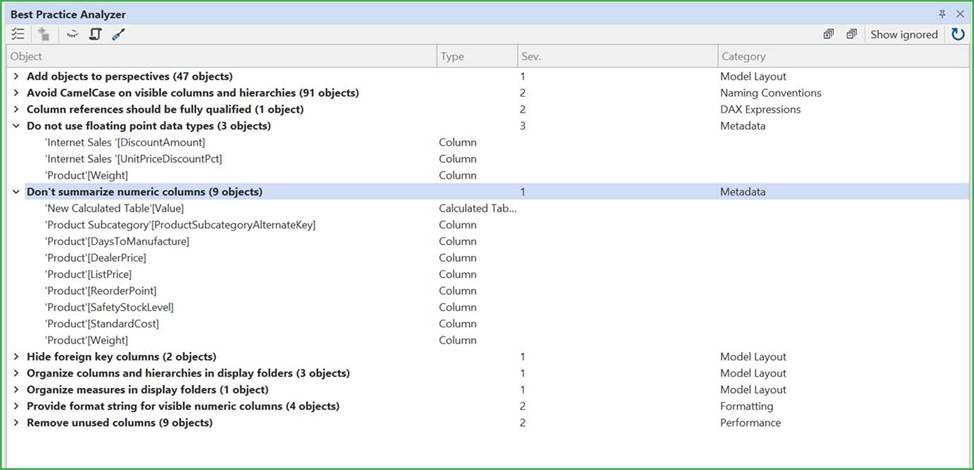
PBA Overview
The BPA overview shows you all the rules defined in your model that are currently being broken:
Incorrect:
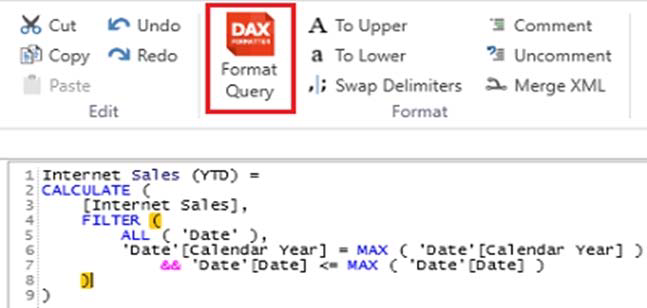
* DAX Formatter in DAX Studio
DAX Formatter can be used within DAX Studio to align parentheses with their associated functions.
* Model explorer in Microsoft Power BI Desktop
With Model explorer in the Model view in Power BI, you can view and work with complex semantic models with many tables, relationships, measures, roles, calculation groups, translations, and perspectives.
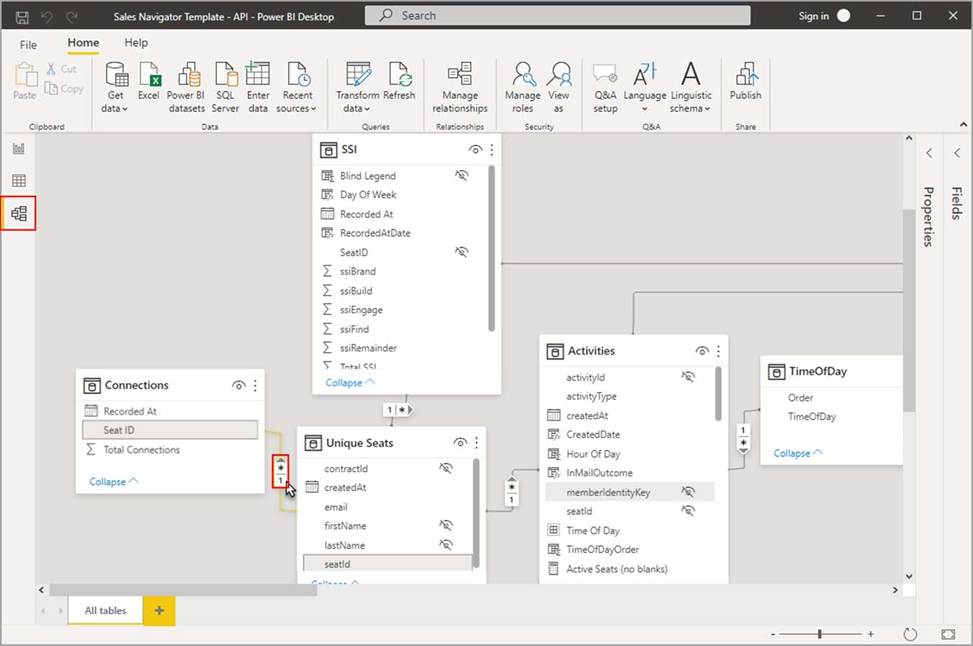
* Model view in Microsoft Power BI Desktop
Model view shows all of the tables, columns, and relationships in your model. This view can be especially helpful when your model has complex relationships between many tables.
Reference:
https://docs.tabulareditor.com/te2/Best-Practice-Analyzer.html
https://docs.tabulareditor.com/common/using-bpa.html?tabs=TE3Rules
https://learn.microsoft.com/en-us/power-bi/transform-model/model-explorer
You have a Microsoft Power BI semantic model.
You need to identify any surrogate key columns in the model that have the Summarize By property set to a value other than to None. The solution must minimize effort.
What should you use?
- A . DAX Formatter in DAX Studio
- B . Model explorer in Microsoft Power BI Desktop
- C . Model view in Microsoft Power BI Desktop
- D . Best Practice Analyzer in Tabular Editor
D
Explanation:
BPA lets you define rules on the metadata of your model, to encourage certain conventions and best practices while developing in SSAS Tabular.
Clicking one of the rules in the top list, will show you all objects that satisfy the conditions of the given rule in the bottom list:
Note: The Best Practice Analyzer (BPA) lets you define rules on the metadata of your model, to encourage certain conventions and best practices while developing your Power BI or Analysis Services Model.
PBA Overview
The BPA overview shows you all the rules defined in your model that are currently being broken:
Incorrect:
* DAX Formatter in DAX Studio
DAX Formatter can be used within DAX Studio to align parentheses with their associated functions.
* Model explorer in Microsoft Power BI Desktop
With Model explorer in the Model view in Power BI, you can view and work with complex semantic models with many tables, relationships, measures, roles, calculation groups, translations, and perspectives.
* Model view in Microsoft Power BI Desktop
Model view shows all of the tables, columns, and relationships in your model. This view can be especially helpful when your model has complex relationships between many tables.
Reference:
https://docs.tabulareditor.com/te2/Best-Practice-Analyzer.html
https://docs.tabulareditor.com/common/using-bpa.html?tabs=TE3Rules
https://learn.microsoft.com/en-us/power-bi/transform-model/model-explorer
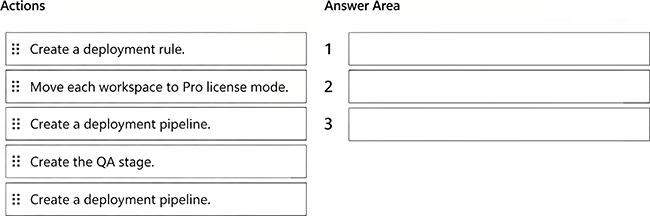
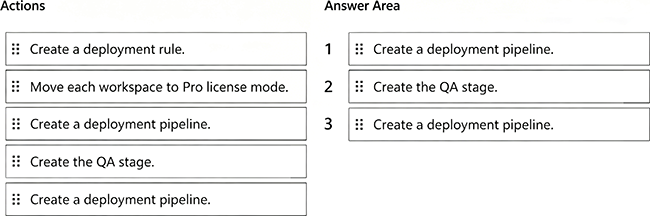
DRAG DROP
You have Fabric tenant that contains four workspaces named Development, Test, QA, and Production. All the workspaces are in Premium Per User (PPU) license mode.
You plan to use a release pipeline to support the development lifecycle from Development to Production.
Which three actions should you perform in sequence? To answer, move the appropriate actions from the list of actions to the answer area and arrange them in the correct order.
Explanation:
Scenario Recap
Fabric tenant with workspaces: Development, Test, QA, Production.
All workspaces are already in Premium Per User (PPU) mode (which is required for deployment pipelines).
Task: Set up a release pipeline to move through Dev → Test → QA → Production.
Step 1: Create a deployment pipeline
The first step is always to create a new deployment pipeline in the Fabric/Power BI service. This establishes the structure for Dev → Test → Prod (and optionally QA).
Step 2: Create the QA stage
By default, pipelines have 3 stages (Dev, Test, Prod).
Since we need a QA stage in addition, we must explicitly add it as a stage to the pipeline.
Step 3: Assign workspaces
Once the pipeline structure is ready (with QA included), we assign each workspace to the corresponding stage:
Development → Development
Test → Test
QA→QA
Production → Production
Why Not the Other Actions?
Move each workspace to Pro license mode → Incorrect, because deployment pipelines require Premium capacity or PPU, and the workspaces already are in PPU mode.
Create a deployment rule → Deployment rules (e.g., parameter or data source rules) are optional for environment-specific changes, but not part of the initial required setup sequence.
Reference:
Deployment pipelines overview
Assigning workspaces to deployment pipelines
You have a Fabric tenant.
You are creating a Fabric Data Factory pipeline.
You have a stored procedure that returns the number of active customers and their average sales for the current month.
You need to add an activity that will execute the stored procedure in a warehouse. The returned values must be available to the downstream activities of the pipeline.
Which type of activity should you add?
- A . Get metadata
- B . Copy data
- C . Lookup
- D . Append variable
C
Explanation:
The Lookup activity is specifically designed to execute a query or stored procedure and retrieve data from a data source, such as a warehouse. It allows you to capture the output, which can then be used in subsequent activities in the pipeline.
By using the Lookup activity, you can access the returned values (number of active customers and their
average sales) and pass them on to other activities for further processing.