Practice Free 220-1202 Exam Online Questions
A company wants to enforce the following browser requirements:
Administrators can add URLs to the Trusted URL list
Passwords will not be stored through the browser
When the browser is closed, all history will be saved
Browser security will be set to high
Specific URLs or ratings will be restricted from access
Which of the following is the best for the technician to configure?
- A . Group Policy
- B . Web gateway
- C . Browser policy
- D . Web proxy
C
Explanation:
The correct answer is C. Browser policy, because the listed requirements apply specifically to browser-level behavior and settings, not general network traffic or system-wide configuration. Browser policies allow administrators to centrally control how browsers behave on managed systems.
The Quentin Docter C CompTIA A+ Complete Study Guide explains that modern browsers support administrative templates or policies that govern password storage, trusted sites, security levels, history handling, and URL restrictions. These policies ensure consistent behavior across all user
systems without relying on manual configuration.
The Travis Everett & Andrew Hutz C All-in-One Exam Guide clarifies that while Group Policy can deploy browser policies, the object being configured is still the browser itself. The question asks what is best to configure, not how it is delivered. Browser policies directly control password management, trusted URLs, and security zones.
The Mike Meyers / Mark Soper Lab Manual further notes that web proxies and gateways filter traffic at the network level and cannot control local browser features such as password storage or history retention.
Because every listed requirement is a browser-specific control, the most accurate and targeted solution is Browser policy, making C the correct answer.
A company wants to enforce the following browser requirements:
Administrators can add URLs to the Trusted URL list
Passwords will not be stored through the browser
When the browser is closed, all history will be saved
Browser security will be set to high
Specific URLs or ratings will be restricted from access
Which of the following is the best for the technician to configure?
- A . Group Policy
- B . Web gateway
- C . Browser policy
- D . Web proxy
C
Explanation:
The correct answer is C. Browser policy, because the listed requirements apply specifically to browser-level behavior and settings, not general network traffic or system-wide configuration. Browser policies allow administrators to centrally control how browsers behave on managed systems.
The Quentin Docter C CompTIA A+ Complete Study Guide explains that modern browsers support administrative templates or policies that govern password storage, trusted sites, security levels, history handling, and URL restrictions. These policies ensure consistent behavior across all user
systems without relying on manual configuration.
The Travis Everett & Andrew Hutz C All-in-One Exam Guide clarifies that while Group Policy can deploy browser policies, the object being configured is still the browser itself. The question asks what is best to configure, not how it is delivered. Browser policies directly control password management, trusted URLs, and security zones.
The Mike Meyers / Mark Soper Lab Manual further notes that web proxies and gateways filter traffic at the network level and cannot control local browser features such as password storage or history retention.
Because every listed requirement is a browser-specific control, the most accurate and targeted solution is Browser policy, making C the correct answer.
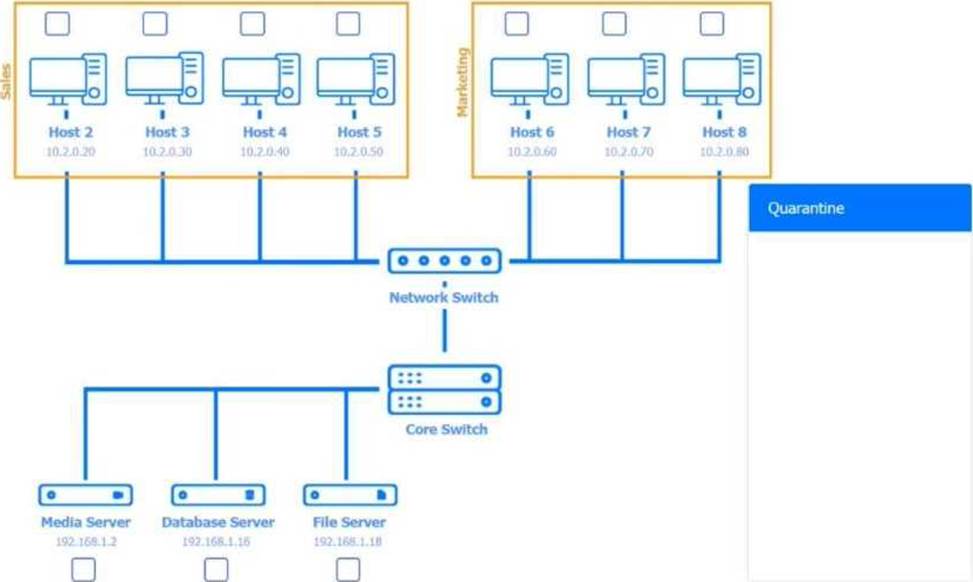
A technician verifies that a malware incident occurred on some computers in a small office.
Which of the following should the technician do next?
- A . Quarantine the infected systems
- B . Educate the end users
- C . Disable System Restore
- D . Update the anti-malware and scan the computers
A
Explanation:
Comprehensive and Detailed Explanation From Exact Extract:
Once a malware incident has been confirmed, the immediate next step is to contain the threat. Quarantining infected systems prevents the malware from spreading to other devices and isolates the malicious code for further analysis or remediation.
B. Educating end users is important but occurs later in the incident response process.
C. Disabling System Restore is part of cleanup, not containment.
D. Updating and scanning should occur after the system is quarantined to prevent further infection or spread.
Reference: CompTIA A+ 220-1102 Objective 2.5: Given a scenario, detect, remove, and prevent malware using appropriate tools and methods.
Study Guide Section: Malware removal best practices ― Step 2: Quarantine the infected system
Which of the following commands is used to manage files in a Linux OS?
- A . robocopy
- B . curl
- C . xcopy
- D . cp
D
Explanation:
The correct answer is D. cp, which is a core Linux command used to copy files and directories. File management in Linux is performed primarily through command-line utilities, and cp is one of the most fundamental commands for this purpose.
According to the Quentin Docter C CompTIA A+ Complete Study Guide, Linux administrators frequently use commands such as cp, mv, rm, and ls to manage files. The cp command allows users to copy files between directories or locations and supports options for recursive copying and permission preservation.
The Travis Everett & Andrew Hutz C All-in-One Exam Guide highlights that Linux file management commands differ significantly from Windows equivalents. While Windows uses robocopy and xcopy, Linux relies on simpler, built-in commands like cp.
The Mike Meyers / Mark Soper Lab Manual further explains that curl is used for transferring data over network protocols, not for managing local files. Commands such as robocopy and xcopy are Windows-specific and not available in standard Linux environments.
Because the question asks specifically about managing files in Linux, and cp is a native Linux file-management command, D is the correct answer.
A technician must install a legacy business application on a new computer. The new computer does not meet the application’s requirements.
Which of the following steps should the technician take to ensure the application installs and runs correctly?
- A . Use a virtual machine to emulate an older OS.
- B . Run the installation in safe mode to avoid driver conflicts.
- C . Increase the swap file size to manage potential memory issues.
- D . Use an application compatibility toolkit to address any software conflicts.
A
Explanation:
The correct answer is A. Use a virtual machine to emulate an older OS, because virtualization is the most reliable method for running legacy applications that are incompatible with modern operating systems or hardware. When a new computer does not meet an application’s requirements―such as OS version, driver support, or system libraries―the issue is typically software compatibility, not system performance.
According to the Quentin Docter C CompTIA A+ Complete Study Guide, virtualization allows technicians to install an older operating system inside a virtual machine (VM) while still using modern hardware. This approach isolates the legacy application in a controlled environment that exactly matches its original requirements, without compromising the security or stability of the host OS.
The Travis Everett & Andrew Hutz C All-in-One Exam Guide explains that virtual machines are a preferred solution when organizations must maintain access to older business-critical software that cannot be updated. Running installers in Safe Mode or increasing swap space does not resolve OS-level incompatibility issues.
The Mike Meyers / Mark Soper Lab Manual further reinforces that compatibility toolkits can help with minor application issues, but they cannot fully emulate missing OS components or deprecated system calls. Virtualization provides complete compatibility by recreating the expected environment.
Therefore, using a virtual machine with an older OS is the most effective and exam-correct solution.
A high percentage of users at an office store documents on their local computers. The office needs to migrate to the next version of Windows.
Which of the following methods should a technician use?
- A . Remote network install
- B . Zero-touch deployment
- C . In-place upgrades
- D . Clean install
C
Explanation:
The correct answer is C. In-place upgrades, because this migration method preserves existing user data, applications, and settings while upgrading the operating system to a newer version. Since a large percentage of users store documents locally, maintaining those files during the upgrade is a key requirement.
According to the Quentin Docter C CompTIA A+ Complete Study Guide, an in-place upgrade replaces the operating system files while keeping user profiles, installed applications, and local data intact. This significantly reduces the risk of data loss and minimizes disruption to users.
The Travis Everett & Andrew Hutz C CompTIA A+ All-in-One Exam Guide explains that clean installs erase the existing OS and require data backup and restoration, which is time-consuming and risky when users store files locally. Zero-touch deployments are automated but typically rely on standardized images and centralized data storage, which does not align with this scenario.
The Mike Meyers / Mark Soper Lab Manual reinforces that in-place upgrades are ideal when preserving user environments is a priority and when systems already meet the requirements for the newer OS.
Because the goal is to upgrade Windows while retaining locally stored documents, in-place upgrades are the most appropriate solution, making C the correct answer.
A user is working from home and is unable to access work files on a company laptop.
Which of the following should a technician configure to fix the network access issue?
- A . Wide-area network
- B . Wireless network
- C . Proxy network settings
- D . Virtual private network
D
Explanation:
A VPN creates a secure tunnel from the user’s home network into the corporate network, providing the necessary routing and access controls for the laptop to reach internal file servers. Without a VPN, the device remains outside the corporate LAN and cannot directly reach protected resources.
A user is unable to upload files to the corporate servers from their mobile phone when outside the office, but uploading files works without issue in the office. The user saw an error notification but dismissed it.
Which of the following should a technician do to determine the root cause?
- A . Check the data usage limit
- B . Enable airplane mode
- C . Verify the last device reboot
- D . Enable Bluetooth connectivity
A
Explanation:
Comprehensive and Detailed Explanation From Exact Extract:
The user’s issue likely stems from a mobile data restriction or cap, especially since uploads work on Wi-Fi but not cellular. Checking data usage limits will help determine if mobile uploads are blocked.
From All-in-One Exam Guide:
“When data-intensive functions fail on mobile networks but not on Wi-Fi, it’s often due to data caps or metered connection limits.”
A user hears an unexpected noise coming from their desktop computer. To troubleshoot the issue, a technician needs to open the case.
Which of the following actions should the technician take next?
- A . Open the system cover
- B . Ground the system
- C . Disconnect the power
- D . Remove any peripheral devices
C
Explanation:
The correct answer is C. Disconnect the power, because safety is the first priority when working inside a computer case. Before opening the system, all power sources must be removed to prevent electrical shock and hardware damage.
According to the Quentin Docter C CompTIA A+ Complete Study Guide, technicians should always shut down the system and disconnect the power cable before opening a computer. Even powered-off systems can still carry electrical current if they remain plugged in.
The Travis Everett & Andrew Hutz C All-in-One Exam Guide explains that unexpected noises are often caused by fans, loose cables, or failing hard drives. Opening the case while the system is powered can cause injury or damage sensitive components.
The Mike Meyers / Mark Soper Lab Manual reinforces the standard safety sequence: power off the system, unplug it, discharge residual power, and then apply grounding measures before touching internal components.
Because disconnecting power eliminates electrical hazards and protects both the technician and the equipment, C is the correct answer.
A technician wants to prevent electrical damage while disassembling a device. The technician turns off the device.
Which of the following should the technician do next?
- A . Place the computer on an antistatic mat
- B . Work on a plastic surface
- C . Place components in antistatic bags
- D . Connect a wrist strap to a metal frame
D
Explanation:
The correct answer is D. Connect a wrist strap to a metal frame, because this action directly prevents electrostatic discharge (ESD), which is one of the most common causes of accidental hardware damage during device disassembly. Even when a device is powered off, static electricity stored in the technician’s body can discharge into sensitive components such as RAM, CPUs, and system boards.
According to the Quentin Docter C CompTIA A+ Complete Study Guide, the most effective way to prevent ESD is to equalize electrical potential between the technician and the device. An ESD wrist strap, when connected to a grounded metal surface such as a computer chassis, safely dissipates static electricity before it can damage components.
The Travis Everett & Andrew Hutz C All-in-One Exam Guide explains that while antistatic mats and bags are useful, they are secondary controls. The wrist strap provides continuous grounding throughout the repair process, whereas mats and bags only protect components when they are placed on or inside them.
The Mike Meyers / Mark Soper Lab Manual reinforces that working on plastic surfaces does not guarantee grounding, and placing components in antistatic bags is something done after removal, not immediately after powering down.
Therefore, once the device is turned off, the next and most important step is to connect a wrist strap to a metal frame, making D the correct answer.