Practice Free PL-900 Exam Online Questions
HOTSPOT
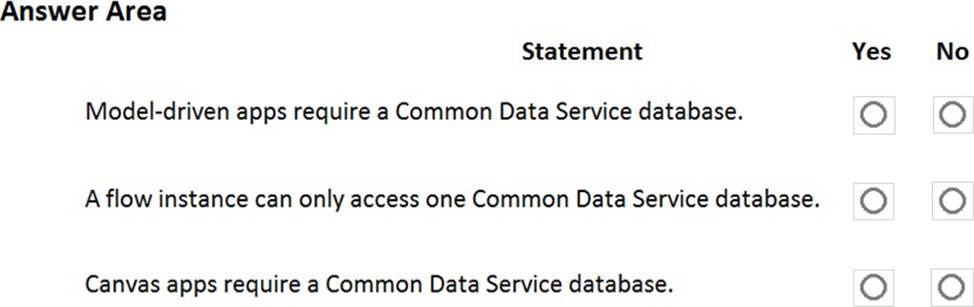
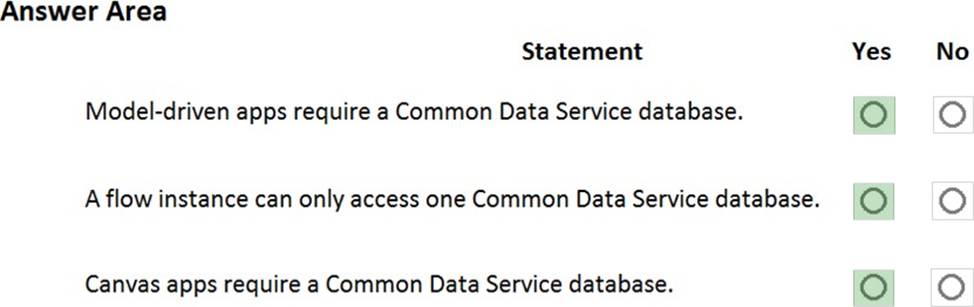
A company is evaluating Power Platform and has questions about the role that Common Data Service plays in using Power Apps and Power Automate.
For each of the following statements, select Yes if the statement is true. Otherwise, select No. NOTE: Each correct selection is worth one point.
You need to use Microsoft Flow to perform data-management tasks when users interact with the sales opportunities in Dynamics 365.
Which three types of triggers can you use? Each correct answer presents a complete solution. NOTE: Each correct selection is worth one point.
- A . record requested
- B . record deletion
- C . record creation
- D . record updated
- E . record selected
BCD
Explanation:
Triggers like When a record is created, When a record is updated, and When a record is deleted initiate your flow within a few minutes of the event occurring. In rare cases, your flow can take up to 2 hours to trigger.
Reference: https://docs.microsoft.com/en-us/power-automate/connection-dynamics365
HOTSPOT
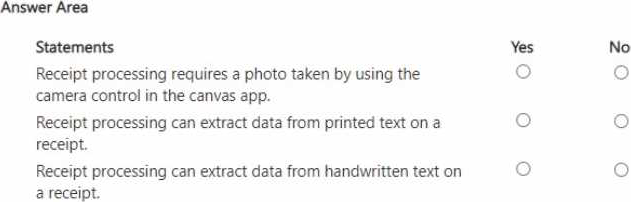
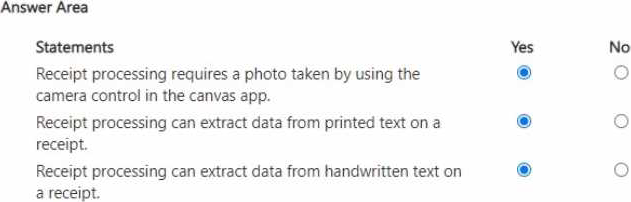
A company uses the receipt processing model of Al Builder in a canvas app to process expenses.
For each of the following statements, select Yes if the statement is true. Otherwise, select No. NOTE: Each correct selection is worth one point.
You create a Power BI dashboard that displays data from Dynamics 365 Customer Engagement.
You need to share the Power BI dashboard with coworkers.
What are three possible ways to achieve the goal? Each correct answer presents a complete solution. NOTE: Each correct selection is worth one point.
- A . Create a Power BI workspace and grant coworkers permissions.
- B . Publish the dashboard as an app to your coworkers.
- C . Export the data into Common Data Service for others to manipulate in Power BI.
- D . Export the data to Microsoft Excel for coworkers to import and view in Power BI.
- E . Embed reports in your company’s internal web portal.
ABE
Explanation:
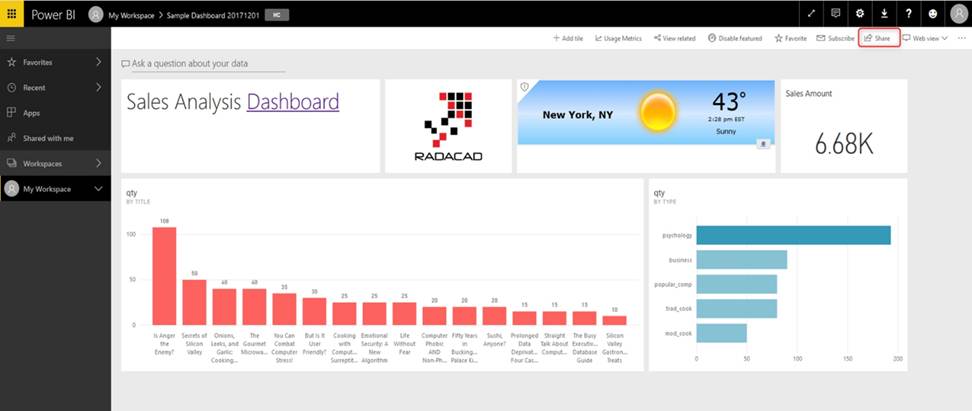
A: Basic Sharing for Dashboards and Reports through a workspace is the most common way of sharing the Power BI content. Basic Sharing is very simple and easy to use method. You can simply click on the Share button in the dashboard or report, and then share it with other users.
B: Apps are great sharing method for multiple environment, and best way of sharing for users in
production environment.
Power BI App is the solution for multiple environment approach. With Power BI App, your development environment (workspace), and user environment (App) are isolated from each other.
Note: If you are using SharePoint online as a portal for document management and some other reasons already, then consider using Embed in SharePoint Online feature of Power BI reports. This method is secure and you can share the report only with Power BI users you want.
E: Sometimes, you don’t need a secure way of sharing, you may search for an easy and free way of sharing, and your content is not confidential or sensitive. Publish to web is your friend in such situation. This is the only free way of sharing in Power BI, but be aware that this method is not secure.
Publish to web method, gives you an embed code, which you can use in any web pages to embed the Power BI report in it
Reference: https://radacad.com/power-bi-sharing-methods-comparison-all-in-one-review
DRAG DROP
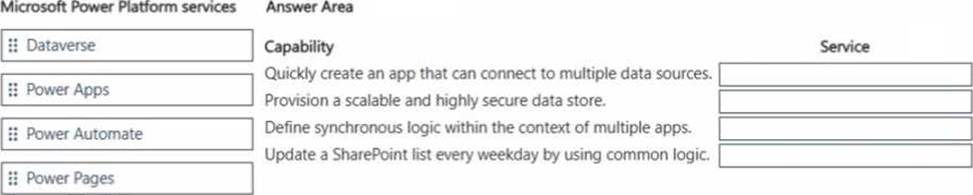
A company is investigating Microsoft Power Platform capabilities.
Match each service to its capability. To answer, move the appropriate service from the column on the left to its capability on the right. You may use each service once, more than once, or not at all. NOTE: Each correct match is worth one point.
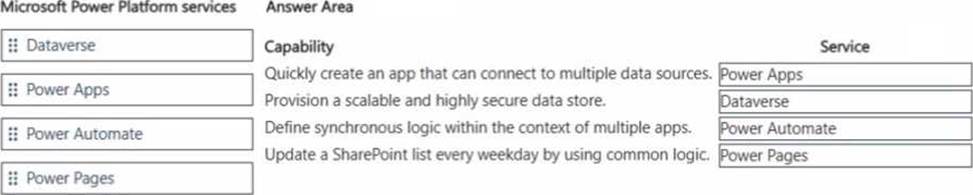
DRAG DROP
A company is investigating Microsoft Power Platform capabilities.
Match each service to its capability. To answer, move the appropriate service from the column on the left to its capability on the right. You may use each service once, more than once, or not at all. NOTE: Each correct match is worth one point.
DRAG DROP
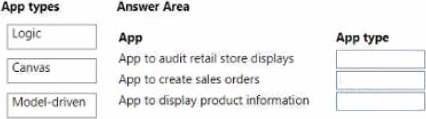
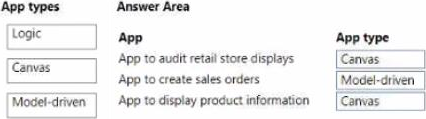
A company uses Microsoft Power Apps and Microsoft Azure to modernize its mobile workforce.
The company needs to identify solutions for three use cases:
* An app to audit retail store displays with a tablet-specific layout for its unique screen dimensions
* An app to create sales orders that uses business process flows
* An app to display product information that uses data for a Microsoft Dataverse instance, Microsoft Excel, and Microsoft Sharepoint
You need to identify the correct app types to use.
Which apps should you use? To answer, drag the appropriate app types to the correct apps. Each app type may be used once, more than once, or not at all. You, may need drag the split bar between panes or scroll to view content. NOTE: Each correct selection is worth on point.
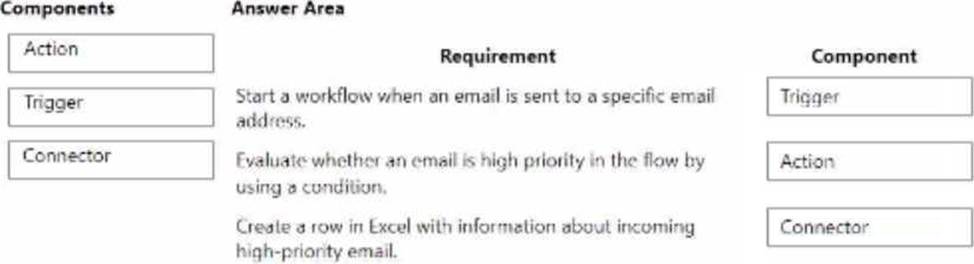
DRAG DROP
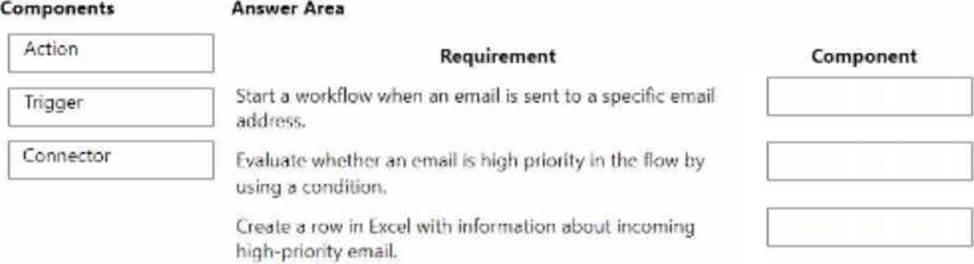
A company uses Microsoft power platform to manage support tickets.
Customers submit support requests by sending an email to a support email address.
All high-priority emails must be logged into a Microsoft Excel sheet for historical purposes.
You need to identify the components that are required for logging the email in Excel.
Which components should you use? To answer, drag the appropriate components to the correct requirements. Each component may be used once, more than once, or not at all. You may need to drag the spilt bar between panes or scroll to view content. Note: Each correct selection is worth one point.
You create a Power Virtual Agents chatbot for a company.
The management wants to learn about the effectiveness of the chatbot.
You need to identity the percentage of customers who stop responding to prompts from the chatbot.
Which report should you view?
- A . Customer satisfaction
- B . Engagement over time
- C . Escalation rate drivers
- D . Session outcomes overtime
B
Explanation:
Reference: https://docs.microsoft.com/en-us/power-virtual-agents/teams/analytics-csat-teams
HOTSPOT
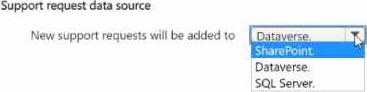
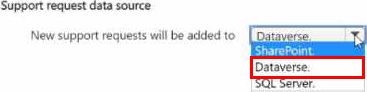
You are creating a Power Pages site for a company. The site will allow customers to track the progress of existing support requests and create new requests. You need to select the relevant data source for the Power Pages site. Select the answer that correctly completes the sentence.