
Practice Free MB-800 Exam Online Questions
DRAG DROP
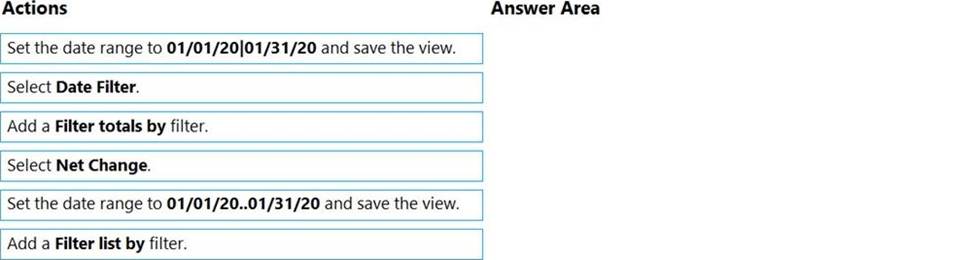
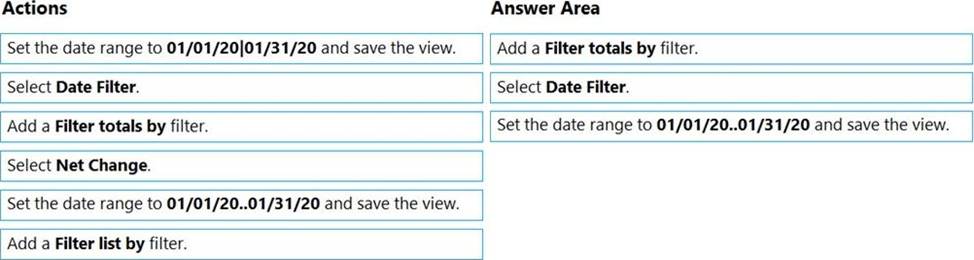
You are creating a filtered view of a Chart of Accounts page.
The page must be filtered to display Net Change values only for transactions between a specific date range. You must save the filtered view for future use.
You need to filter on transactions occurring between January 1, 2020 and January 31, 2020.
Which three actions should you perform in sequence? To answer, move the appropriate actions from the list of actions to the answer area and arrange them in the correct order.
Explanation:
Reference: https://usedynamics.com/business-central/finance/chart/
You create a test instance of Dynamics 365 Business Central and enter transactions for testing purposes. You create a production company instance in the same Business Central environment.
You need to copy the setup and master data from the test instance to the production instance without copying transaction data.
What are two possible ways to achieve the goal? Each correct answer presents a complete solution. NOTE: Each correct selection is worth one point.
- A . Use the Run Migration Now function from Cloud Migration Management
- B . Create and export a configuration package from the source company. Next, import into the destination company
- C . Use the Copy Data from Company function from the Configuration Worksheet page
- D . Use the Copy function from the Companies page
HOTSPOT
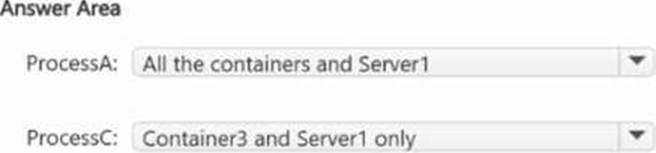
You have a Windows Server container host named Server1.
You start the containers on Server1 as shown in the following table.
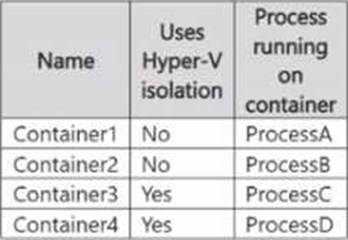
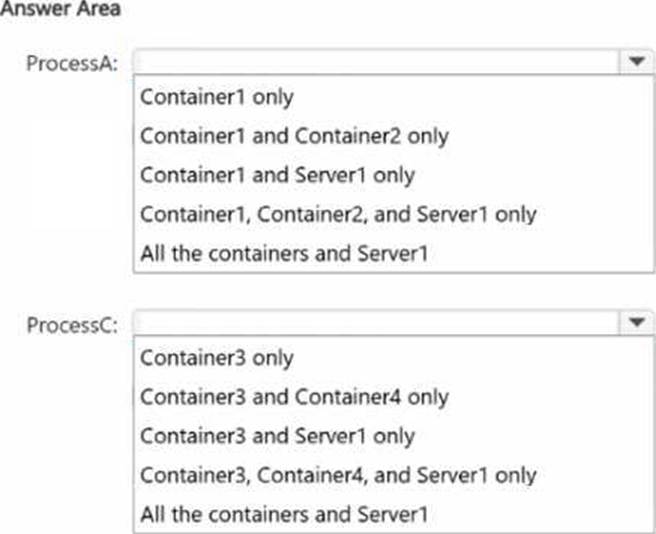
You need to validate the status of ProcessA and ProcessC.
Where can you verify that ProcessA and ProcessC are in a running state? To answer, select the appropriate options in the answer area. NOTE: Each correct selection is worth one point.
HOTSPOT
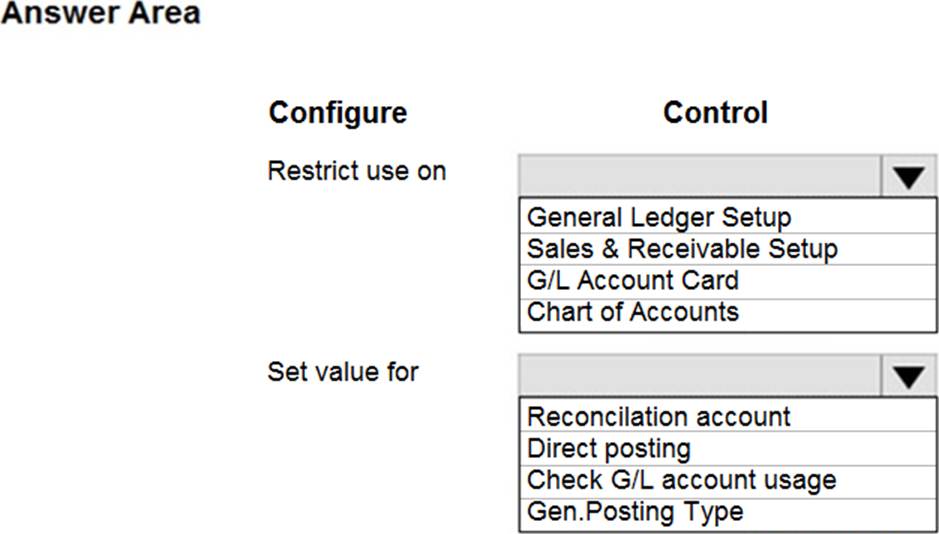
You need to resolve the reconciliation issues.
How should you complete the setup? To answer, select the appropriate options in the answer area. NOTE: Each correct selection is worth one point.
HOTSPOT
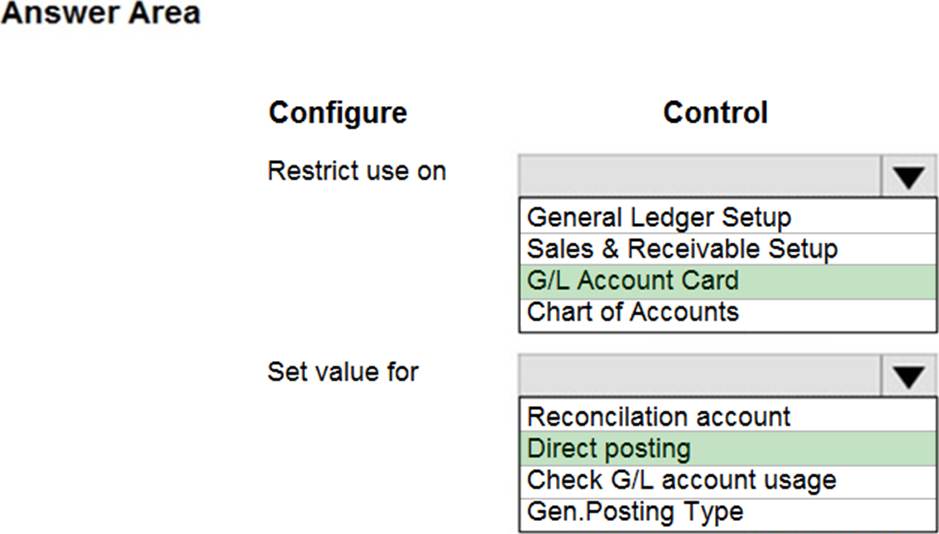
You need to resolve the reconciliation issues.
How should you complete the setup? To answer, select the appropriate options in the answer area. NOTE: Each correct selection is worth one point.
DRAG DROP
A company is implementing Dynamics 365 Business Central.
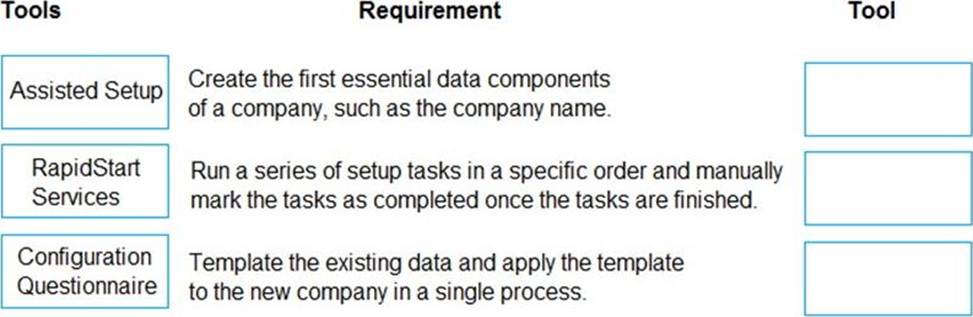
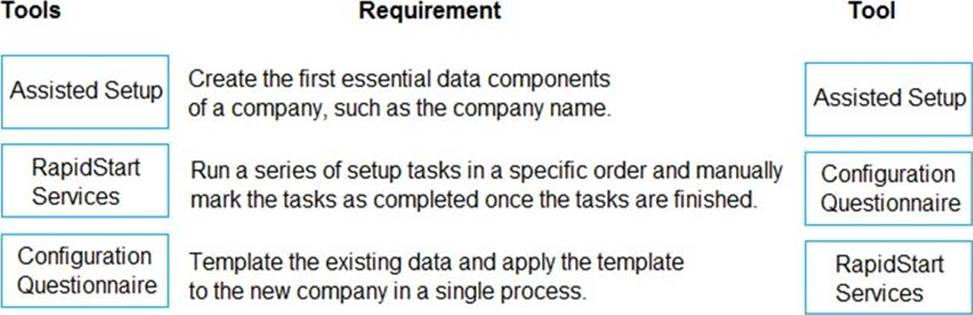
You need to create a new company that is configured similarly to an existing company. The existing company has data that must be used as a template for the new company.
Which tools should you use? To answer, drag the appropriate tools to the correct requirements. Each tool may be used once, more than once, or not at all. You may need to drag the split bar between panes or scroll to view content. NOTE: Each correct selection is worth one point.
Explanation:
Reference:
https://docs.microsoft.com/en-us/dynamics365/business-central/ui-get-ready-business
https://docs.microsoft.com/en-us/dynamics365/business-central/admin-gather-customer-setup-values
https://docs.microsoft.com/en-us/dynamics365/business-central/admin-set-up-a-company-with-rapidstart
DRAG DROP
A company uses Dynamics 365 Business Central.
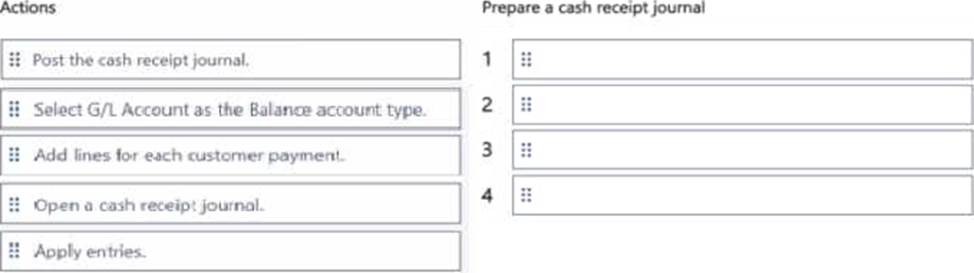
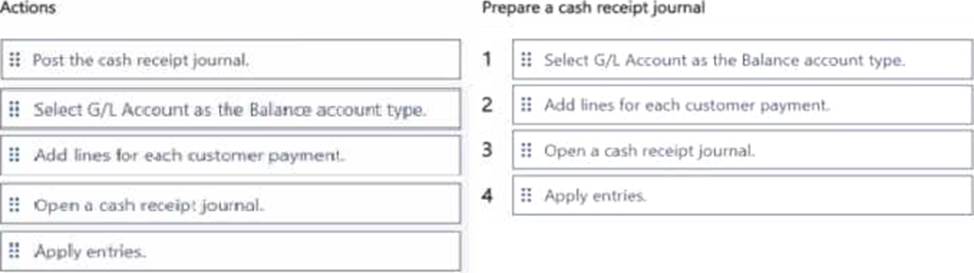
The company requires one entry to apply customer payments to one or many customer invoices and enter the payment in the bank account.
You need to prepare a cash receipt journal.
Which four actions should you perform in sequence? To answer, move the appropriate actions from the list of actions to the answer area and arrange them in the correct order.
A company implements Dynamics 365 Business Central.
The company plans to automatically post inventory-related documents simultaneously when posting sales transactions.
You need to configure sales and receivables.
Which two settings should you use? Each correct answer presents a complete solution. NOTE: Each correct selection is worth one point.
- A . Return Receipt on Credit Memo
- B . Stock warning
- C . Shipment on Invoice
- D . Document Default Line Type
You are configuring Dynamics 365 Business Central. You have a file containing balances for all general ledger accounts as of December 31, 2018.
You import the data into a General Journal batch. You enable the Force Doc. Balance option for the template.
When you attempt to post the batch, the following error message displays:
Out of balance
You need to resolve the error.
Which three actions should you perform? Each correct answer presents a part of the solution. NOTE: Each correct selection is worth one point.
- A . Ensure that the set of journal entry lines balance by posting date.
- B . Ensure that the set of journal entry lines balance by gen. posting type.
- C . Ensure that the set of journal entry lines balance by amount.
- D . Ensure that the set of journal entry lines balance by document no.
- E . Ensure that the set of journal entry lines balance by dimension set ID.
You are configuring Dynamics 365 Business Central. You have a file containing balances for all general ledger accounts as of December 31, 2018.
You import the data into a General Journal batch. You enable the Force Doc. Balance option for the template.
When you attempt to post the batch, the following error message displays:
Out of balance
You need to resolve the error.
Which three actions should you perform? Each correct answer presents a part of the solution. NOTE: Each correct selection is worth one point.
- A . Ensure that the set of journal entry lines balance by posting date.
- B . Ensure that the set of journal entry lines balance by gen. posting type.
- C . Ensure that the set of journal entry lines balance by amount.
- D . Ensure that the set of journal entry lines balance by document no.
- E . Ensure that the set of journal entry lines balance by dimension set ID.