Practice Free NSE4_FGT_AD-7.6 Exam Online Questions
What are two characteristics of HA cluster heartbeat IP addresses in a FortiGate device? (Choose two.)
- A . Heartbeat IP addresses are used to distinguish between cluster members.
- B . The heartbeat interface of the primary device in the cluster is always assigned IP address 169.254.0.1.
- C . A change in the heartbeat IP address happens when a FortiGate device joins or leaves the cluster.
- D . Heartbeat interfaces have virtual IP addresses that are manually assigned.
A,C
Explanation:
In FortiOS 7.6, HA cluster heartbeat IP addresses are automatically managed by FortiGate and play a critical role in cluster communication and synchronization.
Correct statements
Which two statements about equal-cost multi-path (ECMP) configuration on FortiGate are true? (Choose two answers)
- A . If SD-WAN is enabled, you control the load balancing algorithm with the parameter load-balance-mode.
- B . If SD-WAN is disabled, you can configure the parameter v4-ecmp-mode to volume-based.
- C . If SD-WAN is enabled, you can configure routes with unequal distance and priority values to be part of ECMP.
- D . If SD-WAN is disabled, you configure the load balancing algorithm in config system settings.
A, D
Explanation:
“If SD-WAN is disabled, you can change the ECMP load balancing algorithm on the FortiGate CLI
using the commands shown on this slide.”
“When SD-WAN is enabled, FortiOS hides the v4-ecmp-mode setting and replaces it with the load-balance-mode setting under config system sdwan. That is, when you enable SD-WAN, you control the ECMP algorithm with the load-balance-mode setting.”
“There are some differences between the two settings. The main difference is that load-balance-mode supports the volume algorithm, and v4-ecmp-mode does not.”
“These routes are called equal cost multipath (ECMP) routes…”
Technical Deep Dive:
The correct answers are A and D.
A is correct because when SD-WAN is enabled, FortiOS no longer uses v4-ecmp-mode; it uses load-balance-mode under config system sdwan. That is the explicit SD-WAN control point for ECMP behavior.
D is correct because when SD-WAN is disabled, ECMP configuration is done in the regular system routing settings, not under SD-WAN. The study guide states that you change the ECMP algorithm on the FortiGate CLI when SD-WAN is disabled, which corresponds to the classic config system settings ECMP controls.
Why the others are wrong:
B is wrong because the guide explicitly says load-balance-mode supports volume, while v4-ecmp-mode does not. So you cannot set v4-ecmp-mode to volume-based.
C is wrong because ECMP requires equal-cost routes. If distance or priority differ, they are no longer ECMP candidates; FortiGate selects the preferred route instead. The concept of ECMP itself requires equal route cost attributes.
From an implementation standpoint, the common CLI patterns are:
config system settings
set v4-ecmp-mode source-ip-based
end
and, with SD-WAN enabled:
config system sdwan
set load-balance-mode source-ip-based
end
On hardware platforms, ECMP still affects session distribution at the routing decision stage before
later security services are applied. NP offload can accelerate forwarding after route selection, but the ECMP decision itself is a FortiOS control-plane routing function.
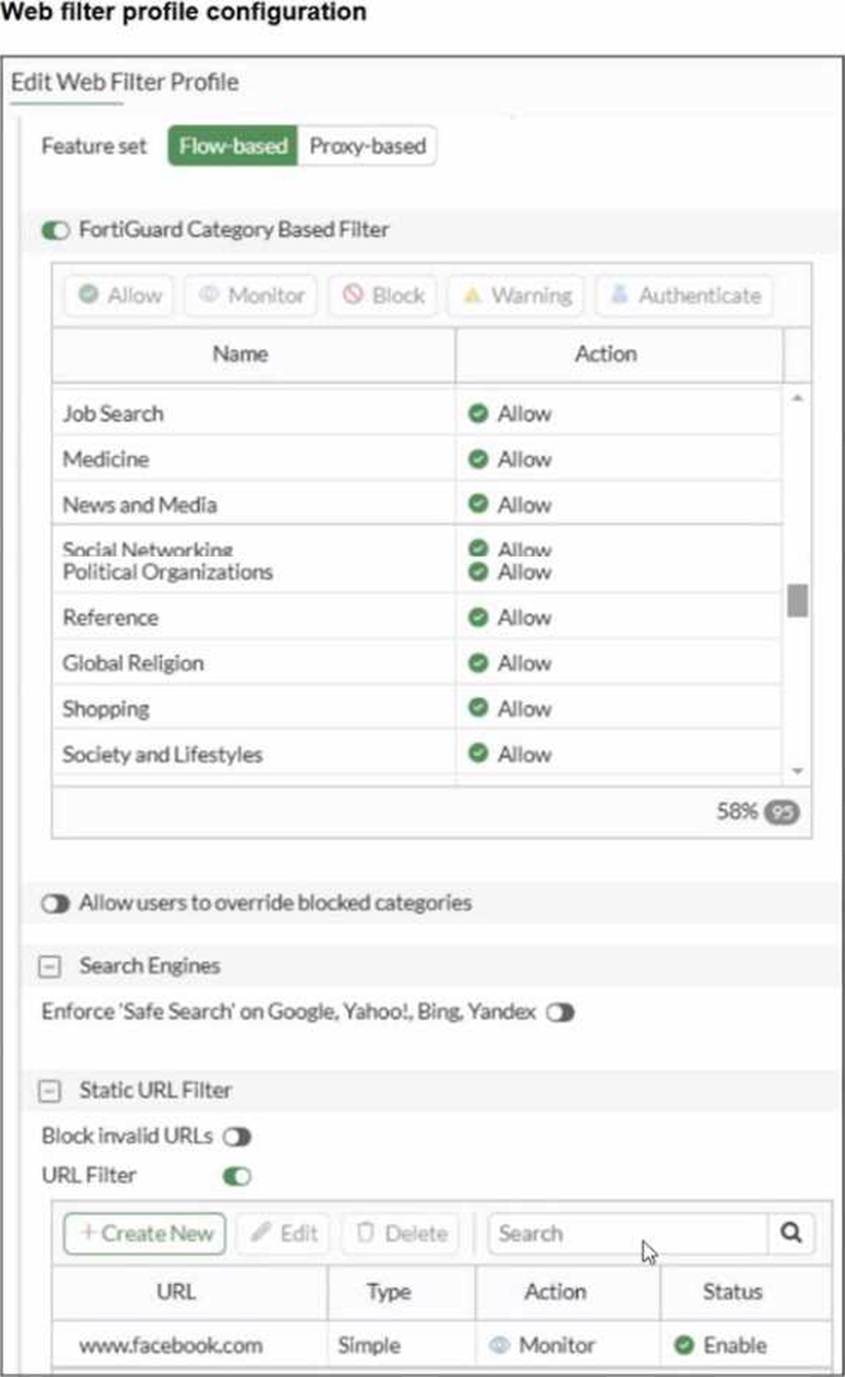
Refer to the exhibit.

The exhibit shows the FortiGuard Category Based Filter section of a corporate web filter profile. An administrator must block access to download.com, which belongs to the Freeware and Software Downloads category. The administrator must also allow other websites in the same category.
What are two solutions for satisfying the requirement? (Choose two answers)
- A . Configure a static URL filter entry for download.com with Type and Action set to Wildcard and Block, respectively.
- B . Configure a web override rating for download.com and select Malicious Websites as the subcategory.
- C . Configure a separate firewall policy with action Deny and an FQDN address object for *.download.com as destination address.
- D . Set the Freeware and Software Downloads category Action to Warning.
A, B
Explanation:
“In FortiOS, there are three main components of web filtering:
• Web content filtering…
• URL filtering: uses URLs and URL patterns to block or exempt web pages from specific sources…
• FortiGuard Web Filtering service…”
“In the web filter profile, Fortiguard category filtering enhances the web filter features. Rather than block or allow websites individually, it looks at the category that a website has been rated with. Then, FortiGate takes action based on that category, not based on the URL.”
“If you consider that a particular URL does not have the correct category, you can ask to re-evaluate the rating in the Fortinet URL Rating Submission website. You can also override a web rating for an exceptional URL in the FortiGate configuration.”
“Static URL filtering is another web filter feature, which provides more granularity. Configured URLs in the URL filter are checked from top to bottom against the visited websites. If FortiGate finds a match, it applies the configured action.”
“To find the exact match, URL filtering has three pattern types: Simple, Regular Expressions, and Wildcard.”
“So, with these different features, what is the inspection order?
If you have enabled many of them, the inspection order flows as follows:
The local static URL filter
FortiGuard category filtering…”
Technical Deep Dive:
The correct answers are A and B.
A is correct because a static URL filter gives per-URL granularity. Since the category Freeware and Software Downloads is currently allowed in the profile, adding a local static URL filter entry for download.com with Block lets FortiGate deny only that site while continuing to allow the rest of the category. This also aligns with the documented inspection order, where the local static URL filter is checked before FortiGuard category filtering.
B is also correct because a web rating override can reclassify a specific exceptional URL. If download.com is re-rated into a blocked category such as Malicious Websites, it will be blocked by the profile while other sites in Freeware and Software Downloads remain allowed.
Why the others are wrong:
C is not the intended web-filter solution. A firewall policy with an FQDN object operates at policy/routing resolution level, not as a category-aware web filtering exception.
D is wrong because changing the whole category to Warning affects all sites in that category, not just download.com.
In production, the cleaner design is usually: keep the category allowed, then add a local URL-filter exception or a web-rating override for the specific site. For HTTPS traffic, remember FortiGate still needs enough SSL inspection visibility to identify the hostname correctly.
A representative CLI approach for URL filtering is:
config webfilter urlfilter
edit 1
config entries
edit 1
set url "download.com"
set type wildcard
set action block
next
end
next
end
This is the most deterministic way to block one site without penalizing the rest of the category.
Refer to the exhibit.

Based on this partial configuration, what are the two possible outcomes when FortiGate enters conserve mode? (Choose two.)
- A . FortiGate drops new sessions requiring inspection.
- B . Administrators must restart FortiGate to allow new sessions.
- C . Administrators cannot change the configuration.
- D . FortiGate skips quarantine actions.
Refer to the exhibit.

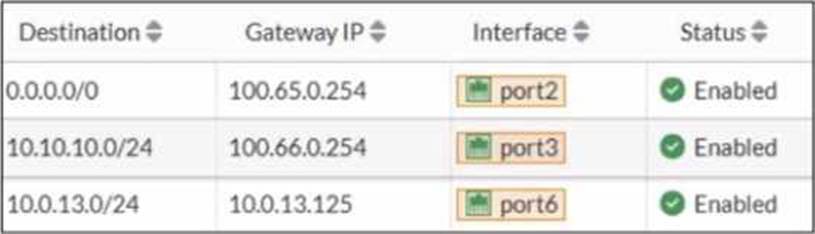
A routing table is shown
An administrator wants to create a new static route so the traffic to the subnet 172.20.1.0/24 is routed through port2 only.
What are the two criteria that the administrator can use to achieve this objective? (Choose two.)
- A . The new static route must have the priority set to 3.
- B . The new static route must have the metric set to 1.
- C . The existing static route through port3 must have the distance set to 11.
- D . The new static route must have the distance set to 9
C,D
Explanation:
From the routing table in the exhibit, there is already a static route for 172.20.1.0/24 pointing out port3 with:
Distance = 9
Priority = 2
Type = Static
In FortiOS, route selection prefers (in order) the route with the lowest administrative distance to a destination. Therefore, to make traffic to 172.20.1.0/24 go through port2 only, the administrator must ensure the port2 static route is more preferred than the existing port3 route.
Why C is correct
C. The existing static route through port3 must have the distance set to 11.
If the existing port3 route distance is increased to 11, then a new port2 route with distance 9 will be preferred (9 < 11). This makes the port3 route a backup route instead of the active one.
Why D is correct
D. The new static route must have the distance set to 9
Setting the new port2 route distance to 9 (and increasing the port3 route to 11 as in option C) ensures FortiGate selects the port2 route as the best route for 172.20.1.0/24.
Why A and B are not correct
A (priority 3): By itself it does not guarantee selection over the existing route, and FortiOS route choice is driven primarily by distance.
B (metric 1): Metric is not the primary selector for static route preference compared to
administrative distance in this scenario.
So the two criteria that achieve the objective are:
Make the existing port3 route less preferred by increasing its distance (C)
Ensure the new port2 route uses the preferred distance (D)
What is the primary FortiGate election process when the HA override setting is enabled? (Choose one answer)
- A . Connected monitored ports > Priority > HA uptime > FortiGate serial number
- B . Connected monitored ports > Priority > System uptime > FortiGate serial number
- C . Connected monitored ports > HA uptime > Priority > FortiGate serial number
- D . Connected monitored ports > System uptime > Priority > FortiGate serial number
A
Explanation:
According to the FortiOS 7.6 Study Guide and technical documentation regarding High Availability (HA), the FortiGate Clustering Protocol (FGCP) uses a specific set of rules to elect the primary unit in a cluster. By default, the election order follows: Connected Monitored Ports > HA Uptime > Priority > Serial Number.
However, when the HA override setting is enabled, the election logic is modified to prioritize the administrator-defined priority value over the uptime of the cluster members.
In this specific configuration, the election process follows this sequence:
Connected monitored ports: The unit with the most functioning monitored interfaces is preferred.
Priority: The unit with the highest manually configured priority value (e.g., 255) is selected next.
HA uptime: If monitored ports and priority are equal, the unit that has been up in the HA cluster the longest is chosen.
FortiGate serial number: As a final tie-breaker, the unit with the higher serial number is elected.1
Statement A is correct because it reflects the shift where Priority is evaluated immediately after monitored ports, overriding the standard uptime advantage.
Statements B and D are incorrect because the FGCP uses HA uptime, not system uptime, for its calculations.
A network administrator is reviewing firewall policies in both Interface Pair View and By Sequence View. The policies appear in a different order in each view.
Why is the policy order different in these two views?
- A . By Sequence View groups policies based on rule priority, while Interface Pair View always follows the order of traffic logs.
- B . The firewall dynamically reorders policies in Interface Pair View based on recent traffic patterns, but By Sequence View remains static.
- C . Interface Pair View sorts policies based on matching interfaces, while By Sequence View shows the actual processing order of rules.
- D . Policies in Interface Pair View are prioritized by security levels, while By Sequence View strictly follows the administrator’s manual ordering.
C
Explanation:
In FortiOS 7.6, firewall policies can be displayed in multiple views to help administrators understand and manage rules more effectively. The difference in ordering between Interface Pair View and By Sequence View is intentional and documented.
Why the policy order is different
Interface Pair View
Groups firewall policies based on the incoming (From) and outgoing (To) interfaces.
Policies are organized under interface pairs such as:
LAN → WAN
WAN → LAN
Within each interface pair, policies may appear reordered compared to the global list.
This view is designed for readability and troubleshooting, not to show execution order.
By Sequence View
Displays firewall policies in their actual evaluation (processing) order.
This is the top-down order FortiGate uses when matching traffic.
It reflects the real rule sequence that determines which policy is hit first.
Why option C is correct
C. Interface Pair View sorts policies based on matching interfaces, while By Sequence View shows the actual processing order of rules.
This statement exactly matches FortiOS behavior as documented in the FortiOS 7.6 Firewall Policy Views section of the Administrator Guide.
Why the other options are incorrect
A: Interface Pair View does not follow traffic logs, and By Sequence View is not based on “rule priority” grouping.
B: FortiGate does not dynamically reorder policies based on traffic patterns.
D: Security levels do not affect policy ordering in Interface Pair View.
Refer to the exhibit.
![]()
What can you conclude from the log shown in the exhibit?
- A . The IPS socket buffer is full and IPS engine needs more memory to create new sessions.
- B . The IPS socket buffer is full and IPS engine cannot decode a packet.
- C . The IPS scan is paused by the IPS diagnostic command with bypass mode option 5.
- D . The IPS session scan is paused and reevaluating the packet because of a dirty flag.
A
Explanation:
“You can configure the fail-open setting under config ips global to control how the IPS engine behaves when the IPS socket buffer is full.”
“If the IPS engine does not have enough memory to build more sessions, the fail-open setting determines whether the FortiGate should drop the sessions or bypass the sessions without inspection.”
“It is important to understand that the IPS fail-open setting is not just for conserve mode―it kicks in whenever IPS fails. Most failures are due to a high CPU issue or a high memory (conserve mode) issue.”
Technical Deep Dive:
The correct answer is A.
The log text says:
logdesc="IPS session scan paused"
action="drop"
msg="IPS session scan, enter fail open mode"
That combination indicates an IPS failure condition, specifically the condition described in the guide where the IPS socket buffer is full and the IPS engine lacks enough memory/resources to build additional sessions. In that state, FortiGate applies the configured IPS fail-open behavior. Since the log shows action="drop", the device is not bypassing those new sessions; it is dropping them.
Why the other choices are wrong:
B is wrong because the guide ties fail-open to socket buffer/resource exhaustion, not packet decode failure.
C is wrong because this is not evidence of a manual diagnostic pause.
D is wrong because the study guide does not associate this log with dirty-flag packet reevaluation.
Operationally, this usually points to high memory, high CPU, or conserve-mode pressure affecting the
IPS engine. Useful checks are:
get system performance status
diagnose hardware sysinfo conserve
diagnose sys top
Those help confirm whether the IPS issue is being driven by memory pressure or CPU exhaustion.
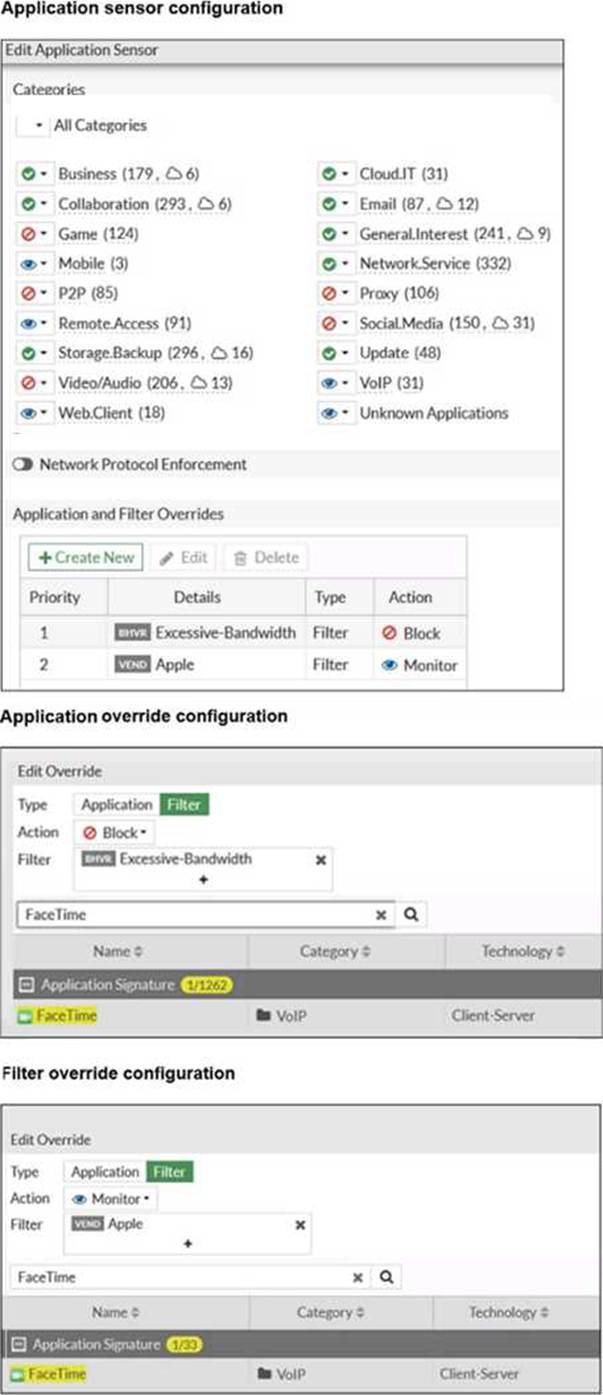
You have configured an application control profile, set peer-to-peer traffic to Block under the Categories tab. and applied it to the firewall policy. However, your peer-to-peer traffic on known ports is passing through the FortiGate without being blocked.
What FortiGate settings should you check to resolve this issue?
- A . FortiGuard category ratings
- B . Network Protocol Enforcement
- C . Replacement Messages for UDP-based Applications
- D . Application and Filter Overrides
B
Explanation:
When the Application sensor receives traffic on that port, the protocol decoder will try to determine if the received data matches the HTTPS traffic In this case it will not match because it is P2P traffic, so this will class as violation and blocked The protocol decoder also try to determine what type of traffic it is, and even if it could not figure out it is P2P traffic, it still count as a violation because even though it does not know what it is, it knows for fact it is not HTTPS
Exhibits:

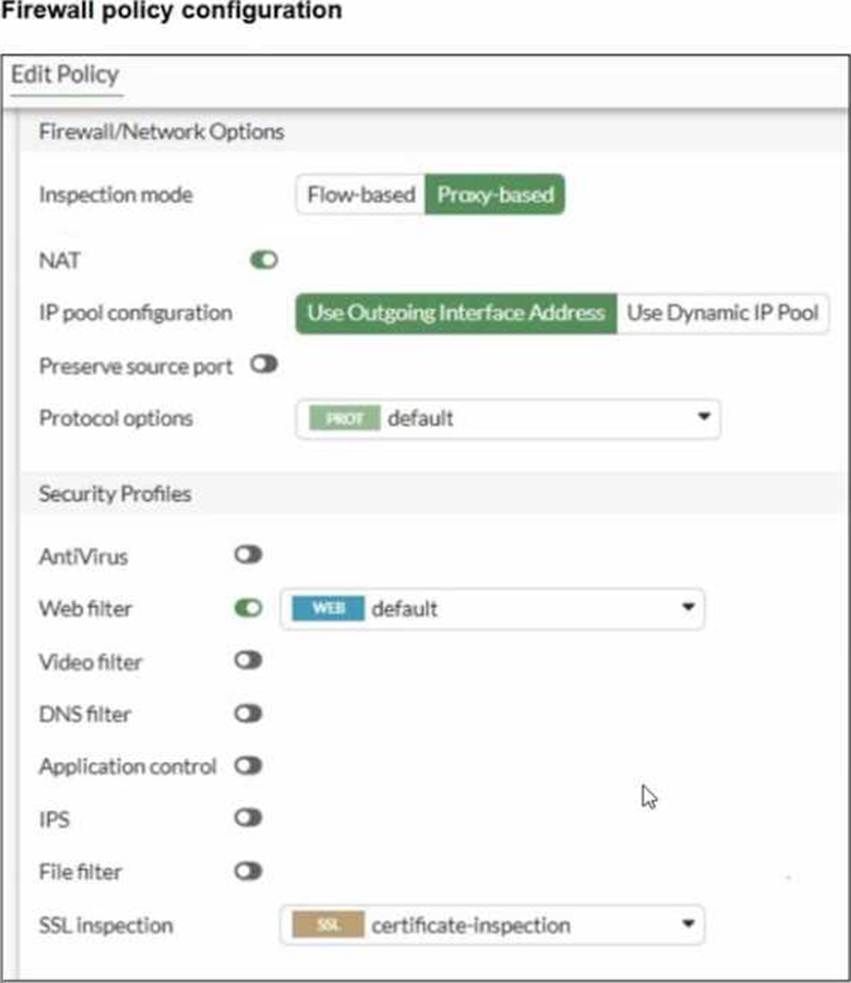
You are asked to implement an antivirus profile for files downloaded through FTP, HTTP, and HTTPS.
While testing, you are successful with HTTP and FTP protocols, but FortiGate does not block the file download over HTTPS.
What could be the cause?
- A . The feature set in the antivirus profile is not set to Flow-based.
- B . Web filter is not enabled on the firewall policy to complement the antivirus profile.
- C . The action on the firewall policy is not set to deny.
- D . The SSL inspection mode in the firewall policy is not deep content inspection.
D
Explanation:
“To perform SSL inspection on traffic flowing through the FortiGate device, you must allow the traffic with a firewall policy and apply an SSL inspection profile to the policy. Note that an SSL inspection profile alone will not trigger a security inspection. You must combine it with other security profiles like Antivirus, Web Filter, Application Control, or IPS.”
“By default, firewall policies are set with the no-inspection SSL profile. Therefore, any encrypted traffic flows through uninspected… For antivirus or IPS control, you should use a deep-inspection profile.”
“When you use deep inspection, FortiGate impersonates the recipient of the originating SSL session, and then decrypts and inspects the content to find threats and block them. It then re-encrypts the content and sends it to the real recipient. Deep inspection protects from attacks that use HTTPS and other commonly used SSL-encrypted protocols…”
Technical Deep Dive:
The correct answer is D. HTTP and FTP are working because FortiGate can inspect those payloads directly with the antivirus profile. HTTPS is different because the traffic is encrypted. If the firewall policy uses only certificate inspection or another non-decrypting SSL mode, FortiGate can identify certificate/SNI information, but it cannot see the downloaded file contents. Without decrypting the HTTPS session, the antivirus engine never receives the payload to scan, so EICAR or other malware can pass.
Why the other options are wrong:
A is not the issue here. The exhibit shows the antivirus profile and policy are already aligned for proxy-based operation, and the failure is specific to HTTPS visibility.
B is wrong because web filter is not required for antivirus scanning.
C is wrong because firewall policies commonly use ACCEPT with security profiles; the antivirus engine can still block the file after policy match. The study guide explicitly says ACCEPT allows the session and then applies antivirus scanning and other packet-processing features.
To fix it, apply deep-inspection on the firewall policy:
config firewall policy
edit <policy-id>
set ssl-ssh-profile "deep-inspection"
set av-profile "HTTP_AV_Profile"
next
end
On real FortiGate hardware, this also has performance implications. Simple flow handling can often stay on accelerated paths, but full SSL deep inspection forces decryption and content scanning through the inspection engine, increasing CPU/WAD workload.