Practice Free MS-721 Exam Online Questions
You have a Microsoft Teams Phone deployment.
You have a call queue named Customer Service.
You need to ensure that when the agents of Customer Service make calls, the outbound calling name appears as Contoso, and the caller ID shows the phone number of Customer Service. Other users must NOT be affected.
Which three actions should you perform? Each correct answer presents a part of the solution. NOTE: Each correct selection is worth one point.
- A . From the Microsoft Teams admin center configure a new caller ID policy
- B . Set Calling Party Name to the organization name.
- C . From the Microsoft Teams admin center, modify the global (Org-wide default! caller ID policy.
- D . Set Replace the caller ID with to Resource account
- E . Set Override the caller ID policy to On.
A, D, E
Explanation:
You can manage caller ID policies by going to Voice > Caller ID policies in the Microsoft Teams admin center. You can use the global (Org-wide default) policy or create and assign custom policies. Users in your organization automatically get the global policy unless you create and assign a custom policy.
Create a custom caller ID policy
In the left navigation of the Microsoft Teams admin center, go to Voice > Caller ID policies. (A) Select Add.
Enter a name and description for the policy.
Turn on or off Block incoming caller ID and Override the caller ID policy. (E)
Enter a Calling Party Name.
Under Replace the caller ID with, set which caller ID is displayed for users by selecting one of the following: (D)
User’s number: Display the user’s number.
Anonymous: Display the caller ID as Anonymous.
Resource account: Set a resource account associated with an Auto Attendant or Call Queue.
If you choose Resource account, you’re prompted to specify a resource account for the next field, called Replace the caller ID with this resource account. Only resource accounts with an assigned phone number will be displayed. If you just assigned a phone number to the resource account, it may take a few minutes before the resource account is available for selection.
DRAG DROP
Your company plans hosts a Microsoft Teams live event for a specific group of people.
As part of the initial setup, you need to assign roles to event group members.
The members must perform the following tasks:
Invite attendees
Moderate Q&A
Start and stop the live event
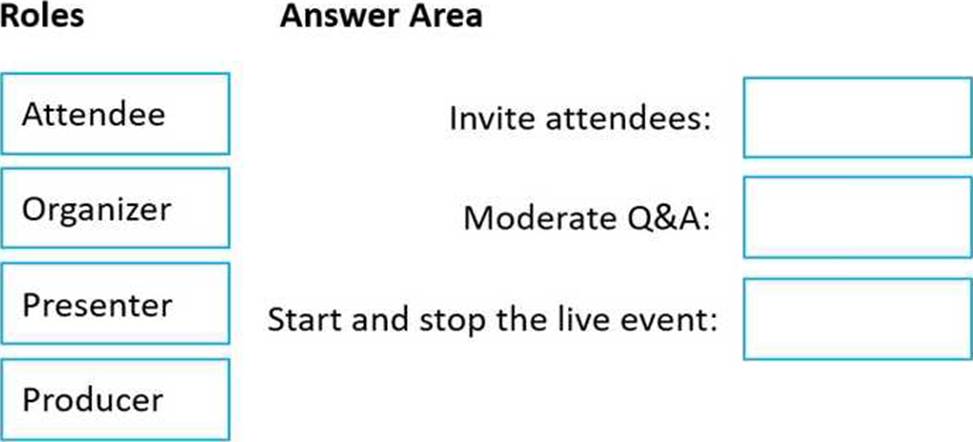
What is the least privileged role that can perform each task? To answer drag the appropriate roles to the correct tasks. Each role may be used once, more than once, or not at all. You may need to drag the split bar between panes or scroll to view content. NOTE: Each correct selection is worth one point.
Explanation:
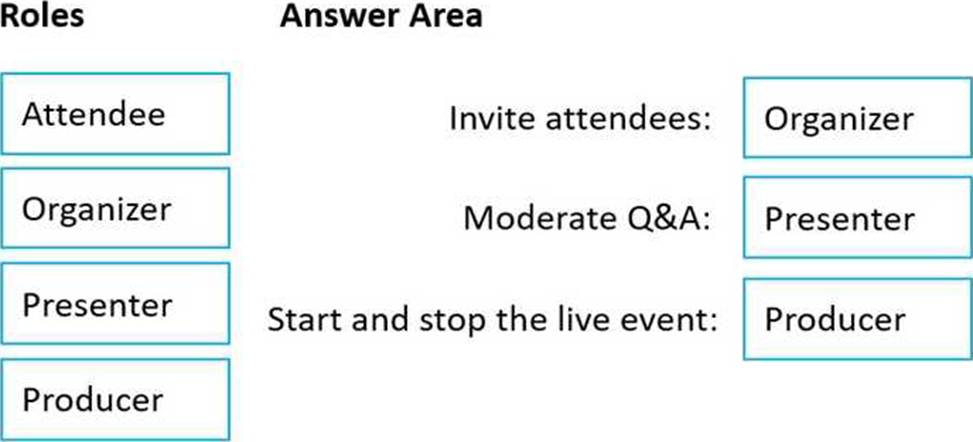
Box 1: Organizer
Invite attendees
Live Event Roles and Responsibilities
Event organizers can invite others to the event and grant them one of two roles: Producer or Presenter. Both roles have different access and responsibilities for the Live Event. You can have multiple producers and presenters (up to 250, though only the last 10 who have spoken will appear in the producer view list).
Box 2: Presenter
Moderate Q&A
Presenter Capabilities
Please see Microsoft’s documentation for additional details on presenter capabilities.
Share video, your screen, or other content that the producer can then send to the Live Event Sharing of computer audio in a Live Event is current only support on the Windows client of MS Teams.
Mute other presenters
Chat with other producers and presenters
Moderate Q&A
Manage the event recording and reports
Box 3: Producer
Start and stop the live event
Producers
Producers have access and control over nearly all settings and details for an event. However, especially in larger Live Events, a producer tends to have the more supportive role of managing which video feeds, shared screens, or other content is presented in the event.
Consider limiting the number of producers for your event. Not only is the producer interface more complex than the presenter’s, but having more producers than needed can make coordination more difficult.
Producer Capabilities
Please see Microsoft’s documentation for additional details on producer capabilities.
Select video feeds or other content shared by presenters or producers and send them to the event
Mute presenters or producers individually or collectively
Chat with other producers and presenters
Start and end the Live Event
Moderate Q&A
Manage the event recording and reports
Reference: https://www.uvm.edu/it/kb/article/teams-live-events/
HOTSPOT
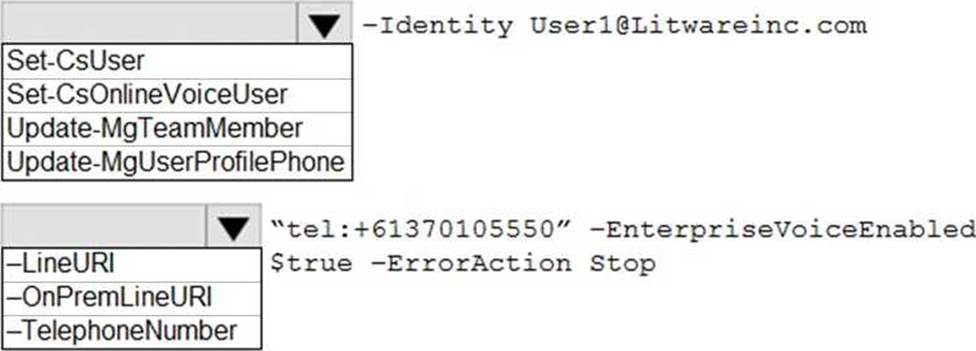
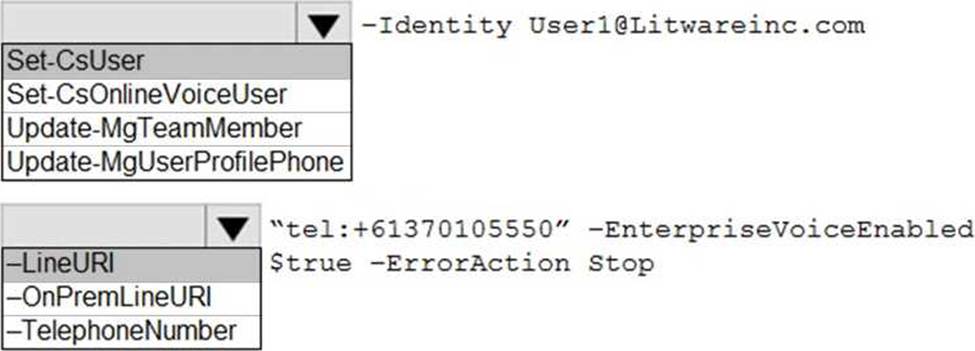
You need to assign a phone number to User1 to meet the technical requirements.
How should you complete the command? To answer, select the appropriate options in the answer area. NOTE: Each correct selection is worth one point.
Explanation:
Reference: https://docs.microsoft.com/en-us/powershell/module/skype/set-csuser?view=skype-ps
HOTSPOT
You need to assign a phone number to User1 to meet the technical requirements.
How should you complete the command? To answer, select the appropriate options in the answer area. NOTE: Each correct selection is worth one point.
Explanation:
Reference: https://docs.microsoft.com/en-us/powershell/module/skype/set-csuser?view=skype-ps
Your network contains an on-premises Active Directory Domain Services (AD DS) domain named contoso.com.
You have a Microsoft 365 E5 subscription.
You are deploying 10 Microsoft Teams Rooms on Windows devices.
You need to join all the devices to contoso.com.
What should you do before you join each device to contoso.com?
- A . Disable Windows Update on each device.
- B . Create a separate organizational unit (OU) in Active Directory and enable No Override for the parent Group Policy Object (GPO) policies.
- C . Create a separate organizational unit (OU) in Active Directory and block Group Policy Object (GPO) policy inheritance.
- D . Modify the authentication settings in the SkypeSettings-xml file of each device.
You have a Microsoft 365 tenant that has Modern authentication enabled for an services Multi-factor authentication (MFA) is enforced for all users.
You are deploying Microsoft Teams Rooms.
The first time you attempt to sign in to a Teams Rooms, you receive an error message indicating that the device cannot sign in to Teams.
You verify that Modern authentication is enabled in Teams Rooms.
What prevents you from signing in?
- A . The Microsoft Authenticates app is not configured for the Teams Rooms account-
- B . The Teams Rooms account is not licensed for Microsoft in tune.
- C . Teams Rooms must be domain joined first.
- D . MFA is unsupported In reams Rooms.
Your company hires a new employee in Lisbon.
You assign a Microsoft 365 E3 license to the employee.
The employee must schedule meetings that will include customers in Lisbon. The customers will dial in to the meetings by using PSTN.
You need to ensure that the employee can send meeting invitations that include a dial-in conferencing bridge. The bridge must be set to a local number in Lisbon instead of the company’s default dial-in conferencing bridge number.
Which two actions should you perform? Each correct answer presents part of the solution. NOTE: Each correct selection is worth one point.
- A . From Users in the Microsoft Teams admin center, edit the Audio conferencing settings of the employee.
- B . From the Microsoft Teams admin center, modify the settings of the default conferencing bridge.
- C . From the Microsoft 365 admin center, assign an Auto Conferencing add-on license to the employee.
- D . From the Microsoft 365 admin center, set the usage location of the employee to Portugal.
BC
Explanation:
Reference:
https://docs.microsoft.com/en-us/microsoftteams/audio-conferencing-in-office-365
https://docs.microsoft.com/en-us/microsoftteams/change-the-phone-numbers-on-your-audio-conferencing-bridge
You have a Microsoft Teams Phone deployment.
You need to ensure that when a user dials an emergency number, the security desk receives a notification to join the call.
Which type of policy should you configure?
- A . messaging
- B . emergency call routing
- C . emergency calling
- D . calling
HOTSPOT
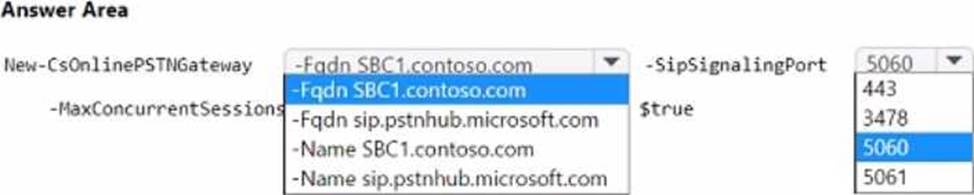
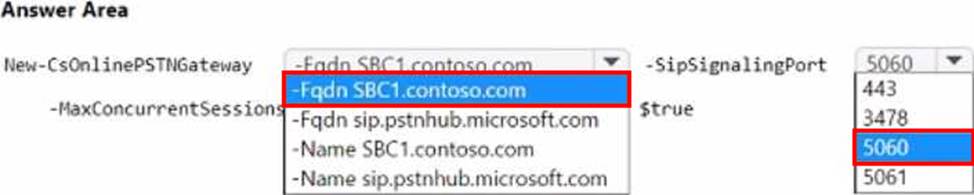
You have a Microsoft Teams Phone deployment and a Session Border Controller (SBC) named SBC1.contoso.com.
The SBC has SIP over TLS configured to use the default Microsoft port.
You need to implement Direct Routing from the SBC to Teams Phone.
How should you complete the PowerShell command? To answer, select the appropriate options in the answer area. NOTE: Each correct selection is worth one point.
HOTSPOT
Your company has a Microsoft Teams Phone deployment and the following departments:
• HR
• Marketing
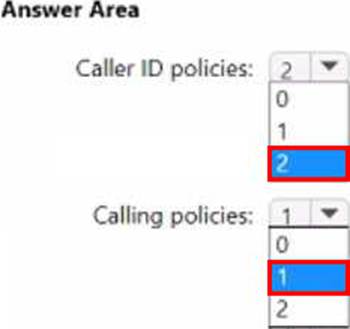
You need to configure Teams to meet the following requirements:
• Only users in the HR department must have spam filtering enabled.
• All outbound PSTN calls must replace the caller ID with the company’s auto attendant number.
• Only users in the marketing department must have Inbound calls can be routed to call groups disabled.
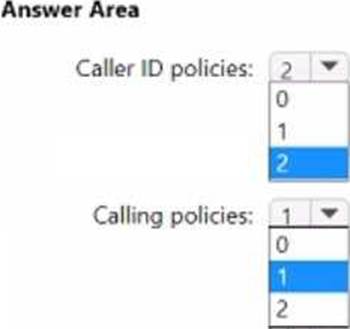
What is the minimum number of caller ID policies and calling policies you should configure? To answer, select the appropriate options in the answer area. NOTE: Each correct selection is worth one point.