
Practice Free HPE0-S59 Exam Online Questions
HOTSPOT
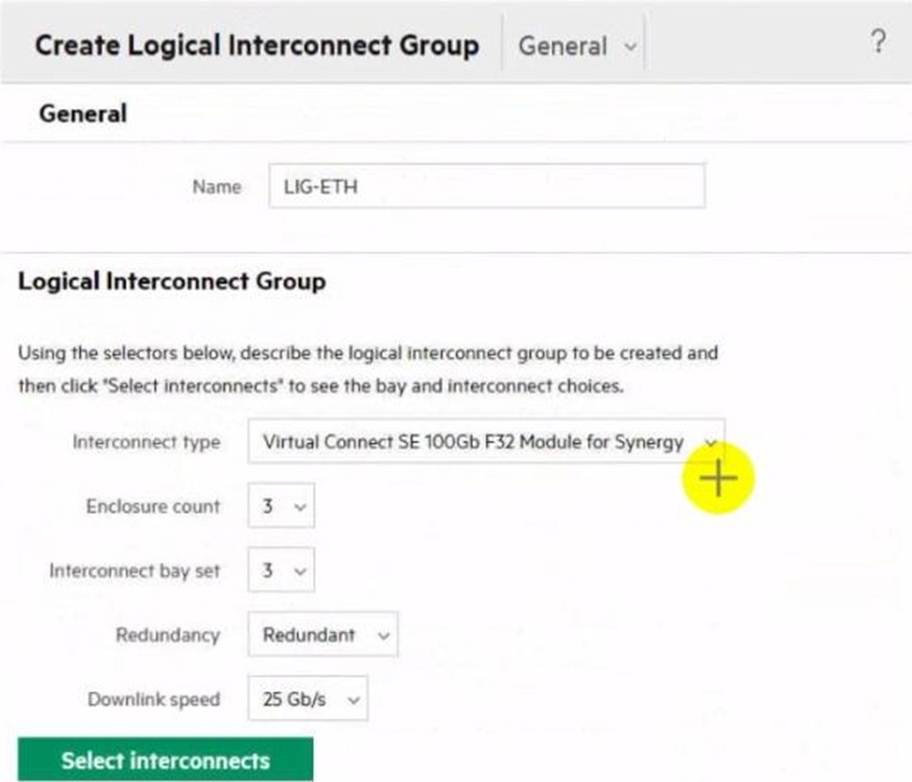
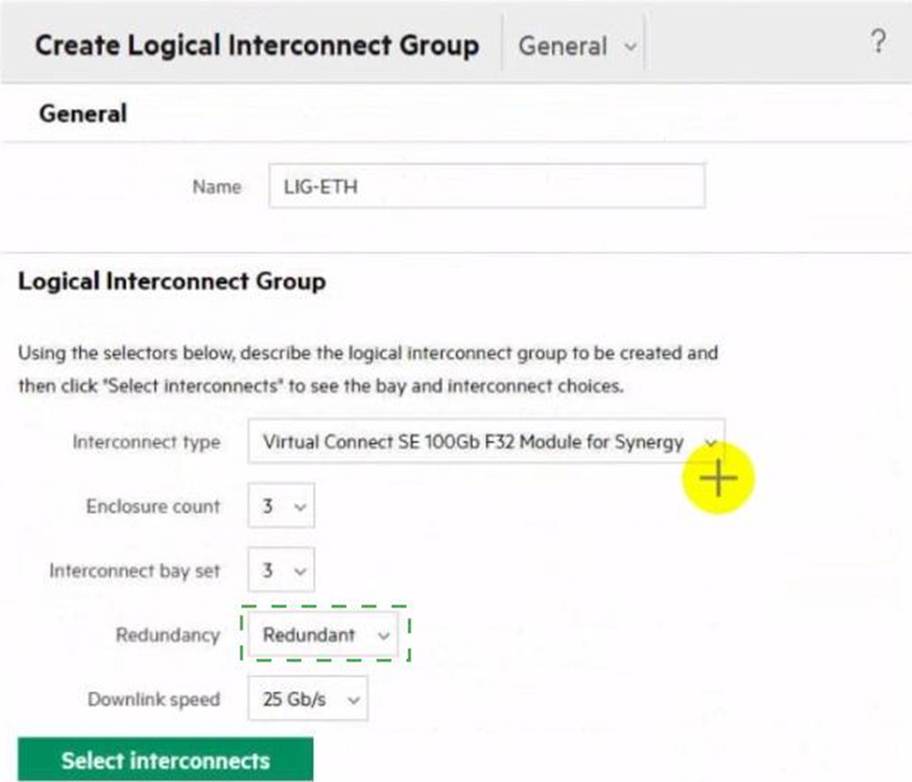
Click the drop-down menu that will allow you to define the location of the master modules within the logical interconnect group.
Explanation:
Click the drop-down menu next to "Interconnect bay set".
To define the location of the master modules within the logical interconnect group, you need to select the appropriate interconnect bay set. The drop-down menu next to "Interconnect bay set" allows you to specify which bays the interconnect modules will be placed in, thereby determining the location of the master modules.
Reference: HPE Synergy Logical Interconnect Group Configuration Guide
DRAG DROP
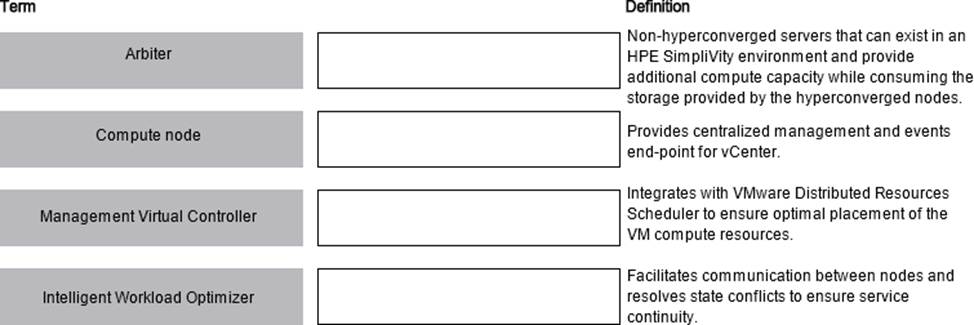
Match HPE SimpliVity term with the definition.
Explanation:
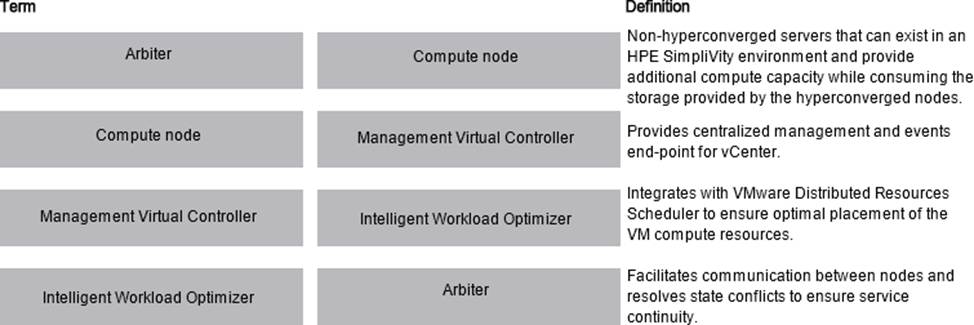
Here are the correct matches for each HPE SimpliVity term with their respective definitions:
Arbiter Definition: Facilitates communication between nodes and resolves state conflicts to ensure service continuity.
Compute node Definition: Non-hyperconverged servers that can exist in an HPE SimpliVity environment and provide additional compute capacity while consuming the storage provided by the hyperconverged nodes.
Management Virtual Controller Definition: Provides centralized management and events end-point for vCenter.
Intelligent Workload Optimizer Definition: Integrates with VMware Distributed Resources Scheduler to ensure optimal placement of the VM compute resources.
Arbiter: This component is essential for ensuring that the HPE SimpliVity nodes communicate properly and that any state conflicts are resolved, which is critical for maintaining service continuity.
Compute node: These are non-hyperconverged servers that add additional compute capacity to the HPE SimpliVity environment. They utilize the storage resources provided by the hyperconverged nodes.
Management Virtual Controller: This controller is responsible for centralized management and acts as the events end-point for vCenter, allowing for streamlined management of the SimpliVity environment.
Intelligent Workload Optimizer: This tool integrates with VMware’s Distributed Resources Scheduler (DRS) to ensure that virtual machine (VM) compute resources are placed optimally across the infrastructure.
Reference: HPE SimpliVity 380 Data Sheet
HOTSPOT
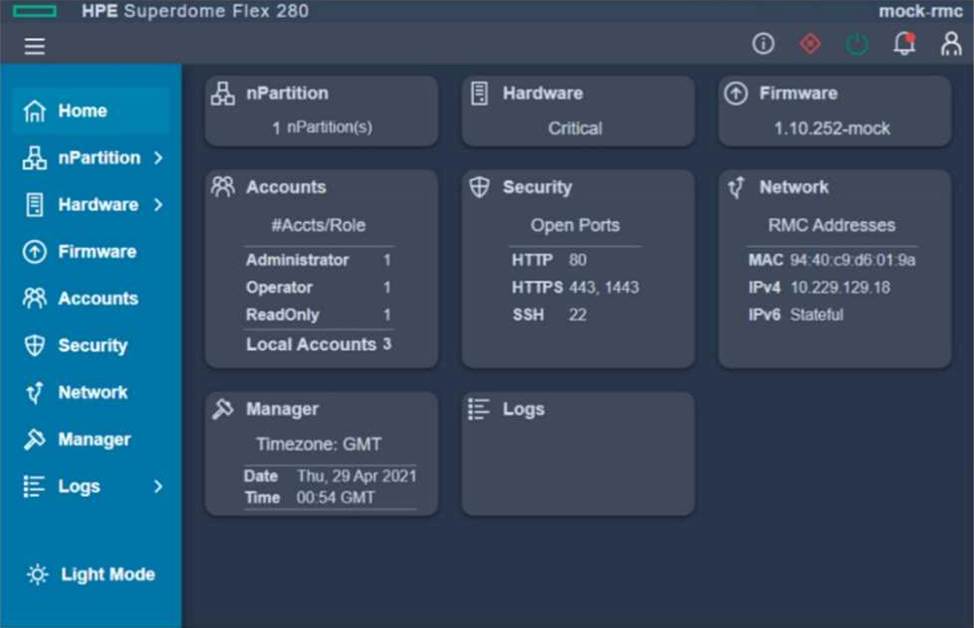
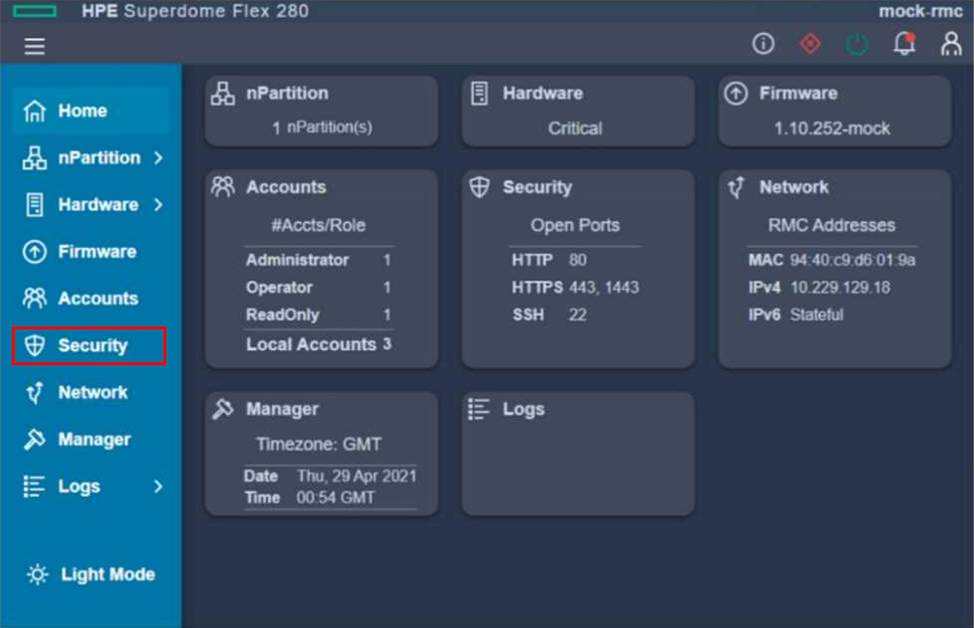
After deploying an HPE Superdome Flex 280, you need to check the network protocol status and SSL certificate.
Click the appropriate section In the HPE Superdome Flex 280 management interface that will allow you to complete this task.
Explanation:
To check the network protocol status and SSL certificate in the HPE Superdome Flex 280 management interface, you should click on the "Security" section on the left-hand menu. This section typically provides access to details about protocols like HTTPS, SSL certificates, and port configurations.
Your customer has the following HPE Synergy setup
– 3 HPE Synergy 12000 Frames
– 4 HPE Virtual Connect SE 100 Gb F32 Modules
– 2 HPE Synergy 50 GO Interconnect Link Modules
– 36 HPE Synergy 480 Gen10 Plus compute modules
– 2 HPE Composer 2 modules
Which statement about this setup is true?
- A . To use all compute nodes, the customer must create at least two logical enclosures
- B . To manage all frames, the customer must buy two additional HPE Composer 2 modules
- C . The customer must buy 36 HPE OneView Advanced licenses to manage compute modules
- D . The customer can add one D3940 storage Module to each of the frames
A
Explanation:
In an HPE Synergy environment, a logical enclosure represents a management domain that groups multiple Synergy frames and their associated compute, storage, and fabric resources. Given the setup with 3 HPE Synergy 12000 Frames and the specified components, the customer must create at least two logical enclosures to effectively manage all compute nodes and resources across multiple frames. This ensures proper resource allocation, management, and redundancy.
Reference: HPE Synergy Logical Enclosure Guide
Which statement about port flap protection is true?
- A . It can disable link aggregation groups or stacking ports that have gone down and come up in quick succession.
- B . It allows an administrator to suppress excessive inbound multicast, broadcast, and DLF packets.
- C . It allows configuration of hardware Layer 2 switching behavior of multicast traffic to optimize network resource usage.
- D . It allows the creation of LACP groups on the upstream switch that span multiple HPE Synergy Virtual Connect modules.
Your customer plans to use HPE Primera to boot HPE Synergy compute nodes. They currently have two HPE Virtual Connect SE 100Gb F32 Module for Synergy modules installed in the frame. The customer wants to use FC as a storage access protocol
What must be done to complete this task?
- A . Enable FC primary and secondary boot on the modules through the HPE OneView interface
- B . FC connectivity on the modules should be enabled through the service console by disabling FCoE.
- C . Add FC upgrade licenses in HPE OneView that will enable FC connectivity for the modules
- D . Enter both modules into a maintenance mode, then enable FC connectivity through CLI
Your customer has an HPE Synergy frame equipped with a D3940 Storage Module. Each of the compute nodes has an appropriate storage controller Installed and two 12Gb SAS switches installed in the first fabric.
The customer reports that compute nodes cannot access the storage module.
What should you verify first when troubleshooting this problem?
- A . If the D3940 module is imported in managed state that allows volume provisioning.
- B . If there Is a logical interconnect created based on the 12Gb SAS switches.
- C . If the D3940 storage module is property licensed through HPE OneView interface.
- D . If there is at least one ISCSI network configured that will provide access to the module.
B
Explanation:
When compute nodes cannot access the D3940 Storage Module in an HPE Synergy environment, the first thing to check is whether a logical interconnect has been created based on the 12Gb SAS switches. Logical interconnects are essential for defining the connection and communication pathways between the compute nodes and the storage module. Without a proper logical interconnect configuration, the compute nodes will not be able to access the storage module.
Reference: HPE Synergy Configuration and Management Guide
Your customer plans to expand an existing nPar based on a single HPE Superdome Flex chassis.
Which statement about workload availability during expansion is true?
- A . Powered nPar can be expanded only if HPE Superdome Flex 280 is used
- B . Online expansion is available only if RMC is used for management.
- C . HPE Superdome Flex does not support expansion of powered on nPars
- D . Powered nPar can be expanded if it does not use HPE Persistent Memory
D
Explanation:
HPE Superdome Flex allows for the expansion of powered-on nPars (nPartitions), but this capability is subject to certain conditions. One of these conditions is that the nPar does not use HPE Persistent Memory. Expanding an nPar with Persistent Memory typically requires a shutdown to reconfigure the memory settings safely.
Reference: HPE Superdome Flex QuickSpecs
You are troubleshooting an HPE OneView server profile that presents a critical state. The server profile was configured with a Link Aggregation Group
What should you check to fix the issue?
- A . if both FiexNICs are configured with the same speed
- B . If the logical enclosure is built on at least three HPE Synergy frames
- C . if both FiexNICs are connected to different networks
- D . if the logical enclosure is configured with redundant master modules
A
Explanation:
When troubleshooting a server profile in HPE OneView that is in a critical state due to a Link Aggregation Group (LAG), it is important to check if both FlexNICs are configured with the same speed. Inconsistent speeds can cause issues with link aggregation, leading to network instability and performance degradation.
Reference: HPE OneView Server Profile Troubleshooting Guide
Your customer plans to deploy VMware ESXi 7. 0 U2, and they are looking for a hardware platform that will allow them to use up to 16 CPU sockets
Which HPE compute system meets the customer requirements?
- A . HPE ProLiant DL580 Gen10
- B . HPE ProLiant OL380 Gen 10 Plus
- C . HPE Synergy 480 Gen10 Plus
- D . HPE Superdome Flex system
D
Explanation:
The HPE Superdome Flex system is the only HPE compute system that supports up to 16 CPU sockets, making it suitable for customers who require a hardware platform with such high scalability. The Superdome Flex is designed for mission-critical workloads and provides exceptional scalability and performance.
Reference: HPE Superdome Flex QuickSpecs