Practice Free PL-600 Exam Online Questions
You need to create an Agent security role.
Which three actions should you recommend? Each correct answer presents part of the solution. NOTE: Each correct selection is worth one point.
- A . Add security to the seat entity and assign users to the Agents role.
- B . Add security to the Core Records and assign users to the Customer Service Representative role.
- C . Copy the Microsoft Dataverse Basic User role.
- D . Rename the Customer Service Representative role to Agents.
- E . Copy the Customer Service Representative role.
- F . Name the new role Agents.
BEF
Explanation:
Scenario: The security rule for agents must contain the privileges in the default Customer Service
Representative security role.
Create a security role by Copy Role:
Step 1 (E): Copy the Customer Service Representative role.
Step 2 (F): Select the New Role Name.
Step 3: (B): When Copying Role is complete, navigate to each tab, ie Core Records, Business
Management, Customization, etc.
Set the privileges on each tab.
Reference: https://docs.microsoft.com/en-us/power-platform/admin/create-edit-security-role
HOTSPOT
A company offers continuing education courses for medical professionals. Each time a course is offered, the company tracks that the session has taken place in an Excel workbook.
The company maintains a list of required qualifications for an educator to teach a course.
Educator qualifications range from languages spoken to advanced degrees.
The company needs the following custom table relationships defined:
✑ Associate educators with a list of their professional qualifications.
✑ Assign a primary educator to each course that is held.
✑ Collect information about every course that is held.
You need to determine the type of relationship that best fits the requirement.
Which type of table relationship should you use? To answer, select the appropriate options in the answer area. NOTE: Each correct selection is worth one point.

Explanation:
Reference: Box 1: One-to-many relationship
Each educator can have 0, 1, or many qualifications
Box 2: One-to-many relationship
Each educator can be the primary educator for 0, 1 or many cources.
Box 3: Many-to-many relationship that uses a custom table.
Note: N:N (Many-to-Many): A table relationship that depends on a special Relationship table, sometimes called an Intersect table, so that many rows of one table can be related to many rows of another table.
Reference: https://docs.microsoft.com/en-us/powerapps/maker/data-platform/create-edit-entity-relationships
A car dealership has a custom financing table.
You are working with a developer to add a button to a ribbon that displays a hidden section of a form when specific criteria are met.
You need to recommend tools and technologies for the developer
Which two tools or technologies should you recommend? Each correct answer presents part of the solution. NOTE: Each correct selection is worth one point
- A . Write a business rule.
- B . Write JavaScript code.
- C . Use the Ribbon Workbench.
- D . Use the form editor.
BC
Explanation:
Client-side scripting using JavaScript is one of the ways to apply custom business process logic for displaying data on a form in a model-driven app.
You can use a community tool, Ribbon Workbench, to visually edit ribbons using the UI.
Reference:
https://docs.microsoft.com/en-us/powerapps/developer/model-driven-apps/client-scripting
https://docs.microsoft.com/en-us/powerapps/developer/model-driven-apps/customize-commands-ribbon
You are evaluating company data.
The data must be migrated to Microsoft Dataverse.
You need to recommend the process to ensure clean data for the migration.
Solution: Eliminate duplicate records.
Does the solution meet the goal?
- A . Yes
- B . No
Topic 1, First Up Consulting
Case study
This is a case study. Case studies are not timed separately. You can use as much exam time as you would like to complete each case. However, there may be additional case studies and sections on this exam. You must manage your time to ensure that you are able to complete all questions included on this exam in the time provided.
To answer the questions included in a case study, you will need to reference information that is provided in the case study. Case studies might contain exhibits and other resources that provide more information about the scenario that is described in the case study. Each question is independent of the other questions in this case study.
At the end of this case study, a review screen will appear. This screen allows you to review your answers and to make changes before you move to the next section of the exam. After you begin a new section, you cannot return to this section.
To start the case study
To display the first question in this case study, click the Next button. Use the buttons in the left pane to explore the content of the case study before you answer the questions. Clicking these buttons displays information such as business requirements, existing environment, and problem statements. If the case study has an All Information tab, note that the information displayed is identical to the information displayed on the subsequent tabs. When you are ready to answer a question, click the Question button to return to the question.
Background
First Up Consulting recruits information technology (IT) workers for temporary or permanent positions at client companies. The company operates offices in multiple countries/regions.
First Up has both full-time and part-time employees. The company has a team or worker support agents that respond to inquiries from current and prospective workers. Some of the worker support agents are multilingual.
The company does not have a standardized tool used for reporting purposes. The organization engages you to implement a new Power Platform solution. Workers are managed by a dedicated team that includes one primary recruiter and a contract assistant. Many client companies live in areas that do not allow for mobile data connections.
Current environment
Existing systems and processes
– First Up uses an on-premises system to manage current and historical patient data including medications and medical visits.
– The company plans to reference historical data in the existing system. The records held in these systems will not be migrated to the new solution except for medication information.
– Employee authentication with the existing system is provided by an on-premises Active Directory instance that is linked to Azure Active Directory.
– An appointment record is created for each visit with a worker. The record includes worker contact information, preferred language, the date and time of the appointment, and other relevant data. This information is reviewed by the worker’s primary recruiter.
– First Up has no current capabilities for forecasting future worker needs based on the data held.
Client company visits
Before First Up signs a contract to place workers at a client company, a member of the audit team visits the company and interviews company management. Audit members use different types of devices including Android and iOS devices. First Up has no plans to require the use of a single type of device. Audit team members currently record information about workers on paper forms. Team members enter information from paper forms into the system when they return to the office.
First Up audits client companies at least once each year but may schedule additional visits based on feedback from workers that they place at a client company.
Requirements
General
– There is no standardized communication tool across the company, and this causes communication issues between different teams.
– First up employees must be able to contact each other by using a secure system to ask and answer questions about medical cases.
– Workers must be able to communicate in near real-time with worker support agents.
Client company visits
– Audit team records must be locked after they have been reviewed by a First Up manager. No further edits to the record can be carried out. This must be implemented using standard available system functionality.
– Audit teams must be able to enter records of their visits to the companies where they have or may place workers. Audit teams must be able to update any necessary records with the latest information.
– The solution must support tracking of security clearance information for a worker including the date, status, and certifying agency.
– When a worker makes an appointment, the appointments must appear in the timeline for the worker’s contact record.
Job history information
– The solution must provide a worker appointment booking system that can access worker historical job placement data.
– The solution must allow employees to associate a primary recruiter with each worker. The solution must also allow multiple secondary recruiters to be associated with each worker.
– Every worker assessment performed must be validated and countersigned by the primary recruiter for a worker.
– Job posting data from previous work engagements must be accessible by the Power Platform solution to ensure that new job postings are accurate.
– First Up staff members must be able to view and update worker records. They must be able to see current and historical job placement data on the same form in the new solution.
Worker access
– The solution must support workers that speak different languages. The solution must provide automatic translation capabilities.
– The solution must support near real-time communications between workers and recruiters.
– Workers must be able to view their records online. Workers must be able to enter any additional information that is required by or may be helpful to recruiters.
– The solution must provide workers a way to search for general information about available positions.
– Workers must be able to request copies of their records by using a chatbot. Workers must be able to provide information to a recruiter as needed.
Data platform
– Audit teams must have the ability to view worker information on their mobile devices.
– Audit teams must be able to record data during visits to locations where workers are placed.
– The solution must support the ability for a corporate governance auditing team to periodically audit the organization’s records, policies, and procedures.
Reporting and analytics
– The reporting and analytics team must be able to create reports that include data from all facilities and all workers.
– Management reports must present an overview of the entire organization. Other reports may be limited to specific offices.
– You must create dashboards that show the status across all groups of workers. The dashboards must be embedded into the Power Platform apps. Updates to data must be displayed in near real time.
Security
– Authentication for all user types must be managed by a single platform. IT teams must use PowerShell to apply security permissions for users.
– Worker records must only be viewed by the recruiting office that the worker visits.
– Worker still records must be archived after ten years and are then removed from the main system. Worker information must not be deleted from the system while skill and job placement history records for the worker exist in the system.
– User security roles must be customized to ensure that users are able to interact only with the specific data in which they need access.
– Workers must be able to sign into a portal by using their own email address. Workers must be required to use a secure method of authentication to be able to view their data.
– Alerts regarding the number of recruited and placed at client companies must be updated as background processes.
Issues
The organization reports the following issues:
– Recruiters report that they cannot see historical job placement data for workers.
– API usage reports show that the number of API calls made exceeds limits. This causes delays saving data.
– Users cannot view Power BI reports within the Power Platform apps.
– Some security clearance information for workers not visible from within the Power Platform solution.
– Audit teams report that they cannot view or edit worker data when the device on which they access the solution does not have network connectivity.
– The testing ream reports that one of the canvas apps is not working as expected. An error message displays as specific pages load.
DRAG DROP
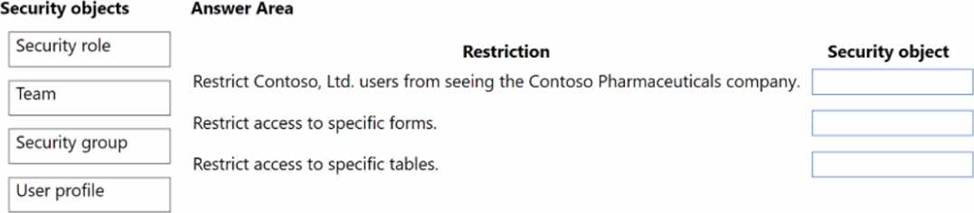
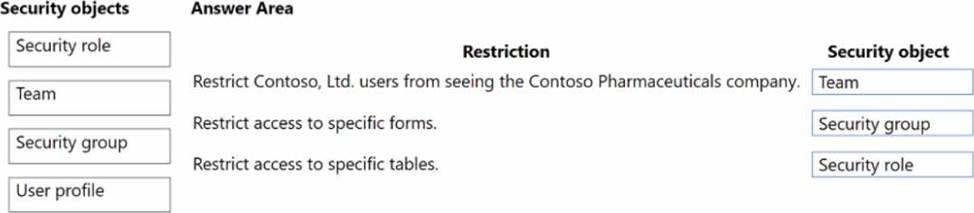
You need to recommend the appropriate messaging channel solutions for the organization.
What should you recommend? To answer, drag the appropriate messaging options to the correct user types. Each messaging option may be used once, more than once, or not at all. You may need to drag the split bar between panes or scroll to view content. NOTE: Each correct selection is worth one point.
Explanation:
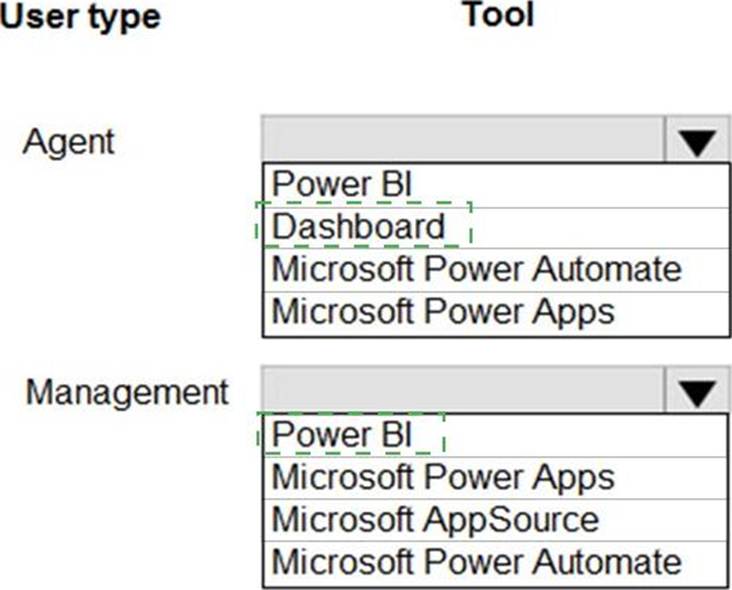
Box 1: Omnichannel for Customer Service dashboard
Scenario: Workers must be able to communicate in near real-time with worker support agents. The company has a team or worker support agents that respond to inquiries from current and prospective workers. Some of the worker support agents are multilingual.
If you choose to expand your customer service offering to provide chat and channels, the Customer Service workspace seamlessly adjusts to support managing conversations as well.
Note: As an agent with the Customer Service Representative security role, when you open Customer Service workspace, you start on the Customer Service Agent Dashboard unless your administrator has changed the default view. This dashboard shows you your active cases, cases you can work in queues you are assigned to, and your open activities. You can open existing cases and activities or begin working new cases from the queues you are assigned to and create activities.
Box 2: Dynamics 365 Customer Service
Scenario: First Up uses an on-premises system to manage current and historical patient data including medications and medical visits.
Reference: https://docs.microsoft.com/en-us/dynamics365/customer-service/csw-overview
Note: This question is part of a series of questions that present the same scenario. Each question in the series contains a unique solution that might meet the stated goals. Some question sets might have more than one correct solution, while others might not have a correct solution.
After you answer a question in this section, you will NOT be able to return to it. As a result, these questions will not appear in the review screen.
A company plans to automate the expense approval process.
Users currently enter data into an on-premises SQL Server database.
You need to allow users to submit expenses from mobile devices.
Solution: Create a canvas app for expense data entry. Install the Power Automate app in Microsoft Teams. Create a cloud flow for approval to add data to the SQL Server database.
Does the solution meet the goal?
- A . Yes
- B . No
You are designing a solution for a national vehicle repair company.
You have the following requirements:
• Customers must search for vehicle issues by using natural language expressions.
• Customers must contact a customer service agent as required.
You need to recommend a solution.
Which two features should you include? Each correct answer presents part of the solution.
- A . Power Virtual Agents
- B . Business process flow
- C . Power Apps portal
- D . Customer Insights
You are a Microsoft Power Platform architect supporting the go-live phase of a canvas app. The canvas app accesses data on-premises and in the cloud.
Users are reporting the app is very slow to respond, especially upon initial launch.
You need to optimize the performance of the app.
Which three actions should you complete? Each correct answer presents part of the solution. NOTE: Each correct selection is worth one point.
- A . Move data calls from the OnStart event to the Onload event.
- B . Reduce data row limits.
- C . Increase data row limits.
- D . Move data calls from the Onload event to the OnStart event.
- E . Review the settings of the data gateway for on-premises data sources.
You need to recommend a method for transferring machine information to Dynamics 365 Field Service.
What should you recommend?
- A . Microsoft Dataverse connector
- B . Dual-write;
- C . Lifecycle Services
A
Explanation:
Scenario: Information about each machine produced must be transferred to Dynamics 365 Field Service.
Use the Microsoft Dataverse connector when connecting to the Microsoft Dataverse used for Microsoft Dynamics 365 Sales, Microsoft Dynamics 365 Customer Service, Microsoft Dynamics 365 Field Service, Microsoft Dynamics 365 Marketing, and Microsoft Dynamics 365 Project Service Automation.
Reference: https://docs.microsoft.com/en-us/powerapps/maker/canvas-apps/connections/connection-dynamics-crmonline
DRAG DROP
You are overseeing the data migration for a Microsoft Power Platform solution.
The migration team is performing a test migration with a subset of data.
The migration team reports the following findings:
✑ Users who own account rows are receiving system generated emails.
✑ Data that is not part of the migration is being added to the Contact and Appointment tables.
✑ The size of the log listed on the Power Platform admin center Capacity page has increased significantly.
You need to recommend strategies to resolve the reported issues.
What should you recommend? To answer, drag the appropriate resolution to the correct migration problem. Each resolution may be used once, more than once, or not at all. You may need to drag the split bar between panes or scroll to view content. NOTE: Each correct selection is worth one point.
Explanation:
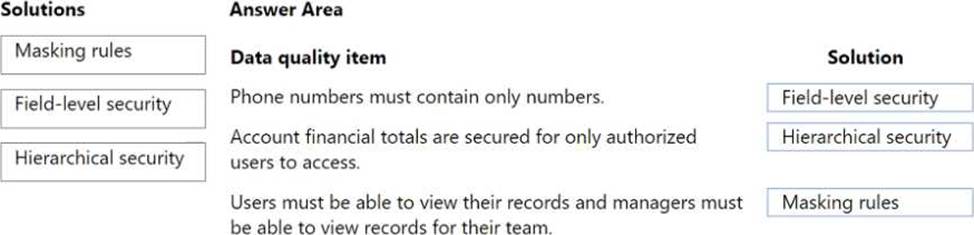
Box 1: Disable duplicate detection
Duplicate detection has rules for sending emails.
Box 2: Disable all workflows, plug-ins, and Power Platform admin center
Box 3: Disable auditing
Auditing affects the size of the log file.
Reference: https://docs.microsoft.com/en-us/power-platform/admin/set-up-duplicate-detection-rules-keep-data-clean