
Practice Free MS-700 Exam Online Questions
Note: This question is part of a series of questions that present the same scenario. Each question in the series contains a unique solution that might meet the stated goals. Some question sets might have more than one correct solution, while others might not have a correct solution.
After you answer a question in this section, you will NOT be able to return to it. As a result, these questions will not appear in the review screen.
Your company has 10 offices in North America and Europe.
The company has 5,000 users.
You plan to deploy Microsoft Teams for all the users.
You run a pilot project for the planned deployment.
You need to identify the network packet loss from the pilot computers to Microsoft Teams during calls.
Solution: You run the Network Testing Companion.
Does this meet the goal?
- A . Yes
- B . No
HOTSPOT
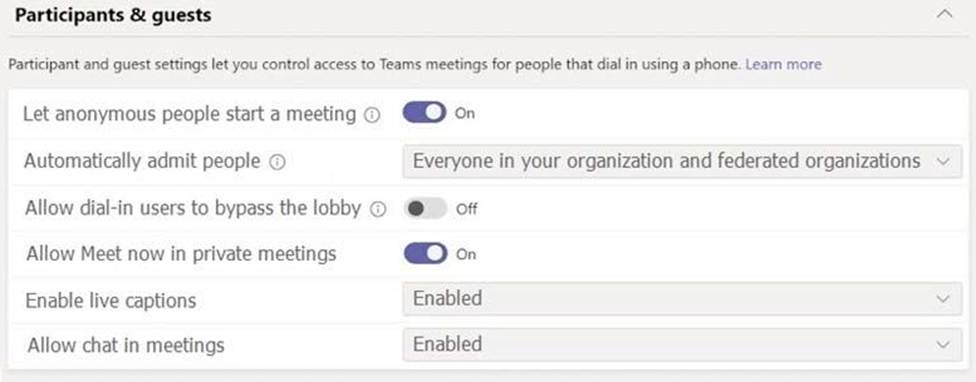
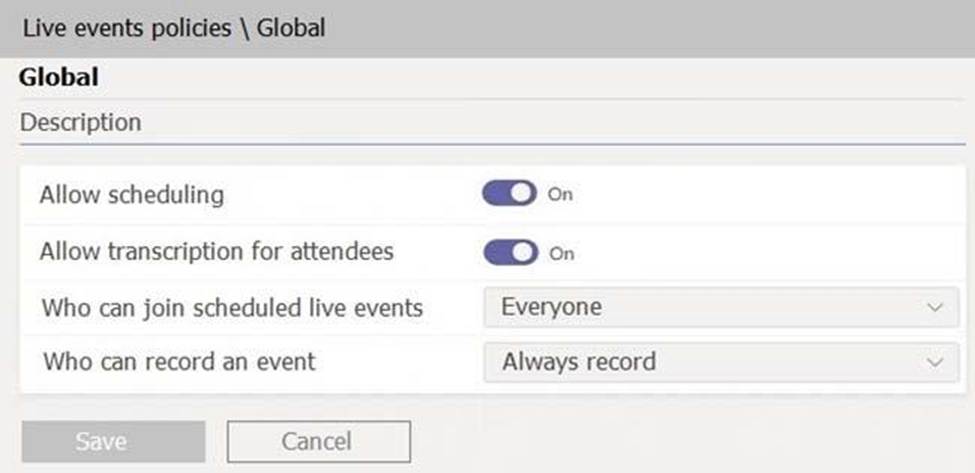
During the pilot project, you review the global policies in the Microsoft Teams admin center.
Contoso has a global meeting policy configured as shown in the following exhibit.
Contoso has a global live events policy configured as shown in the following exhibit.
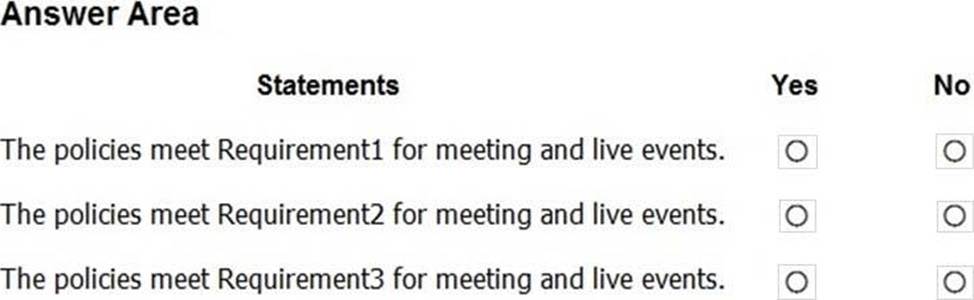
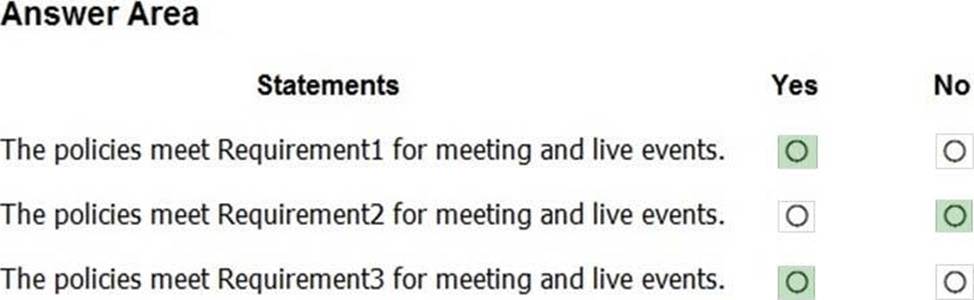
For each of the following statements, select Yes if the statement is true. Otherwise, select No. NOTE: Each correct selection is worth one point.
You have a Microsoft 365 subscription that includes Teams. The subscription contains a user named User1. You are deploying 10 new Teams devices.
You need to ensure that User1 can restart the Teams devices remotely.
Solution: You assign the Teams Communications Administrator role to User1.
Does this meet the goal?
- A . Yes
- B . No
HOTSPOT
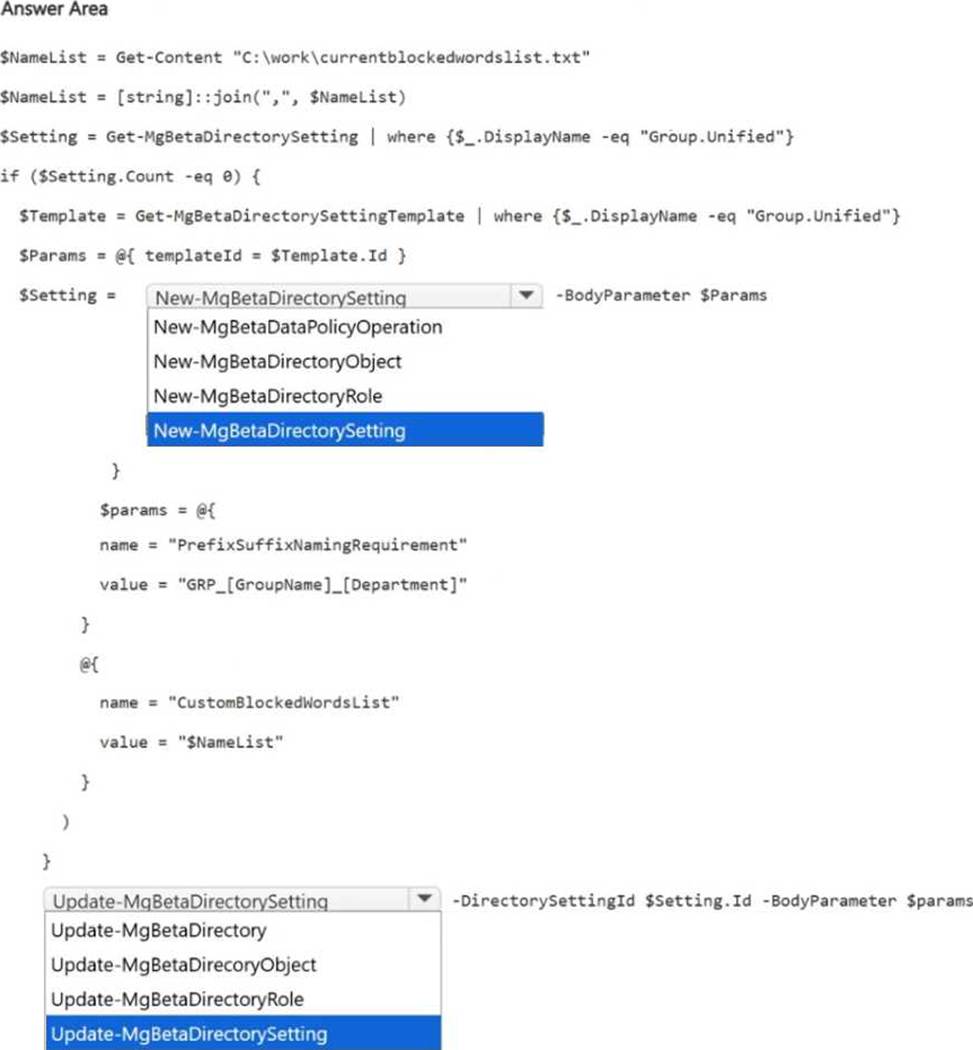
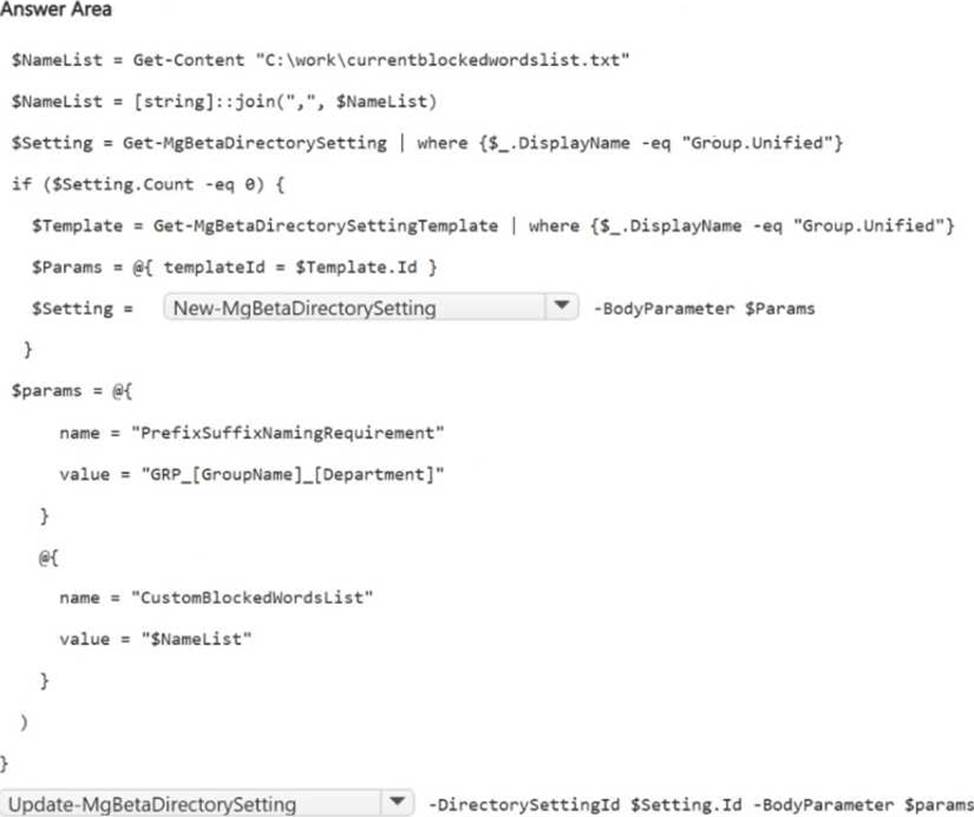
You need to meet the governance requirements for new teams.
How should you complete the script? To answer, select the appropriate options in the answer area. NOTE: Each correct selection is worth one point.
HOTSPOT
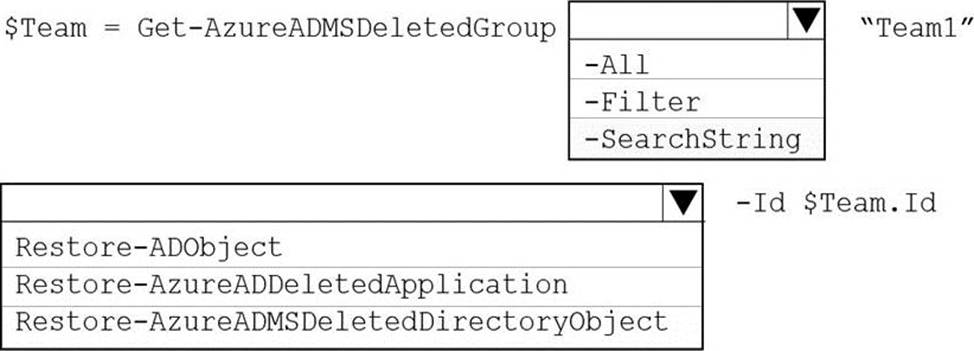
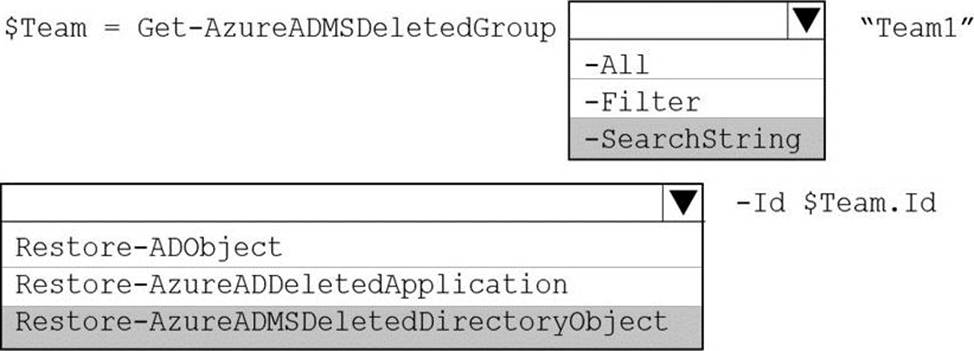
You have a Microsoft Teams team named Team1.
Team1 is deleted accidentally.
You need to recover Team1.
How should you complete the PowerShell script? To answer, select the appropriate options in the answer area. NOTE: Each correct selection is worth one point.
Note: This question is part of a series of questions that present the same scenario. Each question in the series contains a unique solution that might meet the stated goals. Some question sets might have more than one correct solution, while others might not have a correct solution.
After you answer a question in this section, you will NOT be able to return to it. As a result, these questions will not appear in the review screen.
Your company has a Microsoft 365 subscription.
You need to prevent a user named User1 from permanently deleting private chats in Microsoft Teams.
Solution: You place the group mailboxes used by Microsoft Teams on Litigation Hold.
Does this meet the goal?
- A . Yes
- B . No
You have a Microsoft 365 subscription that uses Microsoft Teams.
A user reports an error when he attempts to share his screen during meetings by using the Microsoft Teams Windows Desktop client.
You need to collect the Microsoft Teams client log files from the user’s device.
What should you do?
- A . From the Microsoft Teams client settings, select Disable GPU hardware acceleration.
- B . Select Ctrl + Alt + Shift + 1.
- C . Select the Windows logo key + Alt + Shift +1
- D . From the Microsoft Teams client settings, select Enable logging for meeting diagnostics.
Your company has a Microsoft 365 E5 subscription.
You enable guest access for Microsoft Teams.
You need to prevent all users from downloading and opening files that contain malware by using
Microsoft Teams channels.
What should you do first?
- A . From the Microsoft Purview compliance portal, create a data loss prevention (DLP) policy.
- B . From the Microsoft 365 Defender portal, select Turn on Defender for Office 365 for SharePoint, OneDrive, and Microsoft Teams
- C . From the Azure Active Directory admin center, add an identity provider.
- D . From the Azure Active Directory admin center, enable the End user protection baseline policy.
HOTSPOT
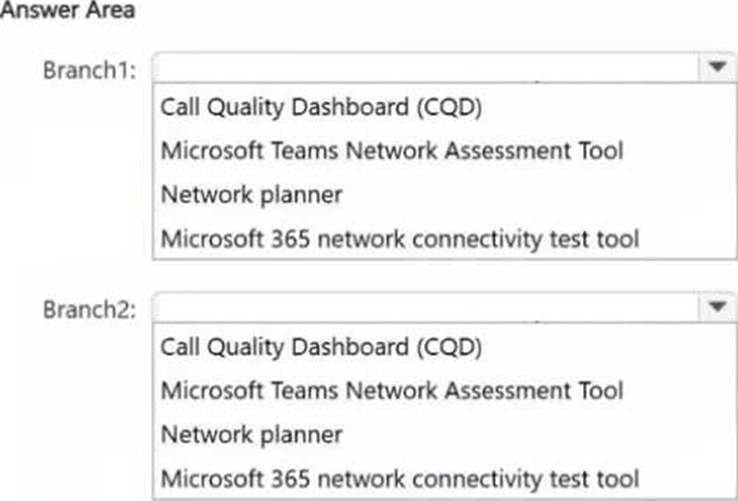
Your company has two branch offices named Branch1 and Branch2.
You plan to deploy Teams to the branch offices.
You need to perform the following tasks for each branch office:
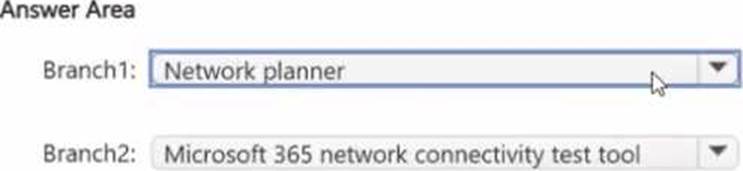
• Identify how much network bandwidth is needed based on the number of users in Branch1 that use audio, video, and screen sharing.
• Validate the connection, IP address, and port requirements between Branch2 and the Microsoft network.
What should you use for each branch? To answer, select the appropriate options in the answer area. NOTE: Each correct selection is worth one point.
SIMULATION
Task 5
You need to prevent incoming Teams call notifications when users are already on a Teams call or in a Teams meeting. The solution must NOT reject the call.